PPM-350C 15
To select a threshold set:
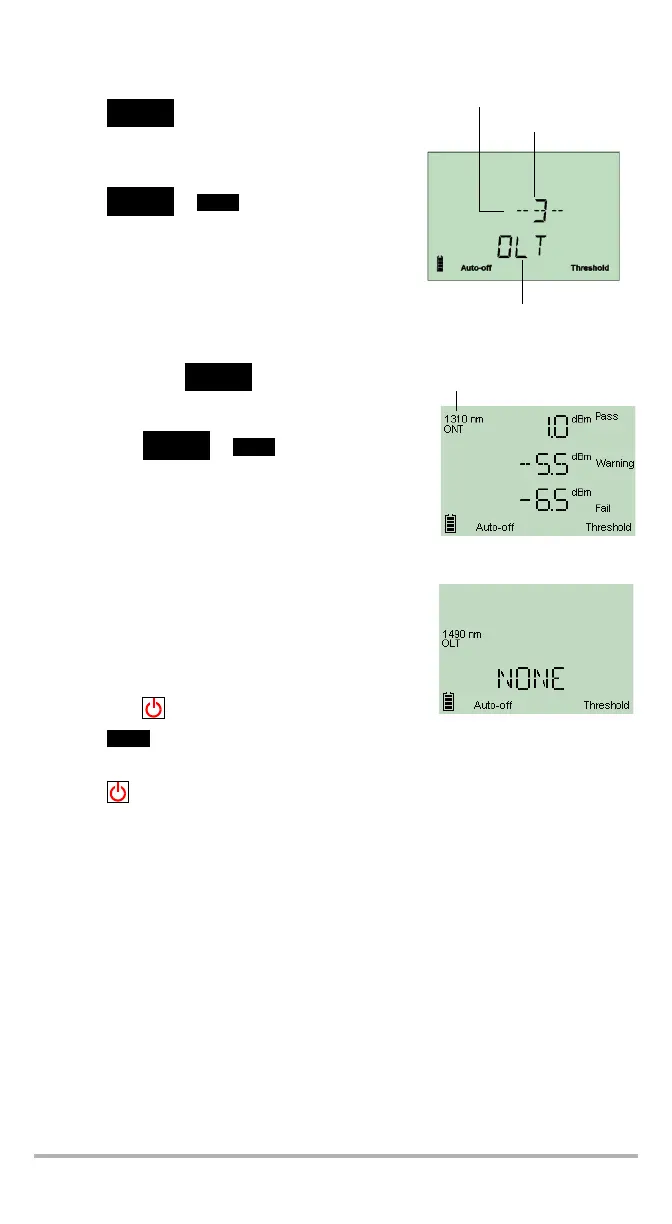
1. Press . The unit enters the threshold
selection mode and displays the current
threshold set. If the threshold name has more
than 4 characters, it will scroll automatically.
2. Press or to switch between
available threshold sets.
3. If desired, display the Pass/Warning/Fail values of the threshold set as follows:
3a. Hold down for a few seconds. The
unit displays threshold values of the first
wavelength that has not been deactivated.
3b. Press or to switch to the next
wavelength.
Note: If a wavelength has been deactivated via
the Handheld Data Transfer (refer to the
Handheld Data Transfer online help), the
unit displays no threshold values.
3c. Press to return to threshold selection mode.
4. Press to make the displayed threshold set the current one.
The unit returns to Pass/Fail mode.
5. Press to exit without selecting a new threshold set. The unit returns to your
previous mode.
Threshold set number
Threshold set name
Current threshold set indicators



 To Next Page