EasyManua.ls Logo

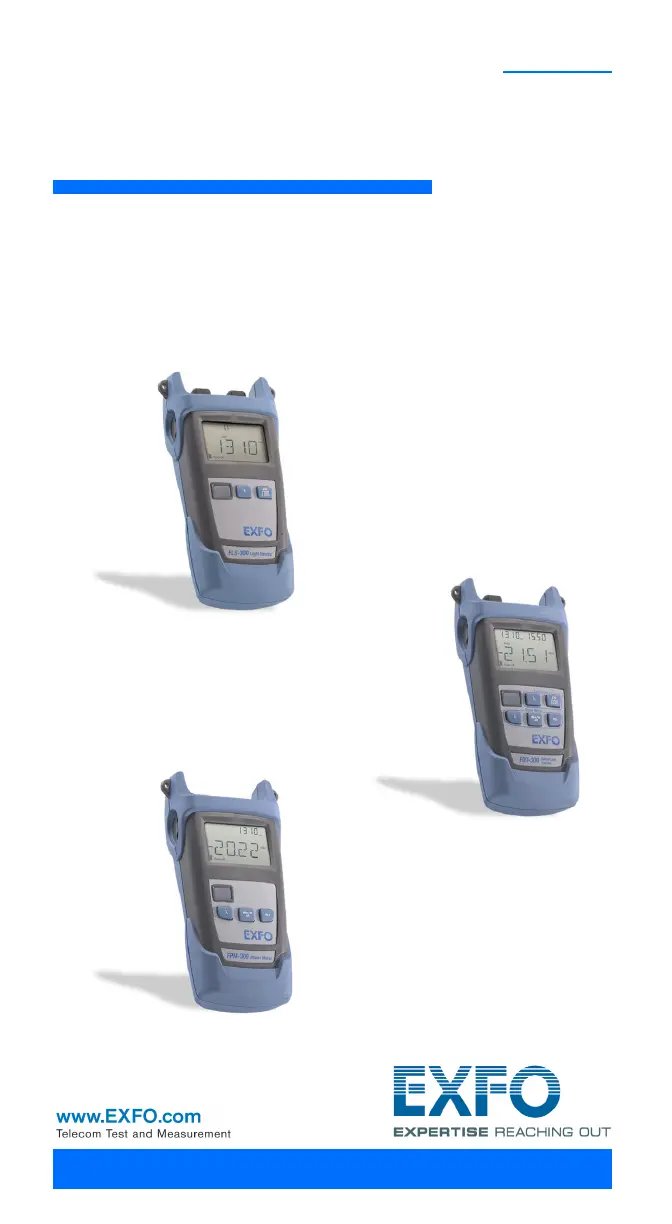
EXFO FPM-300 - User Manual

EXFO FPM-300
40 pages
Print Icon
To Next Page IconTo Next Page
Loading...
User Guide
Power Meter/Light Source/Optical
Loss Test Set
FPM-300/FLS-300/FOT-300

Questions and Answers

  • D
    David WhiteAug 18, 2025
    Why is the optical power unstable on my EXFO FPM-300 Measuring Instruments?
    • A
      Angelica ManningAug 18, 2025
      The optical power instability can be fixed by increasing the source power when in Auto mode, or switching the source to Continuous Wave (CW) mode.
  • M
    Michael LevyAug 20, 2025
    What to do if my EXFO Measuring Instruments beeps a lot and the optical power is unstable?
    • H
      hallamandaAug 20, 2025
      The multiple beeps, unstable optical power, and blinking Auto (or modulation) indicator suggest that the power is too low to recognize Auto mode (or modulation). You should increase the source power or switch the source to CW.
  • H
    Henry JenkinsAug 23, 2025
    Why can't I change the power meter wavelength on my EXFO Measuring Instruments?
    • S
      Shawn MuellerAug 23, 2025
      You might be unable to change the power meter wavelength because the unit is receiving an Auto (or REF) signal from the source, or there is only one wavelength in the list. To solve this, change the source mode, and then retry. You can also add wavelengths.
  • M
    Matthew HillAug 26, 2025
    What to do if light is detected while nulling offsets on EXFO Test Equipment?
    • L
      Linda GonzalesAug 26, 2025
      If the EXFO Test Equipment detects light while nulling offsets, and nulling is not performed, ensure that the protective cap is correctly placed on the detector port, and then retry the nulling process.
  • W
    walshkimberlyAug 28, 2025
    Why EXFO Test Equipment has many beeps, unstable optical power and blinking Auto indicator?
    • J
      James HamptonAug 28, 2025
      If you observe many beeps, unstable optical power, and a blinking Auto (or modulation) indicator on your EXFO Test Equipment, it's likely that the power is too low for the device to recognize Auto mode (or modulation). To resolve this, increase the source power or switch the source to CW (continuous wave).
  • C
    Carly AcostaAug 30, 2025
    What to do if reference power is different than source output power on EXFO Test Equipment?
    • C
      Christopher GreenAug 30, 2025
      If the reference power is different from the source output power on your EXFO Test Equipment, the received power might be outside the detector’s range. Try changing the source output power to resolve this.
  • J
    John CabreraSep 2, 2025
    What to do if unable to change power meter dB unit on EXFO Test Equipment?
    • R
      Richard SummersSep 2, 2025
      If you are unable to change the power meter dB unit or reference power on your EXFO Test Equipment, or if changed values are replaced, the unit might be receiving a REF signal from the source. Wait a few seconds until the power value is received, and then retry.
  • A
    Alison PhillipsSep 4, 2025
    How to fix unavailable wavelength from source on EXFO Test Equipment?
    • B
      Bianca LongSep 4, 2025
      If the wavelength sent from a compatible source emitting in Auto mode is not available on your power meter, change the source wavelength or switch the source to CW (Continuous Wave).
  • A
    Angela FisherSep 7, 2025
    What to do if my EXFO FPM-300 Measuring Instruments shows 'LIGH'?
    • F
      fullerelizabethSep 7, 2025
      The 'LIGH' message indicates that light was detected while nulling offsets, which prevents nulling from being performed. To resolve this, correctly place the protective cap on the detector port, and then retry the nulling process.
  • L
    lindaatkinsonSep 9, 2025
    How to fix reference power that is different from source output power on EXFO FPM-300?
    • F
      fscottSep 10, 2025
      If the reference power differs from the source output power, it means that the received power is outside the detector’s range. To fix this, you should change the source output power.

Summary

Certification Information

FCC and Industry Canada Compliance

Details compliance with FCC and Industry Canada regulations.

CE Mark Information

Explains compliance with the European Union's EMC Directive.

Introduction to EXFO FPM;FLS;FOT Series

Main Features Overview

Key capabilities and functionalities of the FPM, FLS, and FOT units.

Product Usage and Conventions

Power Sources

Describes the various power options available for the units.

Typical Applications

Lists common uses for the FPM/FLS/FOT test sets.

Conventions Used in Guide

Explains symbols and formatting conventions for clarity.

Safety Information and Precautions

Electrical Safety Guidelines

Essential safety rules for electrical operation.

Laser Safety for FLS;FOT Models

Critical safety measures for laser-emitting units.

Equipment Operating Ratings

Environmental and Operating Ratings

Specifies temperature, humidity, and altitude limits.

Getting Started: Unit Operation

Powering the Unit On and Off

Step-by-step guide to turn the unit on and off.

Display and Keypad Interface

Overview of the unit's screen layout and control buttons.

Unit Features and Interface Setup

Automatic Shutdown Feature

How to manage the auto-off function for power saving.

Installing the EUI Connector

Instructions for fitting the EXFO Universal Interface adapter.

Optical Fiber Handling and Connection

Cleaning and Connecting Fibers

Procedures for cleaning fiber ends and connecting them to ports.

Measuring Power or Loss (FPM;FOT)

Nulling Electrical Offsets

How to perform offset nulling for accurate measurements.

Defining Favorite Wavelengths

Managing Wavelength Lists

Adding, removing, and managing preferred wavelengths.

Referencing Power Meter to Source

Automatic Reference Value Setup

Using compatible sources to automatically set reference power.

Manual Power Meter Referencing

Manual Referencing Procedure

Step-by-step guide for manual reference power setting.

Performing Power and Loss Measurements

Measurement Setup and Execution

Connecting the fiber and setting up for power/loss measurement.

Wavelength Matching and Reference Mode

Synchronizing Wavelengths

Ensuring source and meter wavelengths match for accurate readings.

Activating Reference Mode

Switching the meter to reference mode for loss calculations.

Automatic Wavelength Detection

Wavelength Signal Reception

How the meter automatically detects source wavelength via signal.

Using the Light Source Functionality

Activating and Deactivating Source

Procedures to control the light source output.

Modulating Source Signal

Changing the modulation type of the light source signal.

Sending Source Power Value

Transmitting Power Value with Signal

How the source communicates power data to compatible meters.

Setting and Sending Source Power

Editing and Transmitting Power Value

Steps to set a custom power value and send it.

Maintenance and Care

General Maintenance Guidelines

Basic recommendations for unit upkeep and handling.

Cleaning EUI Connectors

EUI Connector Cleaning Procedure

Detailed steps for cleaning EUI connector ports.

Connector Ferrule Cleaning

Ferrule Cleaning Steps

Method for cleaning the ferrule within connector ports.

Cleaning Fixed Connectors

Fixed Connector Cleaning Method

Instructions for cleaning fixed optical connectors.

Cleaning Detector Ports

Detector Port Cleaning Instructions

Procedures for cleaning the unit's detector ports.

Replacing Unit Batteries

Battery Replacement Steps

Guide on how to replace the AA batteries.

Unit Recalibration and Dates

Viewing Last Calibration Date

How to check the last calibration date on the unit.

Recycling and Disposal (EU)

Information on WEEE directive for recycling and disposal.

Troubleshooting Common Issues

Solving Common Problems

Table of common issues, causes, and solutions.

Understanding Error Codes

Explanation of error codes and their meanings.

Technical Support and Transportation

Contacting Technical Support Group

How to get assistance from EXFO support.

Safe Transportation Guidelines

Recommendations for transporting the unit safely.

Warranty Terms and Liability

General Warranty Information

Details on the product's warranty coverage and terms.

Liability Limitations

EXFO's responsibility limits regarding product use.

Warranty Exclusions and Certification

Warranty Exclusions List

Conditions that will void the product warranty.

Product Certification Statement

Confirmation of equipment meeting specifications at shipment.

Service and Repair Procedures

Sending Equipment for Service or Repair

Steps to follow when returning equipment for servicing.

EXFO Global Service Centers

Worldwide Service Center Contacts

Contact details for EXFO's international service centers.

Technical Specifications - FPM Models

Important Specification Notes

Important disclaimers regarding specification changes.

FPM-302;FPM-302 X Specs

Detailed specifications for the FPM-302 and FPM-302X.

General Specifications

Common technical parameters for all FPM models.

Technical Specifications - FOT Models

FOT-302;FOT-302 X Specs

Detailed specifications for the FOT-302 and FOT-302X.

Hazardous Substances Restriction Notice

Chinese RoHS Compliance Information

Details on hazardous substance content per Chinese regulation.

Corporate Contact Information

EXFO Headquarters and Global Offices

Addresses and contact details for EXFO's main offices.

EXFO FPM-300 Specifications

FPM-302

Power IconPower
power range10 to –60 dBm
power uncertainty± 5 % ± 1 nW
resolution0.01 dB
Display and Detection IconDisplay and Detection
display unitsdB/dBm/W
screen refresh rate3 Hz
tone detection frequencies270 Hz, 1 kHz, 2 kHz
Battery IconBattery
battery life> 300 hours
warmup time0 seconds
automatic offset nullingYes

FPM-302X

Power IconPower
power range26 to –50 dBm
power uncertainty± 5 % ± 10 nW
resolution0.01 dB
Display and Detection IconDisplay and Detection
display unitsdB/dBm/W
screen refresh rate3 Hz
tone detection frequencies270 Hz, 1 kHz, 2 kHz
Battery IconBattery
battery life> 300 hours
warmup time0 seconds
automatic offset nullingYes

23BL

Optical Specifications IconOptical Specifications
central wavelength1310 ± 20 nm, 1550 ± 20 nm
spectral width5 nm
output power1 dBm
Battery and Stability IconBattery and Stability
battery life120 hours
power stability±0.10 dB
automatic wavelength recognitionYes
Tone Generation IconTone Generation
tone generation frequencies270 Hz, 1 kHz, 2 kHz

12D

Optical Specifications IconOptical Specifications
central wavelength850 ± 25 nm, 1300 +50/–10 nm
spectral width50/135 nm
output power–20 dBm
Battery and Stability IconBattery and Stability
battery life120 hours
power stability±0.10 dB
automatic wavelength recognitionYes
Tone Generation IconTone Generation
tone generation frequencies270 Hz, 1 kHz, 2 kHz

Related product manuals