EasyManua.ls Logo

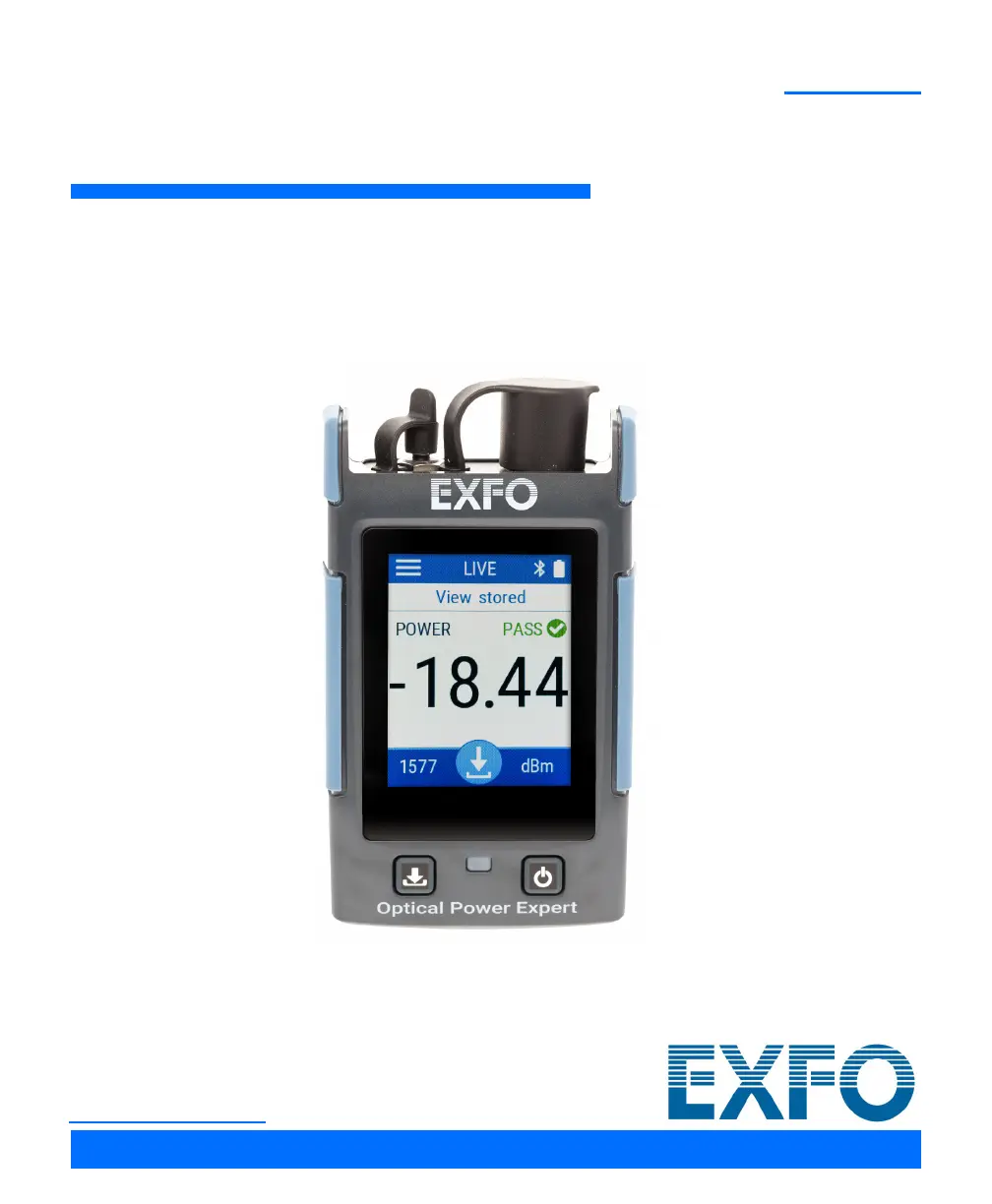
EXFO Optical Power Expert - User Manual

EXFO Optical Power Expert
93 pages
Print Icon
To Next Page IconTo Next Page
Loading...
User Guide
Optical Power Expert
PX1
www.EXFO.com

Table of Contents

Questions and Answers

  • J
    James ThompsonAug 4, 2025
    What to do if my EXFO Optical Power Expert Measuring Instruments unit does not start?
    • A
      Alejandro JacksonAug 5, 2025
      If your EXFO Measuring Instruments unit doesn't start, it might be because the battery is completely discharged. If the battery level allows, the unit’s LED will blink quickly to indicate the low battery status. Connect the unit to an external power source to recharge the battery. If the battery is no longer charging properly, you may need to replace it.
  • J
    Jennifer KhanAug 11, 2025
    Why is my EXFO Measuring Instruments battery not recharging?
    • R
      Roger CastilloAug 11, 2025
      Your EXFO Measuring Instruments battery may not be recharging because the ambient temperature is too high or too low. Ensure the temperature is within the specified range for recharging. Another cause could be that the USB power adapter is not connected properly. Make sure the USB power adapter is correctly connected to both the unit and the AC outlet. If the problem continues after verifying the connection, the USB power adapter may be defective. Try replacing it; you can purchase new USB power adapters from EXFO.
  • J
    Jennifer JonesAug 27, 2025
    How to fix inaccurate battery gauge after replacing the battery on EXFO Optical Power Expert?
    • K
      Karen MorrisAug 27, 2025
      If the battery gauge is not accurate on-screen after replacing the battery in your EXFO Measuring Instruments unit, it's likely that the recharge cycle needs to be reset for the new battery. Perform a full charge of the unit to resolve this.
  • S
    Steven TaylorSep 10, 2025
    What to do if my EXFO Optical Power Expert Measuring Instruments unit is not responding?
    • K
      Kevin BarrSep 12, 2025
      If your EXFO Measuring Instruments unit is not responding, it indicates that the system has encountered a problem. Try restarting the unit to resolve this issue.

Summary

Introducing the PX1 Optical Power Expert

Main Features

Details the primary features and capabilities of the PX1 Optical Power Expert.

Available Options

Lists and describes the different models and configurations available for the PX1.

LED Indicator Description

Explains the meaning of the LED indicators on the unit.

Battery Status Icon Description

Describes the icons used to indicate battery charge status.

Power Sources

Information on how the PX1 unit can be powered, including battery and external sources.

Temperature Management

Guidelines for managing the unit's operating temperature for optimal performance.

Technical Specifications

Provides detailed technical specifications for the PX1 Optical Power Expert.

Conventions

Explains symbols and conventions used throughout the user guide.

Safety Information

General Safety Information

Provides essential safety warnings and precautions for using the PX1 unit.

Other Safety Symbols on Your Unit

Explains various safety symbols that may appear on the unit.

Laser Safety Information (Units with VFL)

Safety information specific to the Visual Fault Locator (VFL) feature.

Electrical Safety Information

Details electrical safety precautions and guidelines for the unit.

Setting up and Using Your PX1

Turning on Your Unit

Instructions on how to power on the PX1 Optical Power Expert.

Turning off Your Unit

Instructions on how to power off the PX1 Optical Power Expert.

Understanding the Main Window

Overview of the main display screen and its elements.

Configuring the Auto-Off Value

Guide to setting the automatic power-off timer for the unit.

Adjusting Brightness

Instructions on how to adjust the display brightness.

Adjusting the Date and Time

Steps to set the correct date and time on the unit.

Changing the Power Units

How to switch between dBm and watts for power measurements.

Changing Wavelengths

Procedure for selecting the desired optical wavelength for testing.

Working With Pass;Fail Thresholds

How to configure and use pass/fail thresholds for measurements.

Nulling Electrical Offsets

Steps to null electrical offsets for accurate measurements.

Setting Reference Values on Your PX1

Guide to setting reference values for loss measurements.

Measuring Power or Loss

Instructions on how to perform optical power and loss measurements.

Switching Between Power and Loss Measurements

How to switch between power and loss measurement modes.

Using the VFL

Instructions on activating and using the Visual Fault Locator (VFL).

Reverting to Factory Settings

How to reset the unit's settings to their original factory defaults.

Managing Test Results

Viewing Measurements

Instructions on how to view previously stored measurement results.

Deleting Measurements (Clearing Data)

Steps to delete stored measurements to free up disk space.

Maintenance

Cleaning Detector Ports

Procedure for cleaning the optical detector ports for accuracy.

Cleaning VFL-Type Connectors

Instructions on cleaning VFL-type connectors using a mechanical cleaner.

Cleaning the Touchscreen

Guidelines for cleaning the unit's touchscreen.

Recharging the Battery

Information on how to recharge the unit's battery.

Replacing the Battery

Step-by-step guide on how to replace the unit's battery.

Upgrading the Application

How to check for, download, and install application updates.

Recalibrating the Unit

Information on the recommended recalibration interval and procedure.

Recycling and Disposal

Guidelines for proper recycling and disposal of the product.

Troubleshooting

Solving Common Problems

Lists common problems and their solutions for the PX1 unit.

Accessing the Online Documentation

How to access the user guide and other documentation online.

Contacting the Technical Support Group

Information on how to contact EXFO technical support.

Viewing System Information

How to view system details like model, serial number, and software versions.

Transportation

Recommendations for transporting the unit to prevent damage.

Warranty

General Information

Details the warranty coverage for the PX1 Optical Power Expert.

Liability

Information on EXFO's liability regarding product use and modifications.

Exclusions

Lists conditions and situations not covered by the warranty.

Certification

Confirmation of the unit meeting specifications at shipment.

Service and Repairs

Procedures for sending the unit for service or repair.

EXFO Service Centers Worldwide

Contact details for EXFO's authorized service centers globally.

EXFO Optical Power Expert Specifications

General IconGeneral
ModelOptical Power Expert
Accuracy±0.2 dB
Resolution0.01 dB
UnitsdBm, dB, W
Fiber TypesSingle-mode, Multimode
DisplayLCD

Related product manuals