FPM-300/FLS-300/FOT-300 14
6. Match the source and power meter wavelengths:
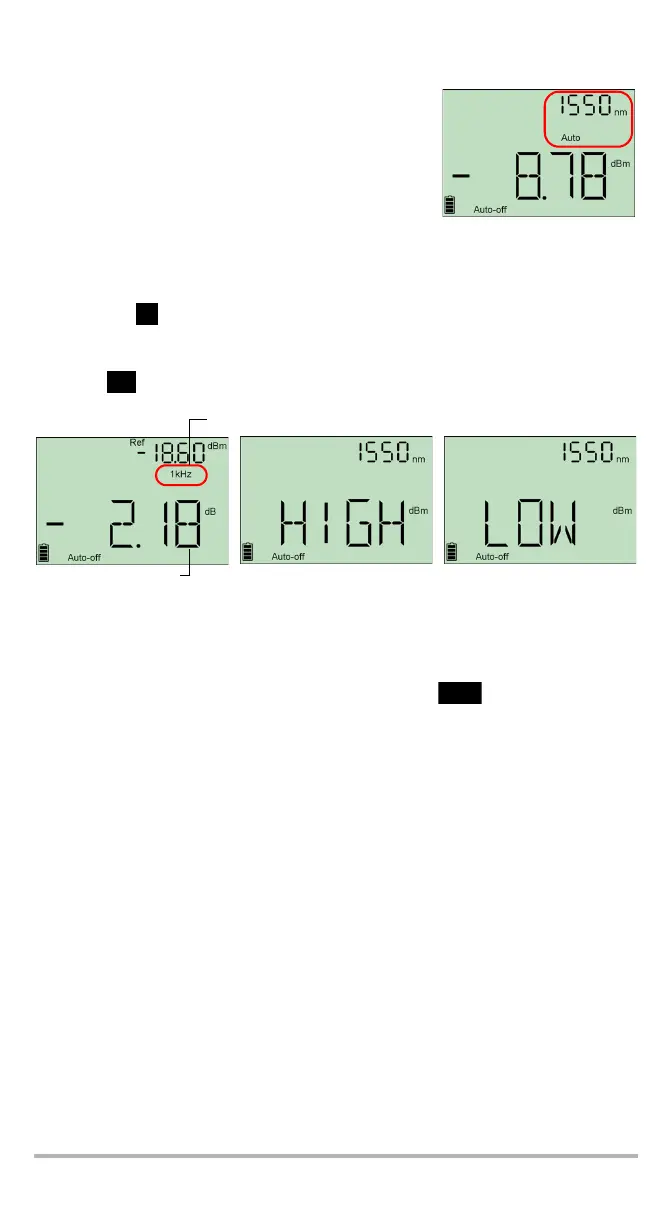
If the source emits an auto-wavelength signal
(see Automatically Detecting Wavelength on
page 15), the power meter automatically
matches the source wavelength.
If the source emits an auto-wavelength signal or
is in auto-switching mode (see Automatically Detecting Wavelength on
page 15 and see To receive the auto-wavelength signal or detect the source's
auto-switching mode: on page 15), the power meter automatically matches
the source wavelength.OR
Press
(power meter)
to switch between pre-selected wavelengths (see
Defining a List of Favorite Wavelengths on page 10).
7. If you want to see a loss value and your power meter displays W or dBm units,
press to access reference mode.
When the unit detects a modulated signal, it beeps and displays the modulation
value and average measured power or loss (see left illustration above). You may
notice a slightly unstable last digit.
8. If necessary, change the displayed units by pressing .
9. Repeat the procedure for other wavelengths.
When power or loss is outside power limits
(see Technical Specifications on page 32)
Actual power or loss
of fiber under test
Modulation detected



 To Next Page