- 16 -
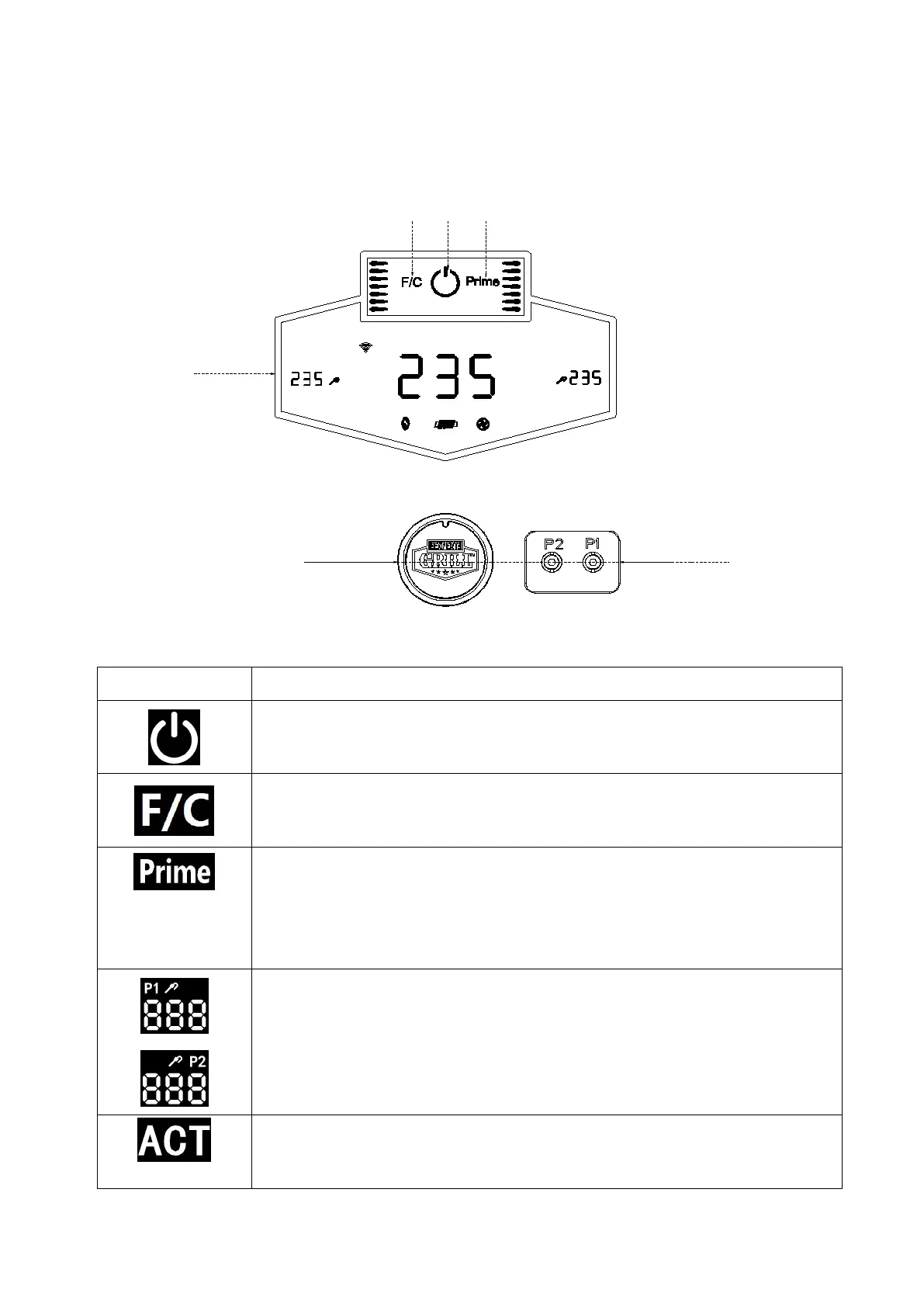
Button Function Description
Fanrenheit
or Celsius
Power
Manual
Feeding
PID Screen
Control Knob
ACT SET
P1
P2
FC
Connection Port
PID Screen:
This is power button. Pressure sensitive touch button is used to turn the PID
screen "ON", and turn on the grill at same time.
Press and hold for 3 seconds, you can turn "OFF" the grill.
The Temperature unit switch button to change the temperature readout on
the PID screen. Press the button to switch between units of temperature
Celsius (ºC) or Fahrenheit (ºF), as preferred. Default is set to Fahrenheit.
When this touch button is pressed and held, the FEED system will feed
more pellets to the fire pot. This can be used to add more pellets for the
first use of the grill or if there is not enough pellets in the fire pot. It can
also be used to add more pellets while smoking to increase the amount of
smoke flavor intensity.
The plug-in connection port(s) under the hopper cap are for Meat Probe(s).
When a meat probe is connected, the temperature is displayed on the PID
screen. When not in use, unplug the meat probe from the connection port.
There are two (2) connection port(s). Compatible with EXPERT GRILL®
branded meat probes only. Additional meat probe(s) sold separately.
"ACT" displays the actual temperature of your grill at that moment of time.
Press the control knob once to switch between "SET" and "ACT".
By default, PID screen displays "ACT".



 To Next Page