- 22 -
Connection of the App
1. Search " Expert Grill" in iOS store or Play store to download the APP.
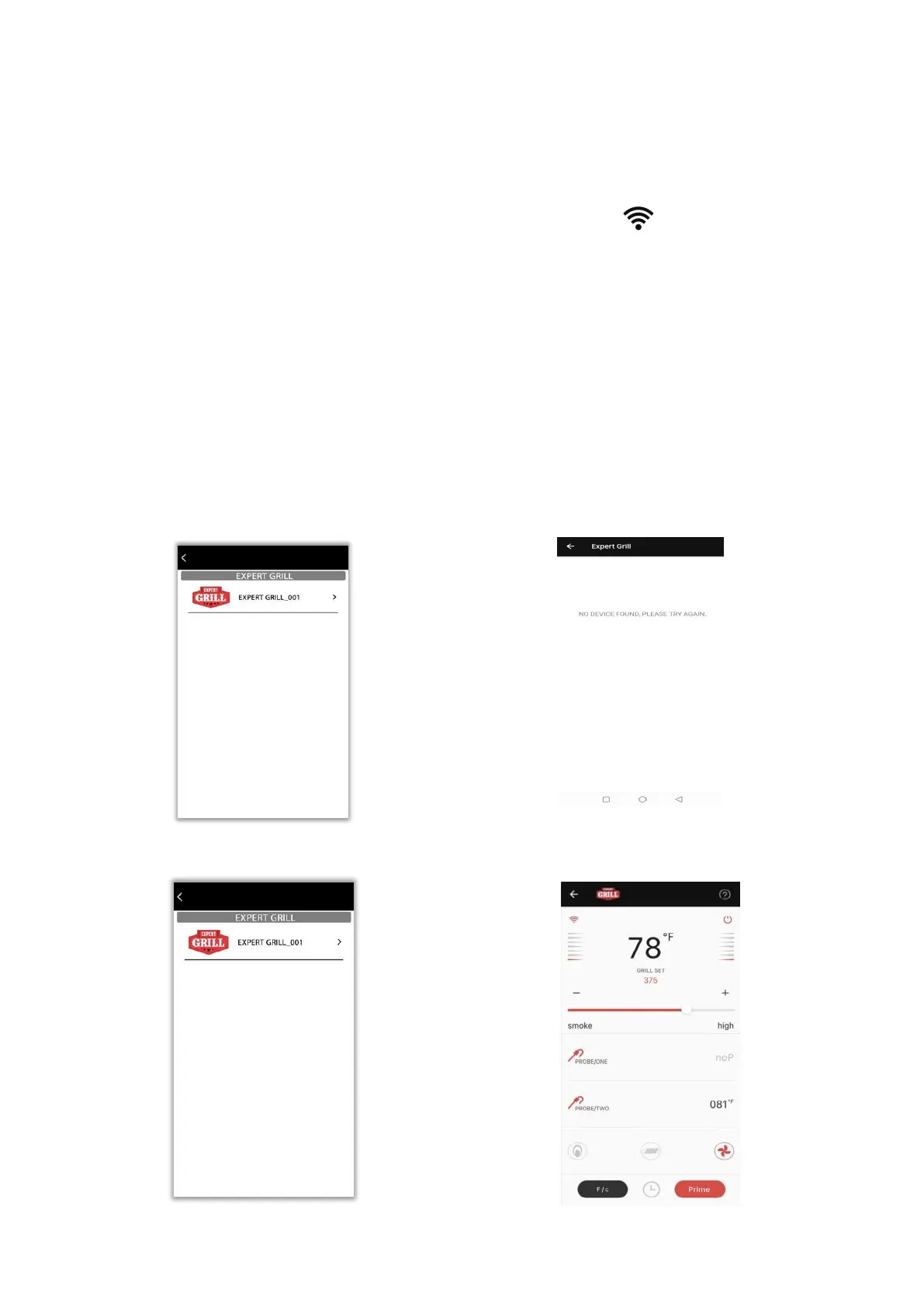
2. After download the APP, initiate Bluetooth function of your phone, on PID screen will stop
flashing when the device is connected with your phone, and click the APP to search the devices.
If it is first use/connect, we suggest final customer to connect the phone to PID face to face or
within 16.4 feet (5 meters) without any obstacles.
After the first successful connection, the Bluetooth operation distance is within 164 feet (50 meters)
without any obstacles, and within 82 feet (25 meters) if there is a wall or window.
3. If the search is successful, the searched devices will be displayed. Each device has a unique
number with a name such as Expert Grill_XXX.
If the search is unsuccessful, a second page is displayed. Request to try again.
4. Click the Expert Grill_XXX and come to the home page



 To Next Page