21
EX-61001 English
© Copyright 2023 by EXSYS Vertriebs GmbH. All rights reserved
6. VCOM Utility
For virtual COM applications, a VCOM utility is provided on the EXSYS website (download see
page 20).
Important!
Please run the installation programme by right-clicking "Run as administrator"!
After completing the installation, restart the computer.
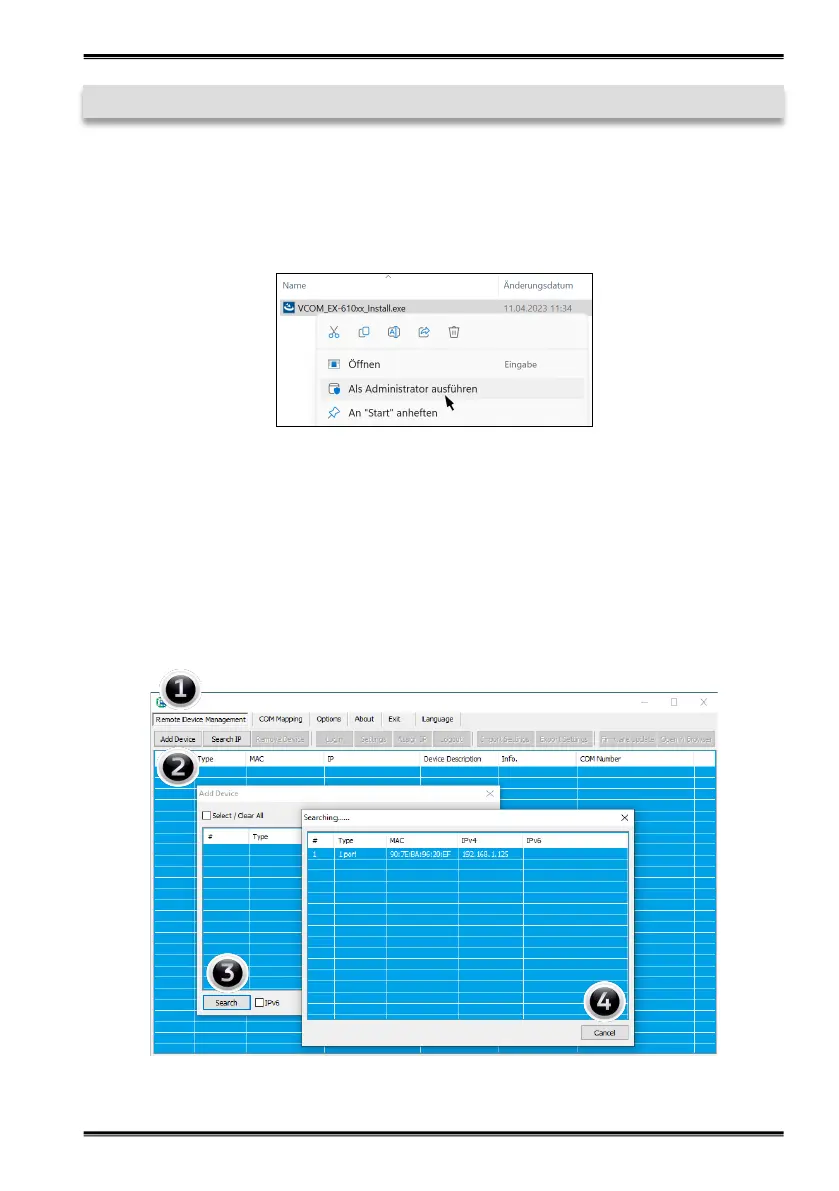
1. Get the IP address:
• Start the VCOM Utility (right-click on the VCOM Utility shortcut on the Windows desktop and
start it with „Run as Administrator“).
• Click Remote Device Management > ADD Device > Search
• After the device is found, click Cancel to abort the search. Click OK, to add the EX-61001.


 To Next Page