23
EX-61001 English
© Copyright 2023 by EXSYS Vertriebs GmbH. All rights reserved
6. VCOM Utility
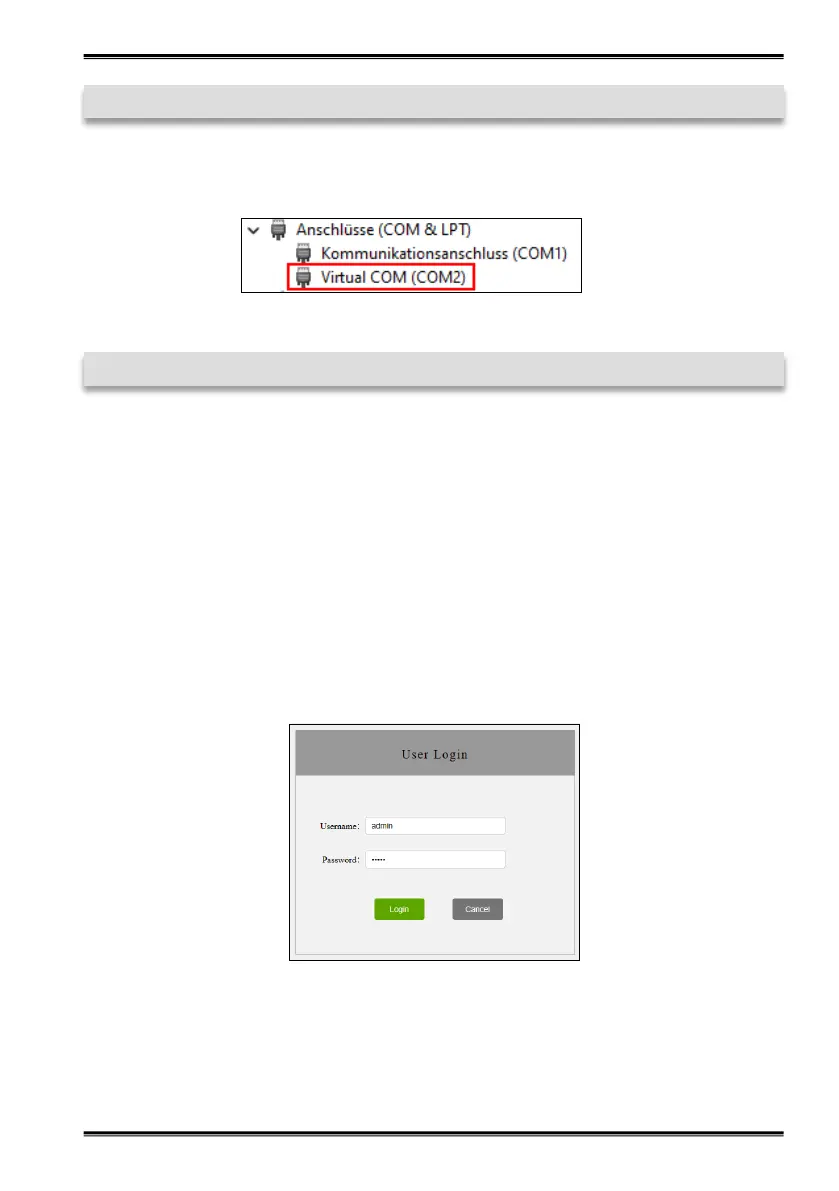
Check whether the COM ports have been added in the device manager! The following entries
should now be visible in the device manager:
7. Server Settings
To change the settings of the serial device server, you must log into the web interface. To open the
web configuration menu, click on Remote Device Management in the VCOM software, if you
have connected several device servers, select the one you want to access from the list and then
click on Open in Browser.
Your Internet browser opens and the login window appears. The factory-set login data is:
User Name: admin
Password: admin
If you know the IP address assigned by the DHCP server, you can also enter it directly into your
browser and log in to the unit.


 To Next Page