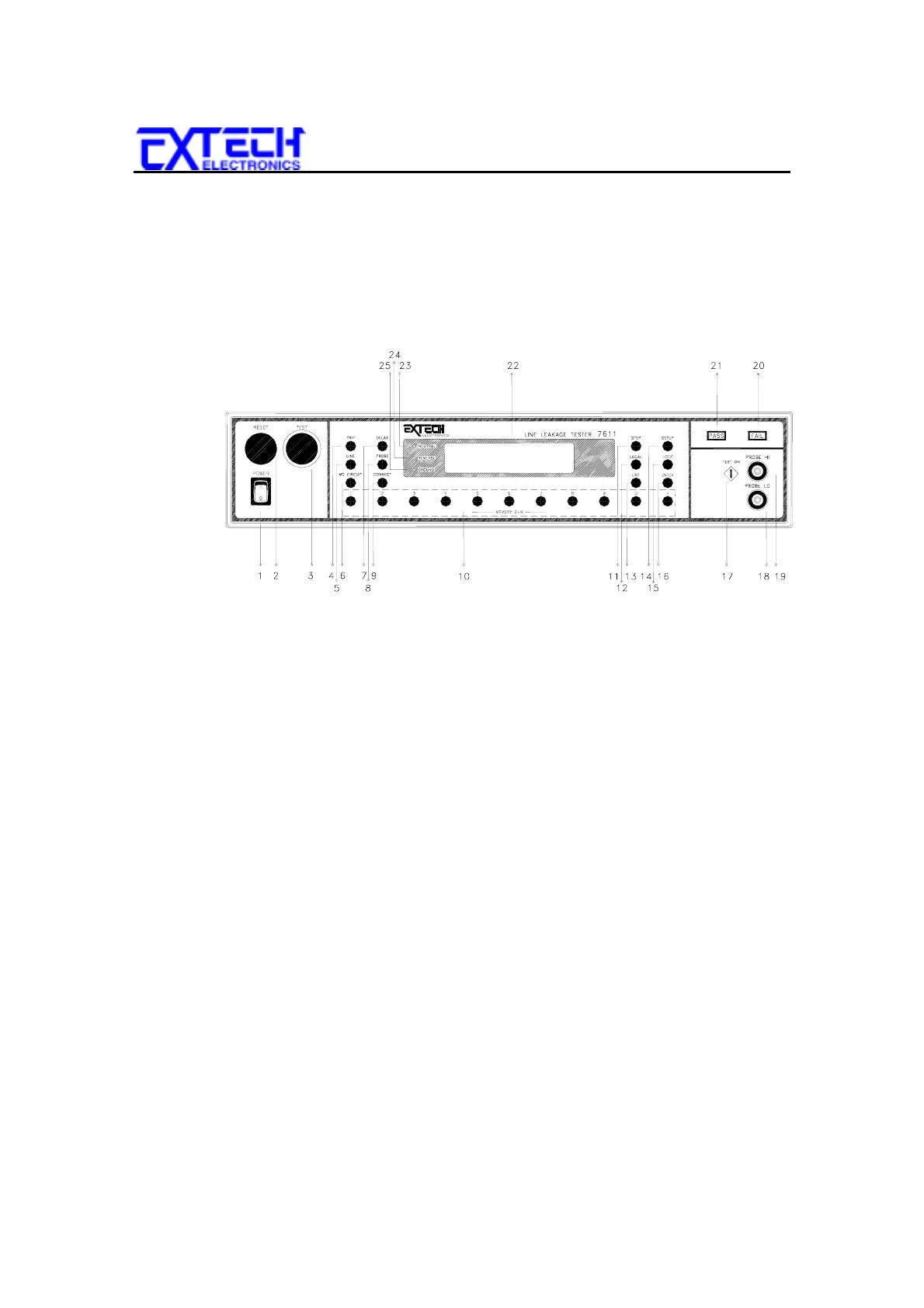
FRONT AND REAR PANELS
13
CHAPTER 3 : FRONT AND REAR PANELS
3.1
FRONT PANEL DESCRIPTION
1. POWER SWITCH:
Rocker-style switch with international ON (
l
) and OFF (O)
markings.
2. RESET BUTTON:
This is a momentary contact switch. If a failure condition
occurs during a test you will need to reset the system to shut off the alarm and to
signal the system that you are aware of a failure condition before you can proceed to
the next test or change any of the set-up parameters. This switch also serves as an
abort signal to stop any test in progress controlled by the Line Leakage Tester.
3. TEST SWITCH:
This is a momentary contact switch. Press the green button to
activate the leakage test which is set up in the memory location shown on the display.
The switch will also illuminate to indicate a pass condition at the end of the test.
4. TRIP:
Use this key to set the trip current level for each step.



 To Next Page