Model AN100 Version 2.0 02/06 3
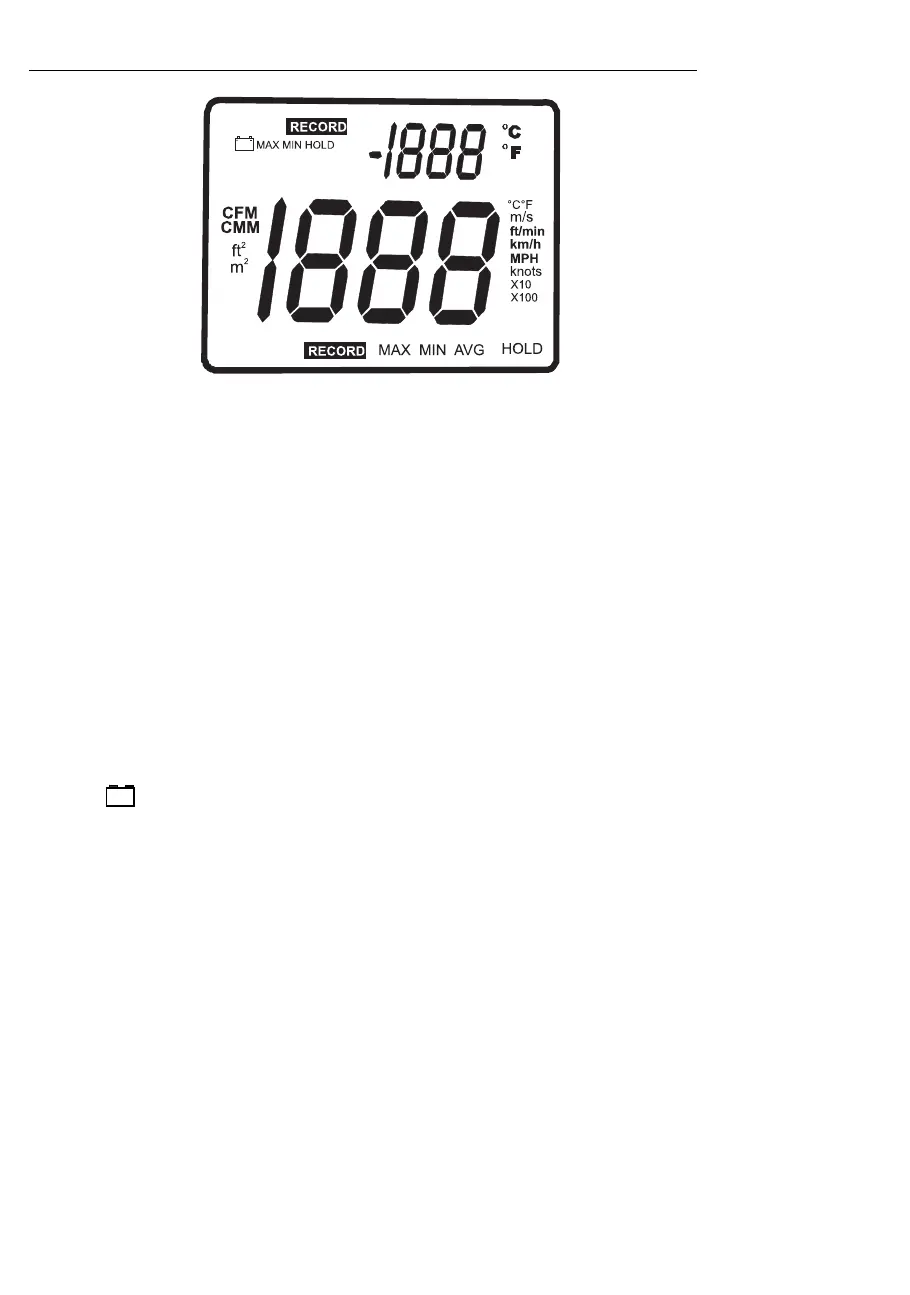
Display Layout
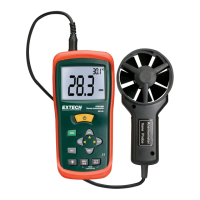
• MAX (top of LCD): Max Hold function engaged for the Air Temperature function
• HOLD (top of LCD): Data Hold function engaged for the Air Temperature function
• VEL: indicates that meter is in air velocity mode
• FLOW: indicates that meter is in air flow mode
• MAX (bottom of LCD): Max Hold for the IR Temperature and RH function
• HOLD (bottom of LCD): Data Hold for the IR Temperature function and RH function
•
o
C /
o
F: Temperature units of measure
• CFM/CMM: airflow units of measure
• Ft
2
, m
2
: units for area dimensions
• m/s, ft/min, km/h, MPH, knots: air velocity units of measure
• X10, X100: multipliers for air flow readings
• AVG: air averaging mode
• RECORD: indicates that min/max function is running (top for temp, bottom for air)
• Large LCD digits at center of display for Relative Humidity and IR Temperature
• Smaller LCD digits at top, right of display for Probe Temperature
• : Low battery indicator



 To Next Page