EX65x‐en‐GB_V1.67/16
9
Push‐ButtonDescriptions
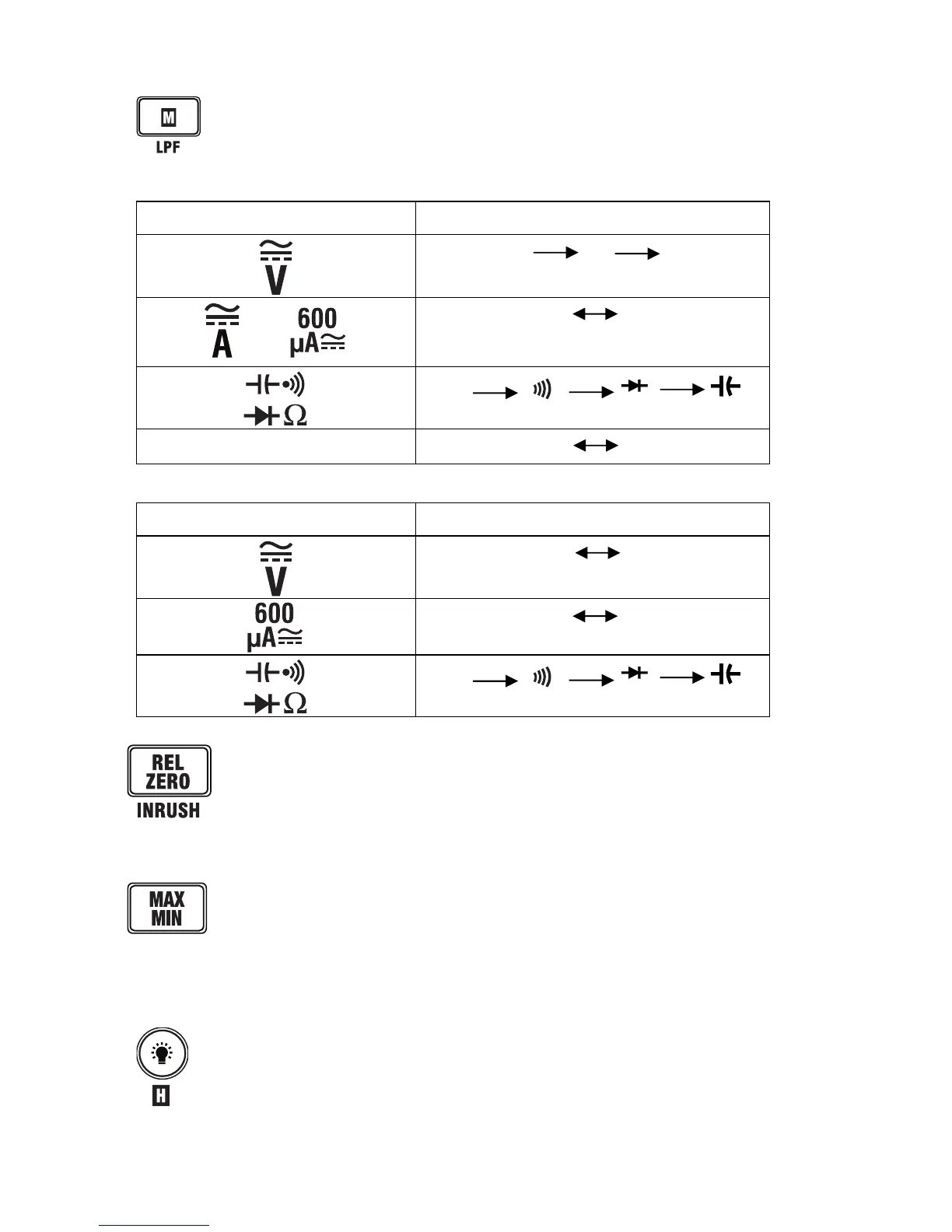
MomentarypressesoftheM(MODE)buttonperformthefunctionsshowninthe
tablebelow.Pressandholdthebuttontoactivate/deactivatetheLowPassFilter
(EX655only).
Fig.3‐4(a)EX655MODEButtonFunctionTable
SwitchPosition MODE(M)ButtonFunction
ACHzDC
or
AC DC
Ω
TEMP
o
C
o
F
Fig.3‐4(b)EX650MODEButtonFunctionTable
SwitchPosition MODE(M)ButtonFunction
AC DC
AC DC
Ω
Momentarilypresstoaccess/exittheRelativemode.Thismodeofoperationis
onlyavailableforDCvoltage,ACCurrent,Resistance,andCapacitance.
InDCMode,presstozerothedisplay(EX655only)
WhentheEX655isintheACAmode,pressandholdtoaccesstheInrushmode.
PresstoaccesstheMIN/MAXmode.TheMAXiconwillappearalongwiththe
storedhighestreading.Pressagaintoviewtheminimumreadingstored
(MINicon
displayed).Continuetousethebuttoninthismannerasdesired.Pressandhold
thebuttontoexittheMIN/MAXmode.ThismodeofoperationisonlyavailableforAC/DC
Voltage/Current,Resistance,andTemperature.
Pressandholdthisbuttontoactivate/deactivatetheDataHoldfunction.Momentary
pressesswitchthedisplaybacklightONorOFF.



 To Next Page