9GBCFI EXTEL MEMO - 09/2010 - V1
f. Memory Mode and SD card
The monitor is equipped with a 128 MB internal memory (including 117 MB free) which represents around 53
video sequences.
It is possible to add a SD card (2 GB maximum).
When the card is inserted into the monitor, the card is automatically formatted and 2 folders are created
- DCMI for video sequences
- DCMI 101 for the backup copy of the random access memory
• You must create a repertory called “PHOTO”, in order to store the images visualized for the mode photo
frame
• In the “PHOTO” file do not record images greater than 30 MB.
(Nb: the more photos are on the card, the longer the start initialization will be.)
• These formats read by the monitor are:
- JPEG for the images (except JPEG with Huffman compression)
- ASF for the videos
• It is possible to record the videos of the internal memory on the SD card.
N.B. : The recordings of the A/V sequences are done in priority on chart SD and either on the built-in memory.If
the memory is full the oldest sequences will be replaced by the following recordings.
g. Enabling the photo frame function
•This function is only valid if a SD card is installed in the monitor. Enter the “menu” by pressing twice the key
and select the icon
SOD\
.
• Use + / - to select function and and to validate
Caution : this function is only enabled one hour and stops if a call comes from the panel.
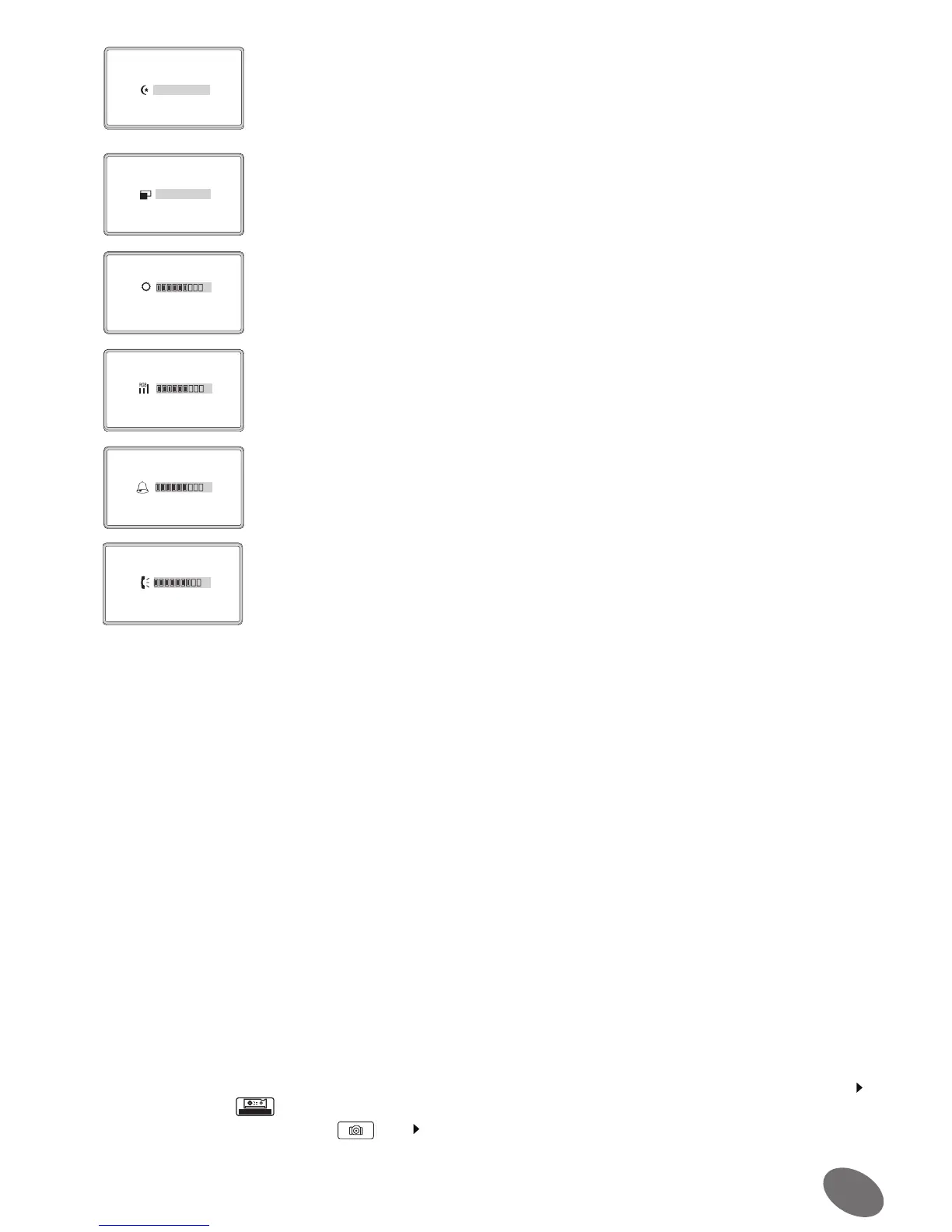
Scene
soft
Ratio
16:9
Brightness
6
Colour
6
Ring Volume
6
Talk Volume
7
• Mode of the display: normal, illuminated, moderate, user
• Settings of the format 4: 3 or 16: 9 of the image
• Setting the brightness of the screen
• Setting the colour of the screen
• Setting the ring tone volume
• Setting the sound volume coming from the outside panel


 To Next Page