11GBCFI EXTEL MEMO - 09/2010 - V1
OPTIONS
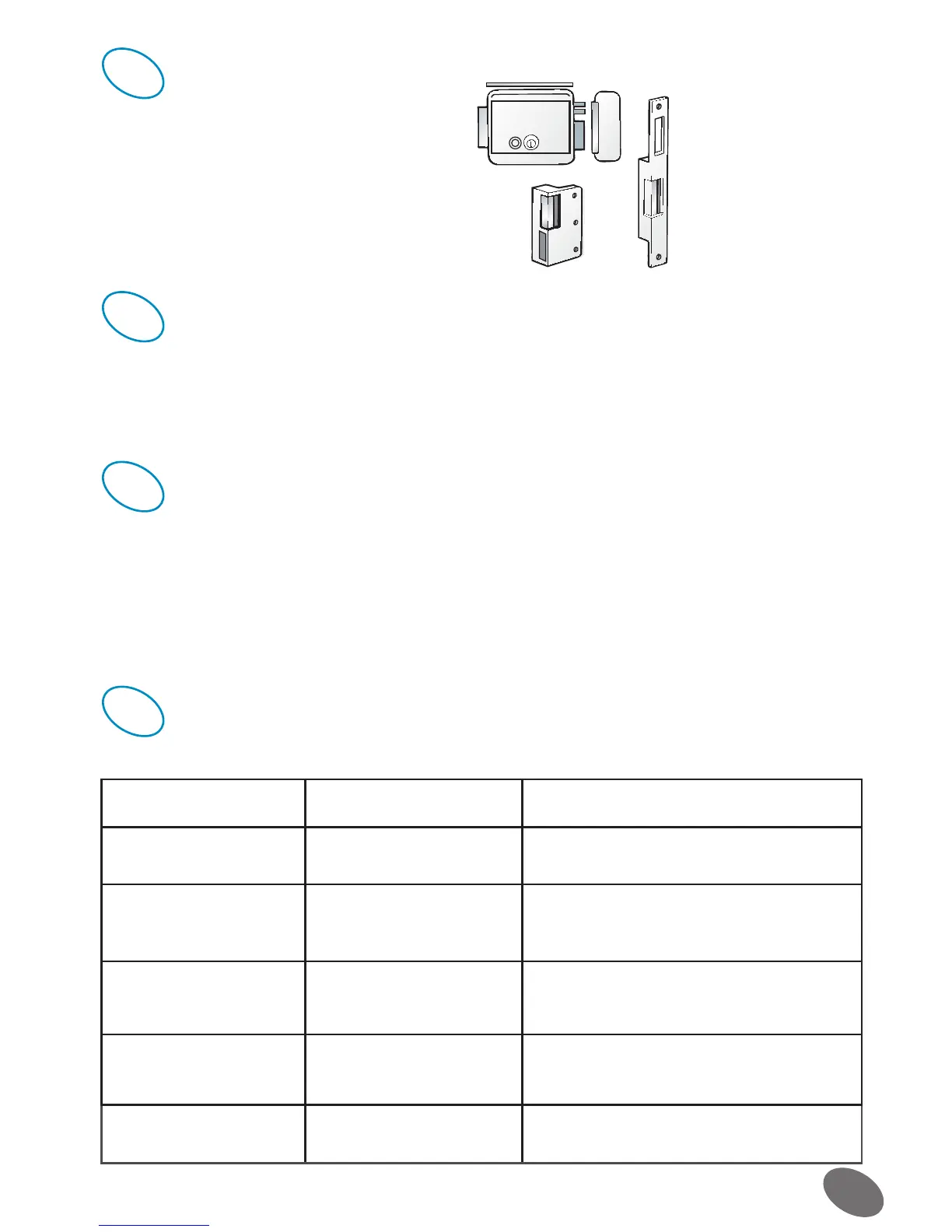
• All Extel electric catches WECA 90201, WECA 90301 and
WECA 90501.
• All Extel electric locks : WE 5001/2 bis, WE 5002/2 bis
and WE 5004/2 bis
• All Extel mechanisms: WEAT V, WEAT B and WEAT C
.
USERS INFORMATIONS
• Never open the apparatus or the guarantee will be invalidated.
• For return in SAV, protect the screen to prevent scratching.
• Only ever clean with a soft cloth; never use solvents.
MAINTENANCE
The warranty is void if the parts are dismantled. Clean the outside only with a soft and dry cloth. Before cleaning,
disconnect and switch off the video surveillance system.
Caution : Do not use any acid or alcohol based or other similar cleaning product or solvent. You may damage the
appliance and the vapours are explosive and dangerous for your health.
Do not use any tool which can be voltage conductor (metallic brush, sharp tool…or other) for cleaning.
TECHNICAL ASSISTANCE - GARANTEE
Problems Possibles Cause Remedies
• The monitor does not
light up
• There is no power supply
to the monitor
• Check that the adaptor plug is correctly connec-
ted.
• Poor image and/or sound
quality
• Environnement • Check the calibre of the cables used and that
the videophone connrecting cables are not in
the same sheath as the 230 V cables.
• Image too bright • Camera position • Make sure that the camera lens is not poin-
ting directly at the sun
or at a reflective surface.
• White screen, no ring
tone
• Installation • Check the installation cable: perform a table-
top trial with 30 cm
of cable.
• Disturbances A/V; dupli-
cated images
• Installation • Use a cable twisted for the connection moni-
tor/camera
10
11
12
9


 To Next Page