16GB
CFI EXTEL TOPTEL200- 02/2010 - V1
b. Using the contacts
In the contacts of each mobile handset, up to 200 inputs can be saved with the name and the telephone number.
Each name and each number can contain up to 20 characters.
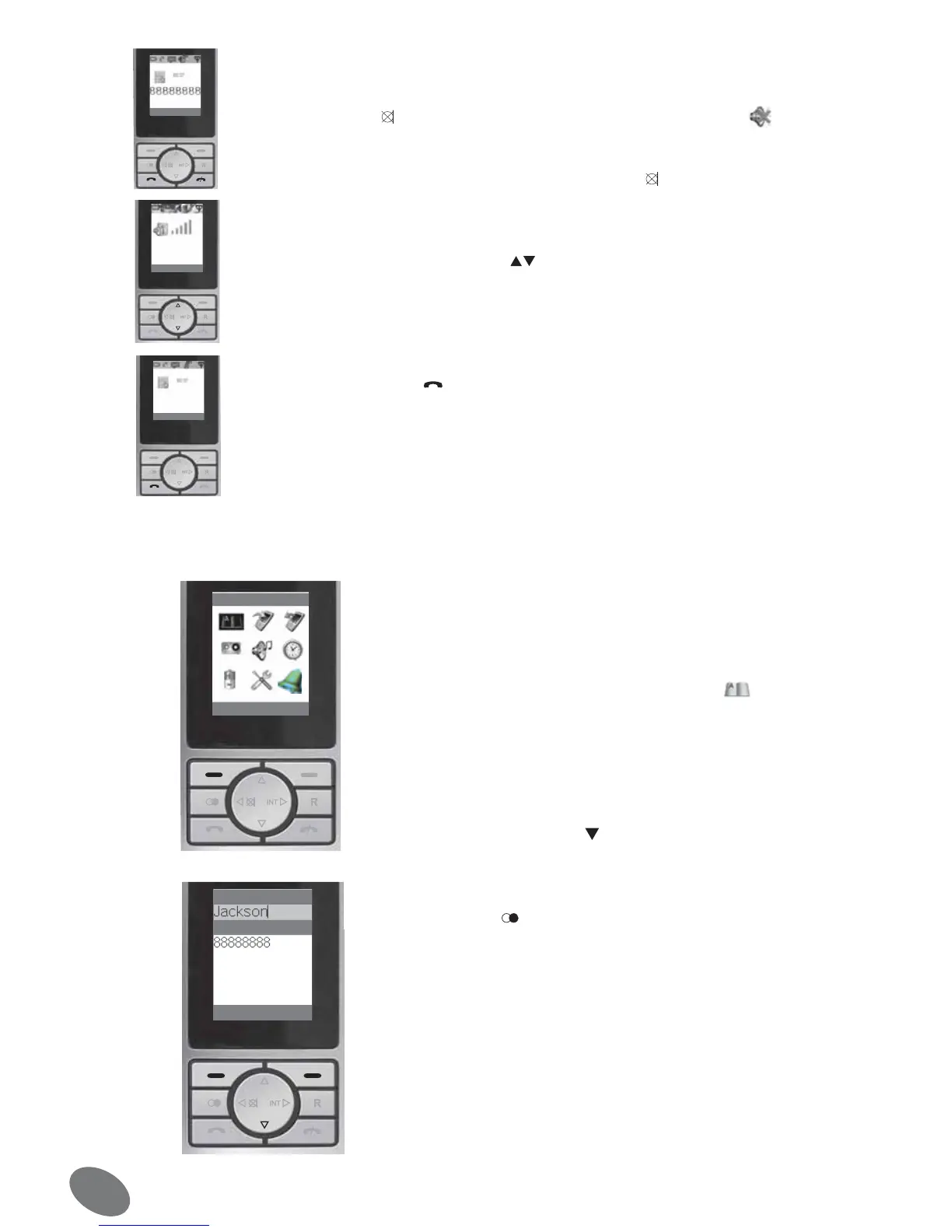
• Turning on/off the microphone
During a communication, you can turn on and off the microphone of your mobile hand-
set.
1. Press the key
. The microphone is then turned off and the symbol is displayed
on the screen.
2. To turn on again the microphone, press again the key .
• Setting the volume of the telephone receiver
At any time during a communication, the volume of the telephone receiver can be in-
creased or decreased with the keys
.
The setting is saved for the next communications.
• Timer
After pressing the key , a timer appears on the screen.
With this function, you can control the duration of a communication.
Indication : The contact data cannot be forwarded from a mo-
bile handset to another. Once a number is saved, a call can be
given by pressing fewer keys.
• Saving a name / number
1. Open the menu and select the symbol
2. Press the screen key [OK] and go to the point “New
contact”. Press again the key [OK]
3. Then enter the new name. Press the numbered keys one or
several times until the desired letter appears (see following
table). Press the key to continue for entering the number.
4. Then enter the desired telephone number with the pre-
selection number (maximum 20 characters). You can press
the key to insert a space between the characters. Once
the input is finished, press the screen key [OK]. The mobile
handset saves the contact and returns to the contact display.
Indication : If a wrong character has been entered, it can be
deleted with the screen key [Clear]. If you want to enter 2
characters in a row located on the same key, you have to wait
2 seconds the marker has moved one position.


 To Next Page