23
The information contained within this document is confidential and cannot be reproduced
without the approval of Extollo Communications.
Step 3:
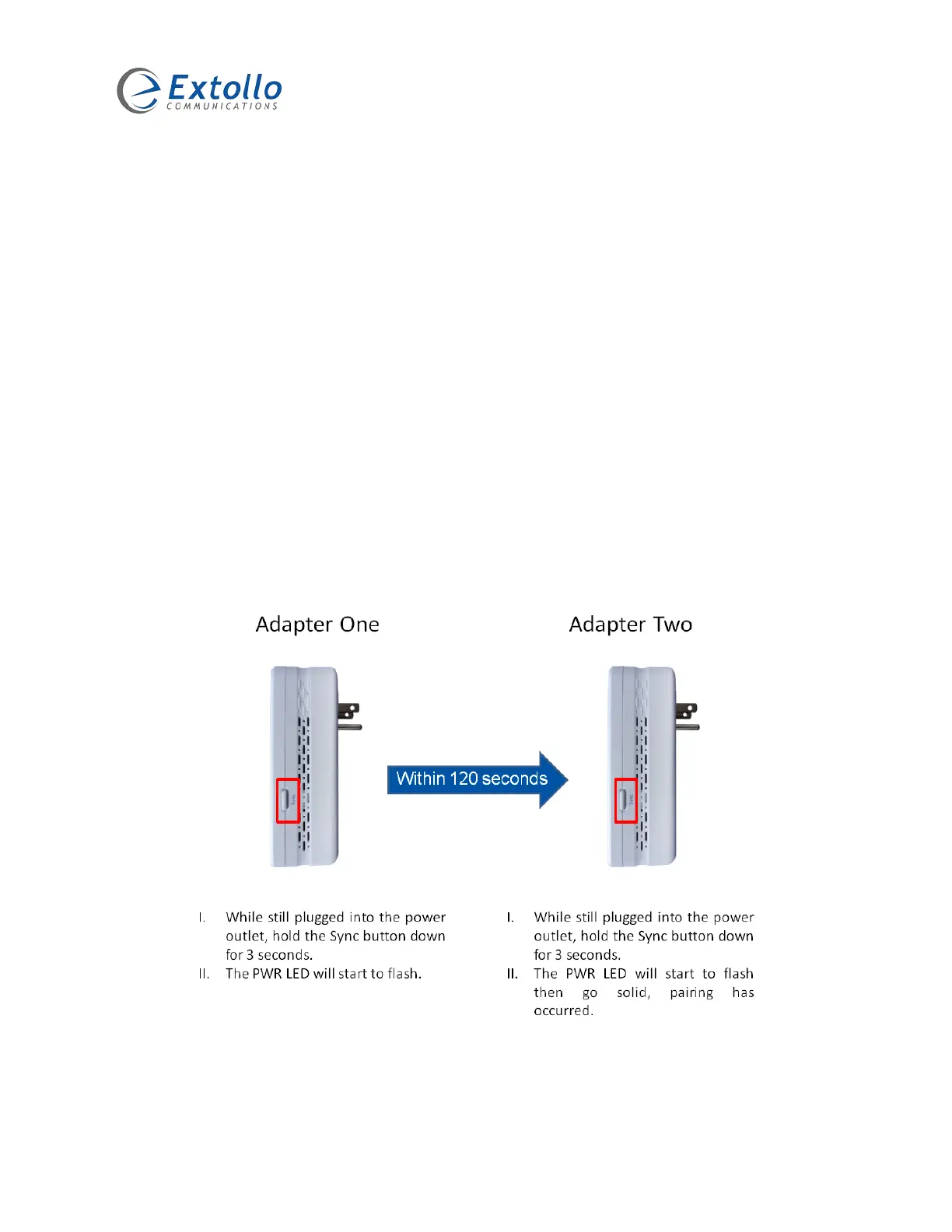
1. Ensure that the LANSocket 1500 adapters one and two are still plugged into the power
outlet.
2. On adapter one, press and hold the Sync button for 3 seconds then release.
3. The PWR LED on adapter one will start to flash. It is now in an adder state.
4. Within 120 seconds of the PWR LED on adapter one starting to flash, proceed to
adapter two.
5. On adapter two, press and hold the Sync button for 3 seconds then release. The PWR
LED will flash and go into a joiner state. When the PWR LED goes into a solid state
(no longer flashing), it means that adapter one is now synchronized with adapter two.
6. Both adapters are now networked together with a common NMK within a private
Powerline network.


 To Next Page