Page 31 / 37
REPLACEMENT OF CONTROL FILTERS
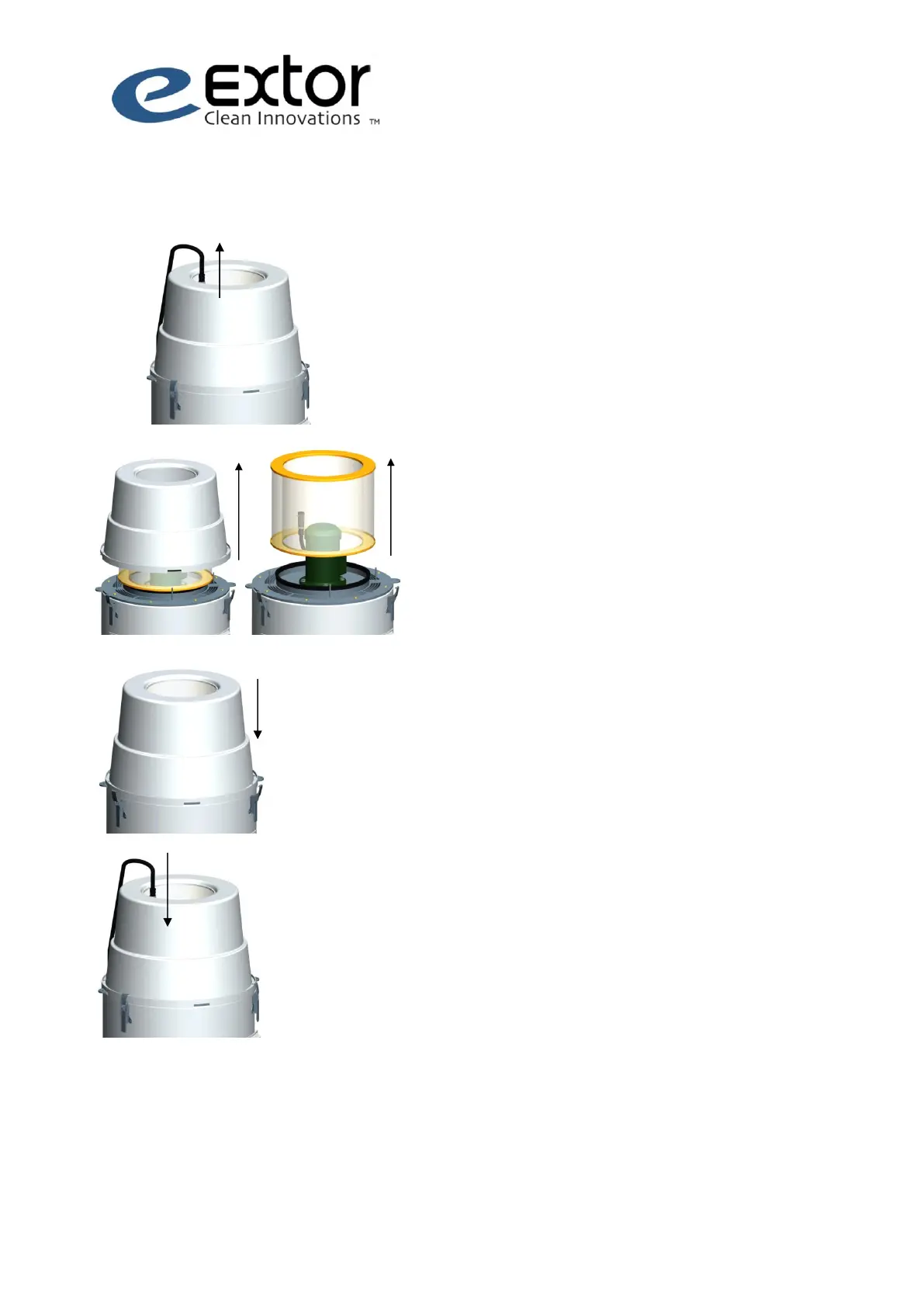
1. Turn the safety switch to 0 position
and engage the safety lock.
2. Disconnect the plug of the motor.
3. Open the locking latches (4 pcs) of the
vacuum unit and remove the casing.
4. Remove the control filter.
5. Install the new control filter and
reinstall the casing of the vacuum
unit. Check that the seal is seated
properly!
6. Lock the latches of the casing (4 pcs).
7. Reconnect the power plug of the
motor.



 To Next Page