-
+
English
(1
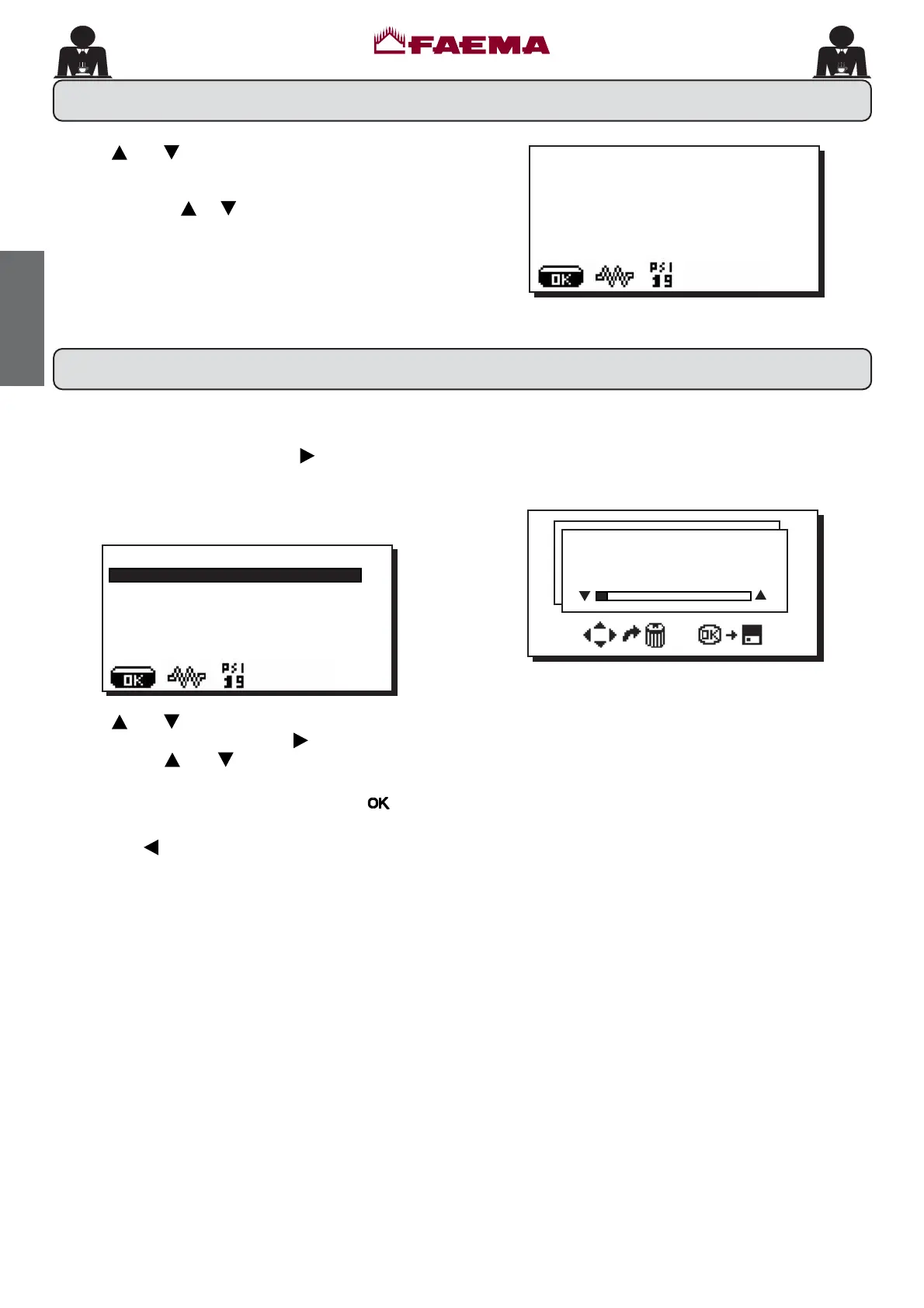
N.B. ONLY if the item “Program. block” is set on “NO".
To access programming press the
NH\WKHIROORZLQJ
message will appear on the display:
Use the
and NH\VWRSRVLWLRQWKHFXUVRUEODFNOLQH
on the desired line, then press the
key.
Always use the
and NH\VWRFKDQJHWKHVHWWLQJDW
WKLVSRLQWWKHUHDUHWZRSRVVLELOLWLHV
FRQ¿UPWKHFKDQJHVPDGHE\SUHVVLQJWKH
key
H[LW WKH PHQX DQG OHDYH WKH VHWWLQJV XQFKDQJHG E\
pressing the
key.
Note: When modifying data, the cursor changes to "
Æ", or a slide bar with maximum and minimum
settings will appear:
20. How to access the programming mode
:DWHUGRVH
Use the and keys to adjust the clock.
7KHWLPHLQFUHDVHVRUGHFUHDVHVRQHPLQXWHHDFKWLPH
the key is pressed.
,IRQHRIWKHNH\V
or LVSUHVVHGDQGKHOGGRZQIRU
PRUHWKDQVHFRQGVWKHPLQXWHVVHWWLQJVWRSVDQGWKH
KRXUVVHWWLQJLQFUHDVHVRUGHFUHDVHV
'XULQJWKHWLPHVHWWLQJSKDVHWKHVHFRQGVUHPDLQDW
19. Clock adjustment
-XQH
ZHGQHVGD\
À
CUSTOMER PROG.
KEY MENU
6(/)/($51,1*
:$6+,1*
DATA MENU
CUSTOMER



 To Next Page