+
1 2
3 4
English
33 EN
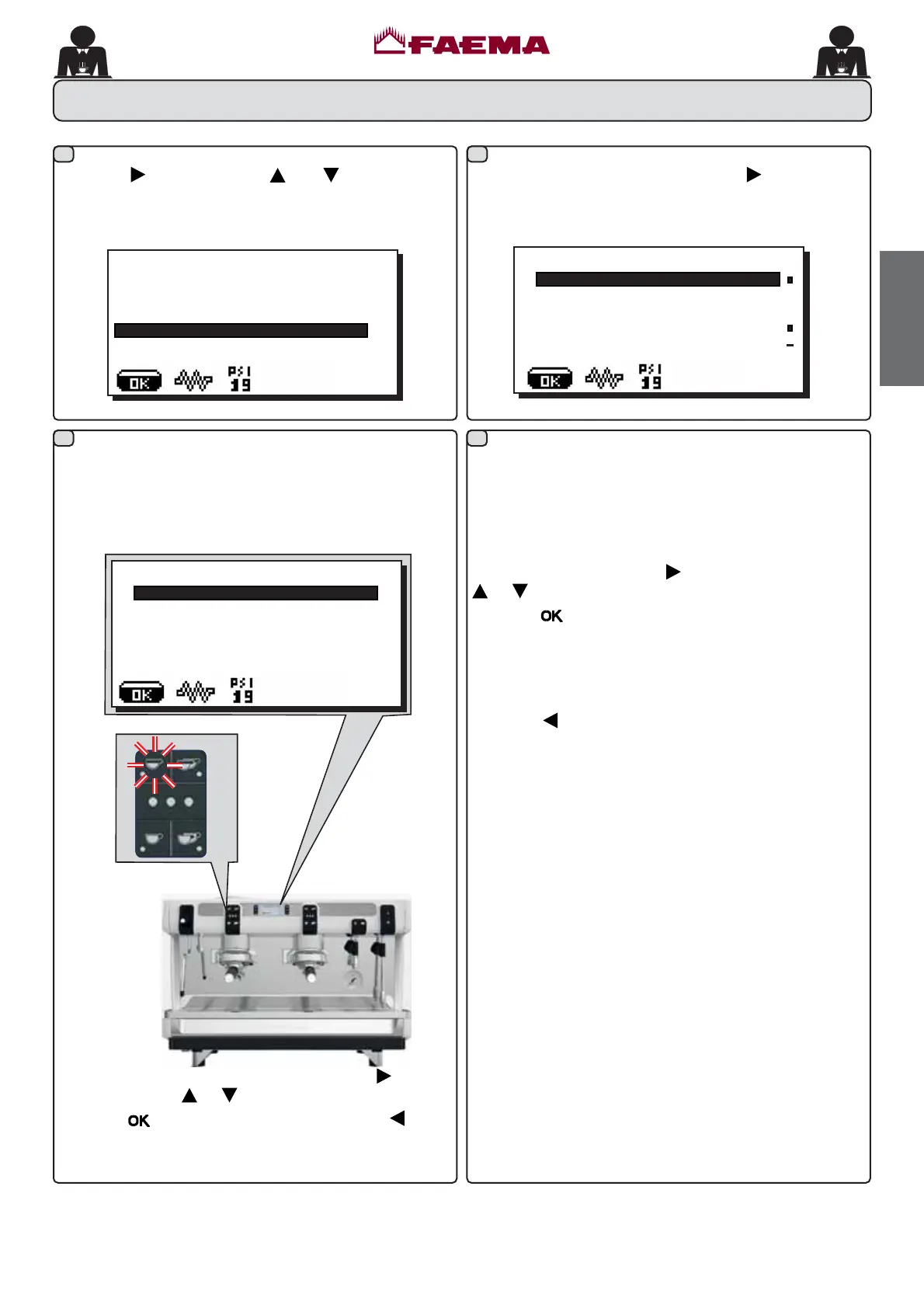
25. DATA menu - Counter display and zeroing
ÀCOUNTERS MENU
KEY MENU
NFRႇHHJU
NFRႇHHJU
NFRႇHHJU
NZDWHU
Parameters calculated are:
1FR௺HHQXPEHURIFRႇHHEHYHUDJHV
- N. waterQXPEHURIWLPHVZDWHULVGLVSHQVHG
1WRWFR௺HHWRWDOQXPEHURIFRႇHHEHYHUDJHV
&RXQWHUV FDQ EH ]HURHG E\ DOLJQLQJ WKH FXUVRU RQ WKH
selected entry, pressing the
key, and then pressing the
or key.
Press the
NH\WRFRQ¿UP]HURLQJ
7KH1FRႇHHHQWU\DSSHDUVIRUDVPDQ\WLPHVDVWKHUH
are machine groups.
Note: Parameters that cannot be zeroed are:
1WRWFRႇHH
Press the
key to return to the main menu.
ÀSELECTION COUNTER
7RWVHO
Press the key and use the and keys to position
WKH FXUVRU EODFN OLQH RQ WKH GHVLUHG OLQH WKH IROORZLQJ
message will appear on the display:
À
CUSTOMER PROG.
.(<0(18
6(/)/($51,1*
:$6+,1*
DATA MENU
CUSTOMER
By pressing any dispensing key, the associated LED remains
OLWDQGWKHGLVSOD\VKRZVWKHQXPEHURIWLPHVFRႇHHKDV
EHHQGLVSHQVHGZLWKWKDWNH\
&RXQWHUVDUHGLVSOD\HGE\SUHVVLQJWKH
key.
The following message appears on the display:
6HOHFWLRQFRXQWHUVFDQEH]HURHGSUHVVLQJWKH
key, and
then pressing the
or key.
Press the
NH\WRFRQ¿UP]HURLQJSUHVVWKH key to
return to the main menu.



 To Next Page