3 4
17 EN
English
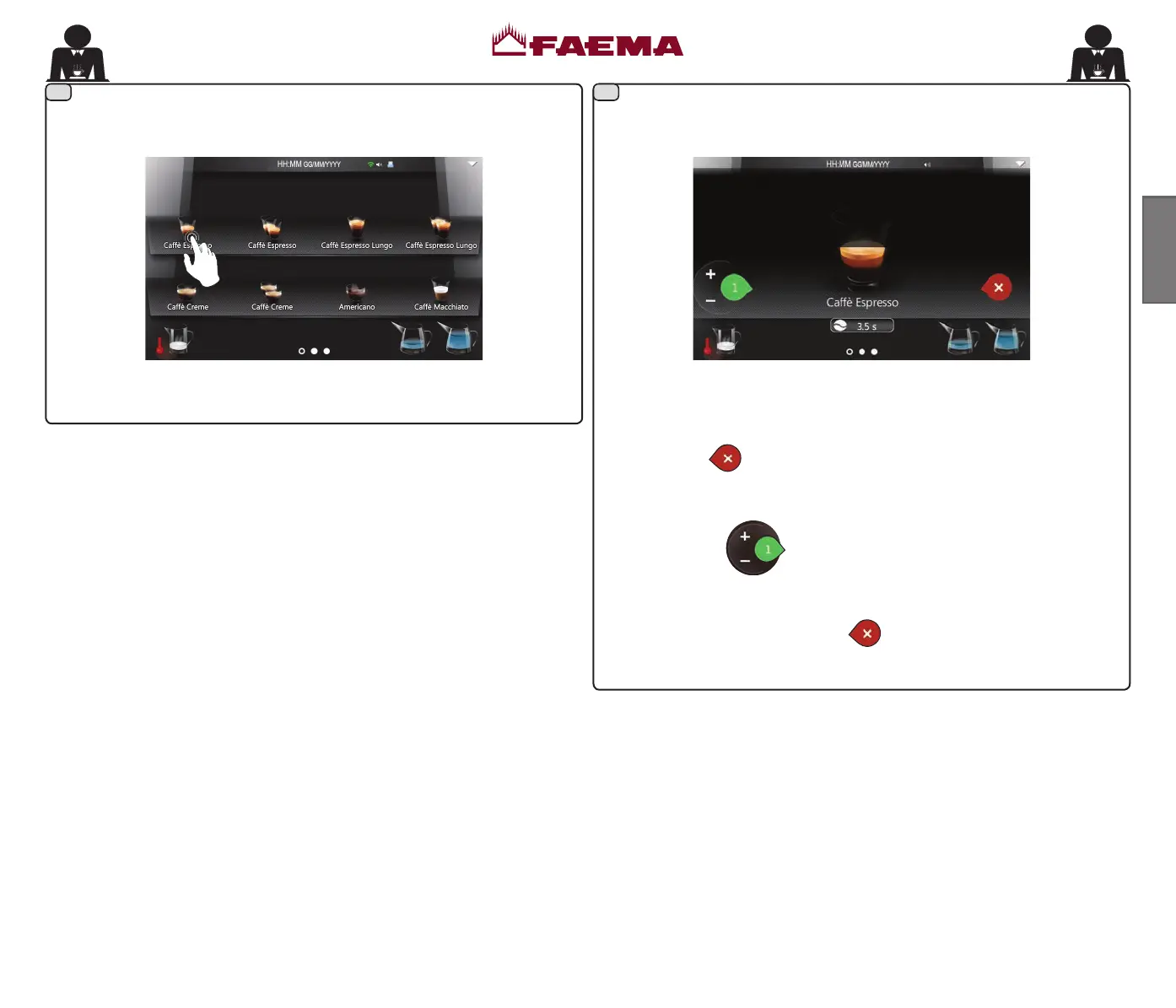
Press the icon corresponding to the selected beverage to start dispensing. During dispensing, the screen will display as below:
Dispensing will stop automatically.
Press the icon
to stop dispensing the beverage before reaching the
programmed dose.
Press the icon
to dispense again; the number indicating
programmed dispensing will increase.
To reset, press and hold the icon
for a few seconds.
02_QUICK_UNICO_1815_USA_en_fr.indd 17 11/04/2018 11:24:45



 To Next Page