1 2
43
5
1
2
English
34 EN
CUSTOMER PROGRAMMING
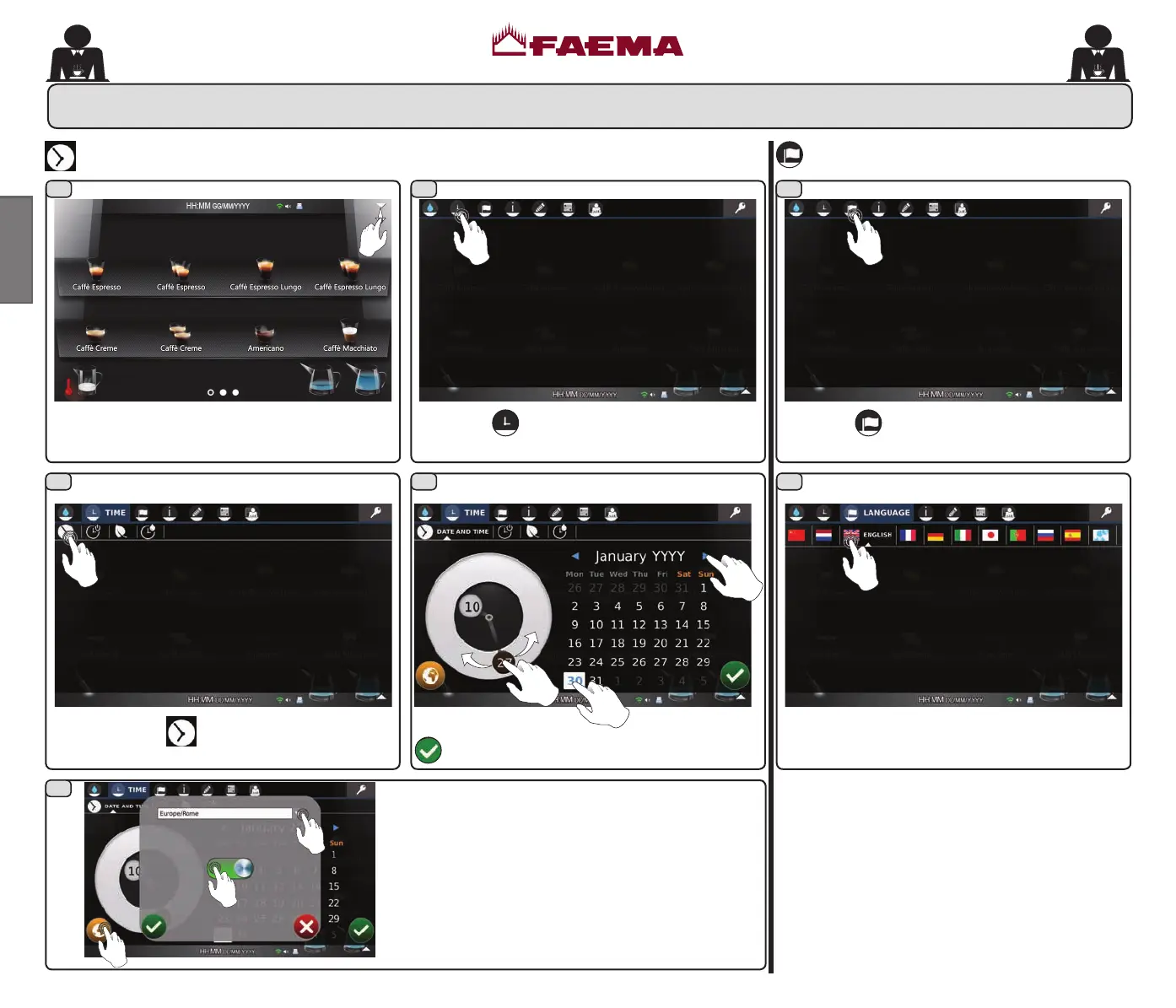
Programming is accessed through the drop-
down menu.
Select the
icon to see the associated menu.
DATE AND TIME
Set the date and time and conrm with the icon
.
Select the icon
for the "DATE AND TIME"
menu.
Set the menu language; confirmation is
immediate.
Select the
icon, relative to the "LANGUAGE"
menu.
LANGUAGE
NOTE: date and time can be automatically
synchronized through connection to a Network Time
Protocol (NTP) server, if the machine is connected
to the internet via WiFi.
02_QUICK_UNICO_1815_USA_en_fr.indd 34 11/04/2018 11:24:59



 To Next Page