1 2
3 4
1
5
English
18 EN
13. Beverage dispensing - Coffee / Cappuccino
with powdered coffee
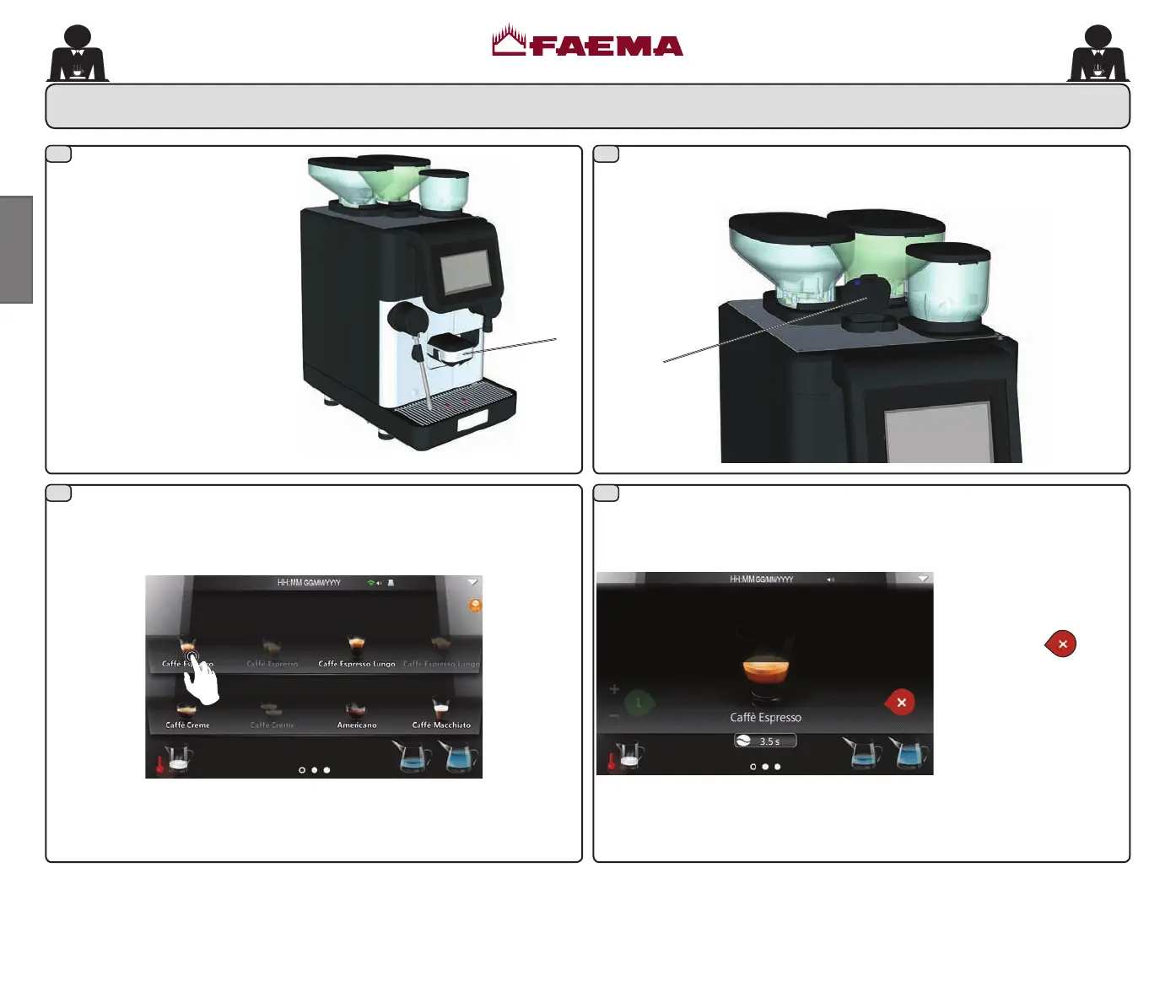
Open the decaffeinated coffee panel (5) and measure out a dose of
powdered coffee into the tube and close the powdered coffee panel (5).
Only icons for coffee powder-based beverages remain visible on the
touch screen. Press the icon corresponding to the selected beverage
to start dispensing.
During dispensing, the screen will display as below:
Dispensing will stop
automatically.
Press the icon
to stop
dispensing the beverage
before reaching the
programmed dose.
NOTE: coffee powder-based beverages do NOT allow repeat dispensing.
Place the cup under the dispensing
nozzle (1)
and adjust the height,
if necessary.
02_QUICK_UNICO_1815_USA_en_fr.indd 18 11/04/2018 11:24:46



 To Next Page