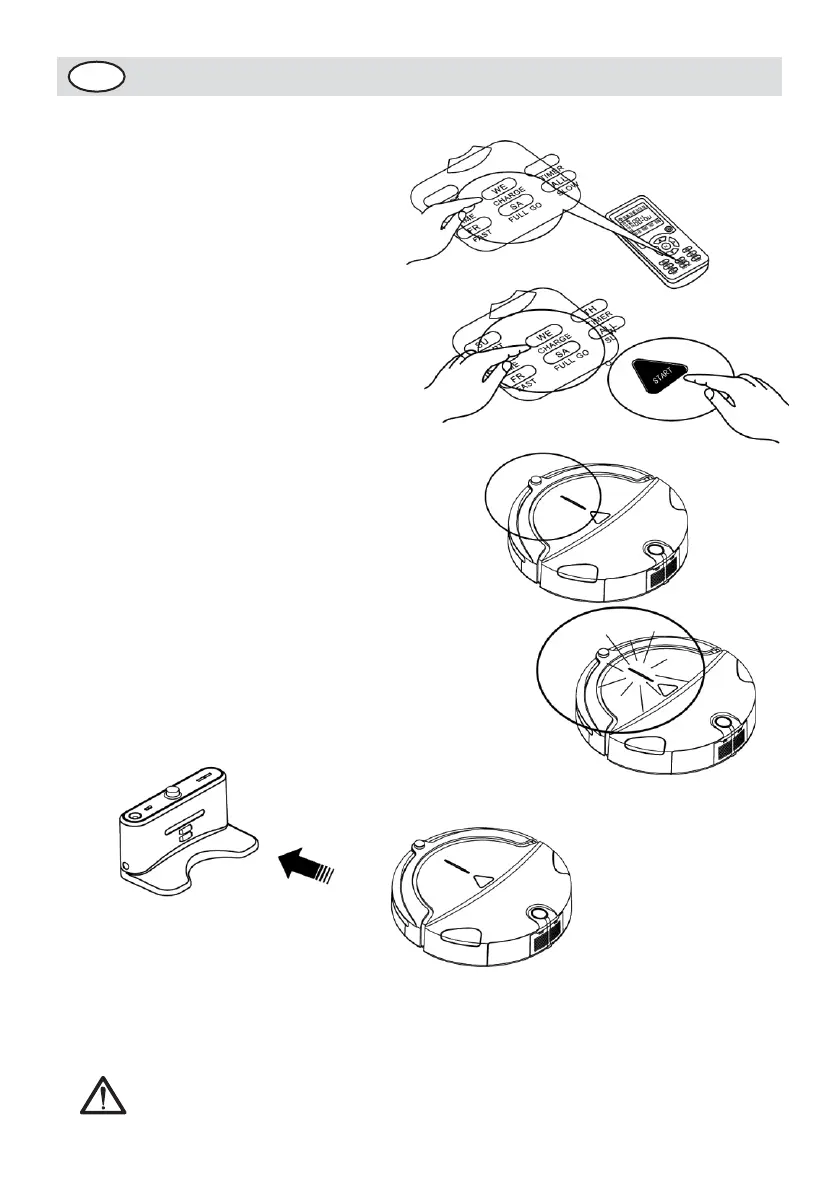
4. When you want to charge the
machine, press the CHARGE key on
the remote control. The machine
will find the Docking Station in
the valid scope and charge. (See
Figure 3)
5. When the machine is searching
for the Docking Station, if you
press START key on the machine's
panel or the key and CHARGE key
on the remote controller,the
machine will stop searching for
the Docking Station. (See Figure
4)
6. After the battery’s power used
up, the indicator will flash
gradually; When the indicator
becomes normally on, it means
the battery is charged fully.
(See Figure 5)
7. When you start the machine, if
the power indicator flashes, it
means the battery power is low;
You need to charge the battery.
(See Figure 6)
Figure 3
Figure 4
Figure 5
Automatic charging:
The main body will search the Docking
Station for charging automatically in
case of low battery during cleaning.
Figure 6
1. The Cleaner may fail to find the Docking Station due
to the obstacle, decreased battery and complex


 To Next Page