3
GETTING STARTED WITH THE FALCON 4G ROUTER
Welcome to your new Falcon 4G 150Mbps Router.
To get started please ensure you have a Contract or PAYG SIM card activated
and ready to install into your router. The router is unlocked to all networks.
Please note that some pay as you go SIM cards can take up to 24 hours to
activate depending on the provider.
If the SIM card is activated but no internet connection is available, please
refer to the setup steps for the provider APN.
* You may need to place your SIM card in your phone or mobile broadband
device and restart regularly to check if activation has been completed.
Before you power the router on, ensure that it has had a sucient charge.
Please plug into a power source to allow the router to charge before use.
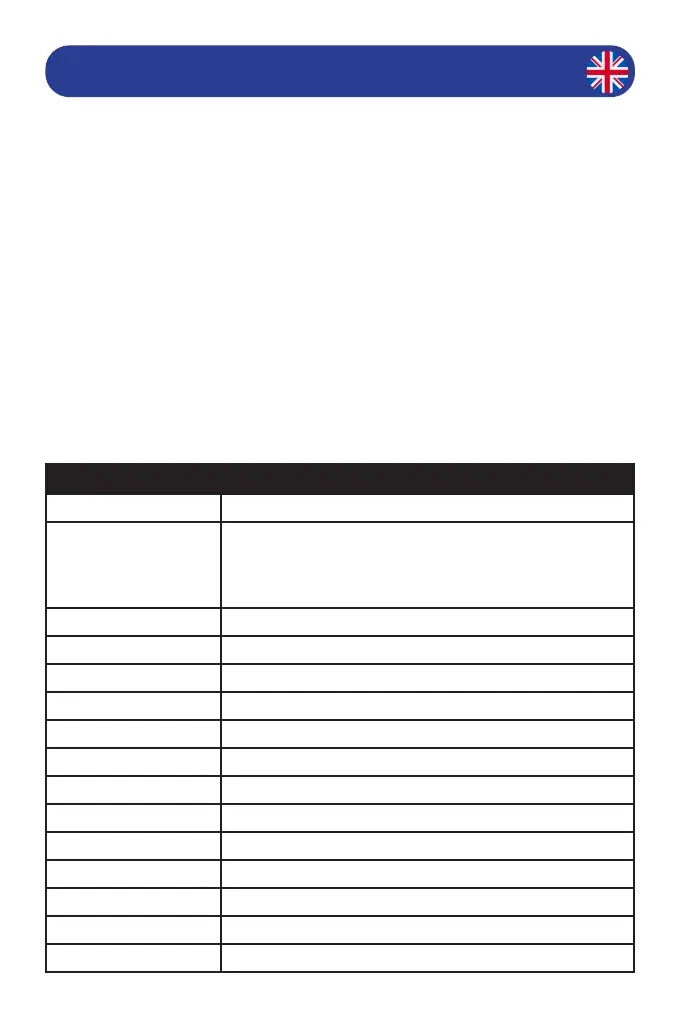
Falcon 4G 150 Router Technical Specications
LTE Category 4
Band Conguration FDD-LTE: B1/2/3/5/7/8/20/28/25
TDD-LTE: B38 (41) 40
UMTS: B1/2/5/8
GSM: Quad Bands
Wi 802.11 b/g/n 2.4GHz 2x2 300MBPS
Max. Wi- Devices Up to 10
Download speed 150Mbps
Upload speed 50Mbps
Wired Transfer Rate 150 Mbps
Sim Card Size Micro Sim Card
Battery type Li-Ion - Internal - Non removable
Battery 2000 mAh(7.6 Wh)
Battery life Up to 8 hours
Charger Power Input Micro USB 5V
Dimensions 10.5 x 6.3 x 14.3 cm
Router weight 100g
External Connections 2 x TS9 External Antenna Inputs


 To Next Page