7
CONNECTING DEVICES VIA WIFI
To connect devices to your router:
1. Check that Wi-Fi is enabled on your computer or other device.
2. On your computer or device, search for wireless networks
• For Windows devices, click the Internet Access icon.
• For Mac devices, navigate to the Wi-Fi menu.
• For tablets, look for a Settings option.
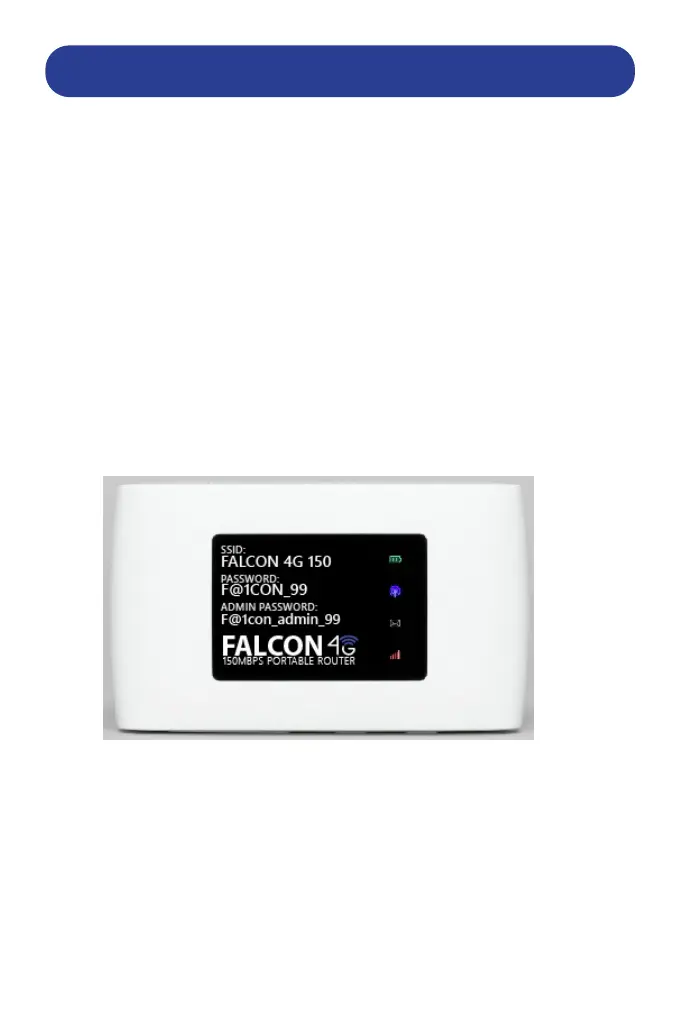
3. Select your routers Wi-Fi name. By default all Falcon 4G 150 routers
come pre-congured ready for use with the the SSID and password set as:
SSID: Falcon 4G 150
Password: F@1CON_99
4. Once the Wi-Fi SSID has been selected and password entered then your
device should be connected to the router and ready for use.
If the router has failed to connect to the internet then please follow the
steps regarding APN setup to ensure that your router has picked up the
correct APN (Access Point Name) as some SIM providers require these
settings to be manually entered for connectivity.


 To Next Page