9
CONNECTING DEVICES VIA CABLE
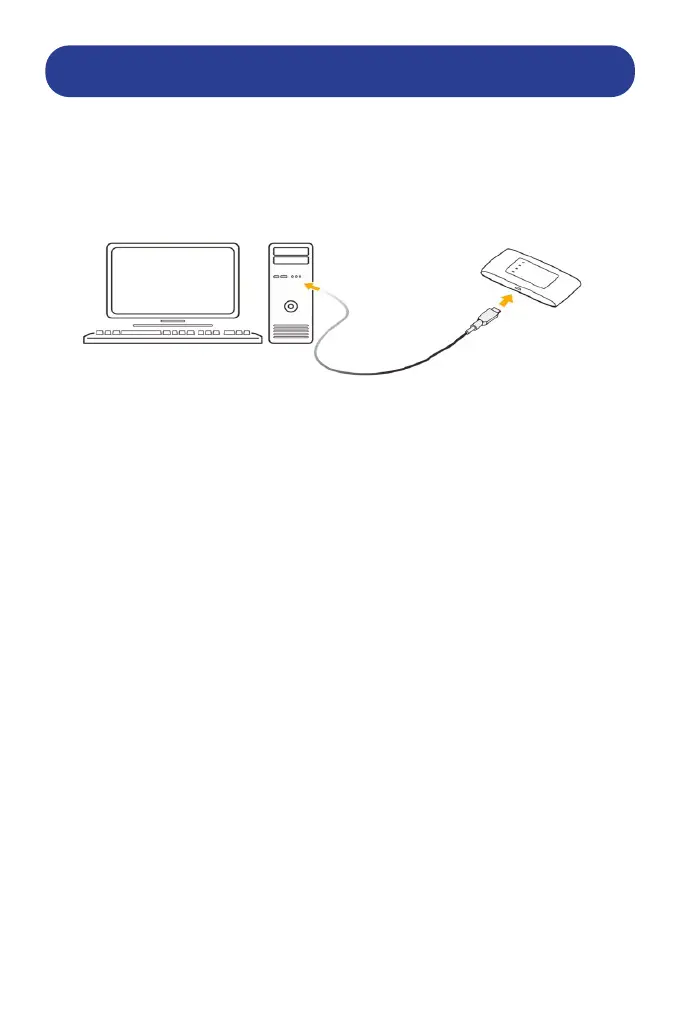
To connect your router via cable to a PC:
1. Connect a computer to your device with a USB cable.
2. Power on your device. The operating system detects and identies new
hardware, and automatically installs the software.
NOTE:
If the system does not automatically launch installation, you can
double-click the device installation icon in:
My Computer >ZTEMODEM to install the software.
3. Wait until the computer is connected to your device
successfully.
HOW TO CONFIGURE PC FOR CONNECTION IF REQUIRED:
The following procedure describes how to congure the
Internet Protocol in Windows for your Wi-Fi connection.
1. Right-click Network and select Properties.
2. Select Change adapter settings.
3. Right-click Wireless Network Connection and select
Properties.
4. Select Internet Protocol Version 4 (TCP/IPv4), and click
Properties.
5. Select Obtain an IP address automatically and Obtain DNS
server address automatically, and click OK.


 To Next Page