11
ArtNo.270-0028
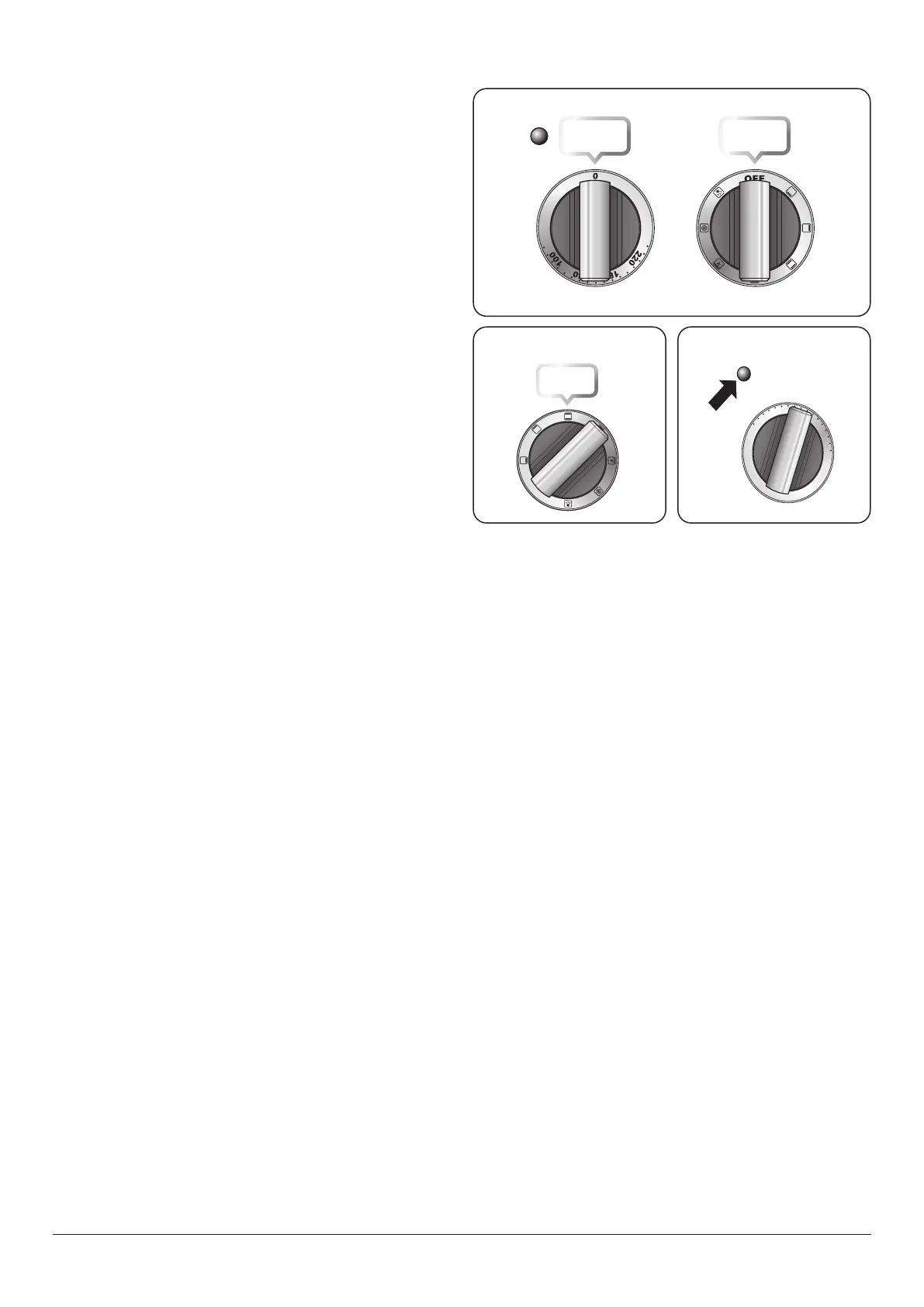
Proplus MF temp control
indicator light
140
100
180
220
0
ArtNo.270-0026
Proplus MF oven controls (2)
ArtNo.270-0027
Proplus MF oven selector
control
OFF
Operating the oven
The multifunction oven has two controls: a function selector
and a temperature setting knob (Fig. 2.18).
Turn the function selector control to a cooking function. Fig.
2.19 shows the control set for convectional oven cooking.
Turn the oven temperature knob to the temperature you
need. The oven heating light will glow until the oven has
reached the temperature you selected. It will then cycle on
and o during cooking as the oven maintains the selected
temperature (Fig. 2.20).
Temperature selector Function selector
Fig. 2.18
Fig. 2.19 Fig. 2.20






 To Next Page