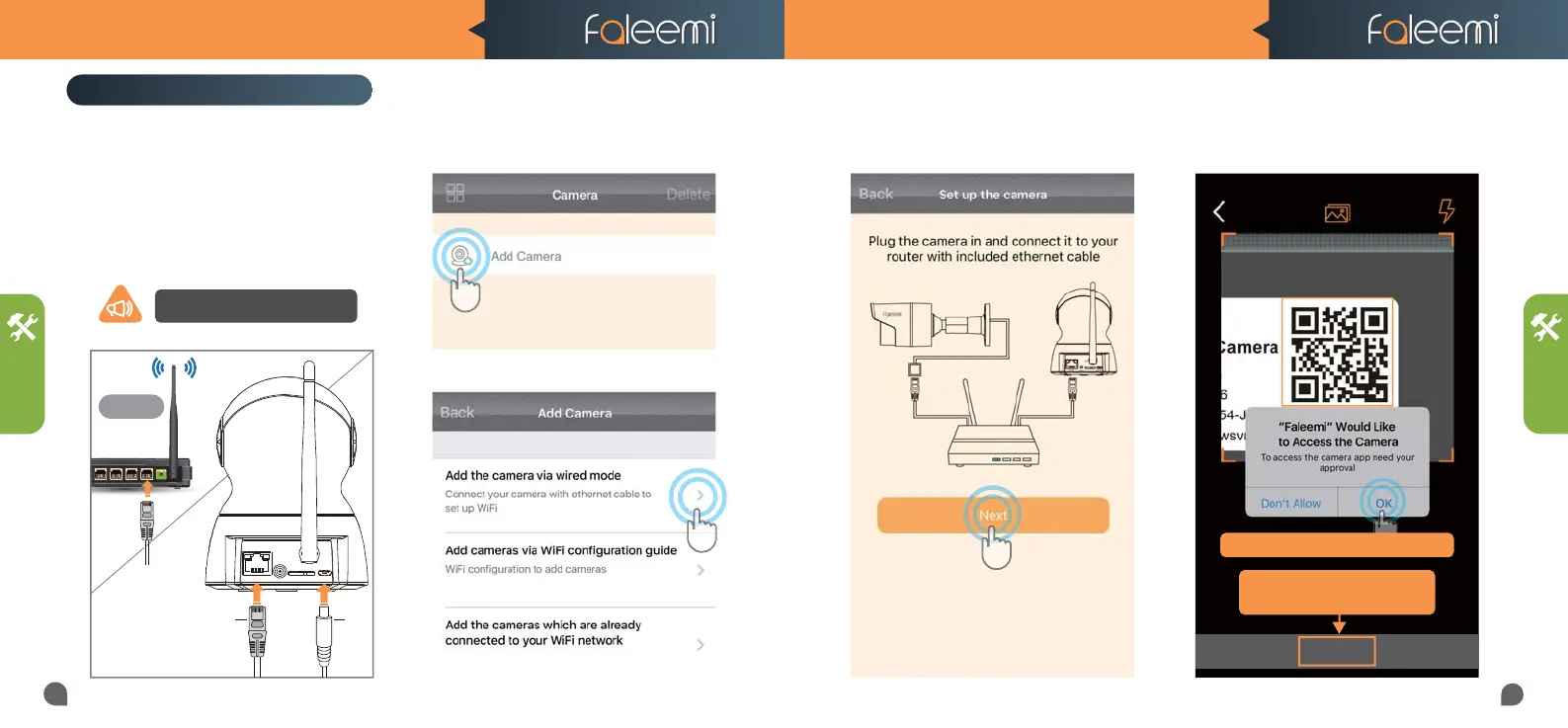
1. Please plug the camera in with the
included power supply. Please connect
the camera to your router with the
included ethernet cable.
FSC881 QUICK START GUIDE FSC881 QUICK START GUIDE
Router
2.4GHz
Note, when the camera is startup,
it will sound one“beep”
SETUP
SETUP
2. Open the Faleemi App,
Click on [Add Camera].
3. Click on [Add the camera via wired mode].
5. Please scan the QR Code at the bottom of
the camera
4. Click on [Next].
QR Code
03
04
PlugCable
DC5V
RST
ETH
ANT
Setup by Ethernet Cable
Skip
If you can’t scan the QRcode,
If you can’t scan the QRcode,
please Click on [Skip]
If you see this, please click on "OK"



 To Next Page