Fancom 747 4. Operation
10
Table 1: Alarm values
Value Situation Explanation
0 Alarm stand by There is no alarm.
1 Alarm test Set alarm to 1 to test it; then reset alarm to
5 Alarm
Cancelled
There was an alarm, which has been
cancelled. The computer switches off the
6 Silent alarm Alarm message shown on display only.
7 Alarm
temporarily off
Set value to 7 to temporarily switch off the
current alarm. When the alarm situation
has been cancelled, this value will
automatically become 0 again. Always
check that the value has reverted to 0.
8, 9 Alarm blocked Set the value to 8 or 9 to switch off the
alarm entirely. Only do this when houses
are unoccupied. Do not forget to reset value
to 0
10 Alarm The type of alarm is shown on the display.
4.5 Function keys (D)
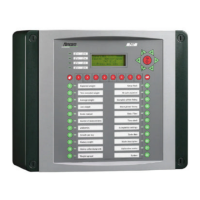
On the front of the computer are 22 function keys. Select a function key by
pressing it. The display will show data relating to this key. A light in the
function key indicates which key has been selected.


 To Next Page