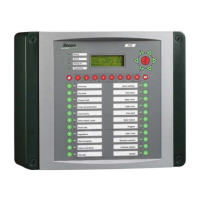
Lumina 71 Alarm
48
15.5 Alarm overview
Power out L Mains voltage has been down.
Alarm switched off S The alarm has been switched off.
Alarm test L The alarm has been tested.
'TOO MANY ALARMS' L Too many alarms active simultaneously.
Please contact your installer if the system alarms below occur.
System alarms L Alarm in the actual control unit, e.g. memory or back-up alarm. +
all Error reports.
'BACKUP ALARM' L Incorrect settings.
Communication error L Communication error with FNet or more masters in loop.
Communication error with I/O module.
'IO-Net ADR: "Address" L Communication problems with IO-net module (weigher, relay,
inputs) with report of IO-net module address.
'TOO LITTLE BLEND' L Too little has been dosed out.
'TOO MUCH BLEND' L Too much has been dosed out.
"Name ingrd." MIN. STOCK. S An ingredient stock has fallen below its minimum limit.
"Name ingrd" TOO LITTLE' L During dosing in the weight in the weigher does not increase
sufficiently so the weighing process cannot be continued.
"Name ingredient" TOO MUCH' L During dosing in too much ingredient.
"Name ingrd REPLACE' S Replace ingredient by substitute ingredient.
'SILO NOT SWITCHING' S The silo does not open when dosing in.
'WEIGHER MAX TARE' L The maximum tare of the weigher has been exceeded.
'WEIGHER MAXIMUM' L The maximum weigher content has been exceeded.
“FP name” BLEND' S Blend not 100% at day change.
“FP name” BLEND DP' L Blend not 100 % at dosing in.
“FP name” LIMITED' S Calculated amount doesn’t fit into trough.
FP name” NO SENSOR' S FP with sensor set but no sensor assigned.
NO “name ingrd” “FP name” -/S/L No ingredient of type “name ingrd” in blend for feed place “FP
name” .Amount too small, has been ignored.
'Curve name” blend' L Sum of ingredients in curve not 100%
'CIRCUIT COMPL. 'FP' L Error when assigning feed place order.
'OVERLAP FEEDING CYCLE' S/L At feed clock “silent/loud/emergency stop”
'OVERLAP “Name clock” S/L At clock(s) after power out.
' Emergency stop ' S After manual emergency stop.
'BLENDER NOT SWITCHING' L The blender feedback signal indicates that the blender is not
running although it has been sent a drive command.



 To Next Page