g
Setting the temperature measurement
As an I/O network module, the iM.60 can measure the temperature itself. This value can be used by the control
computer or for independent regulation in case of emergency.
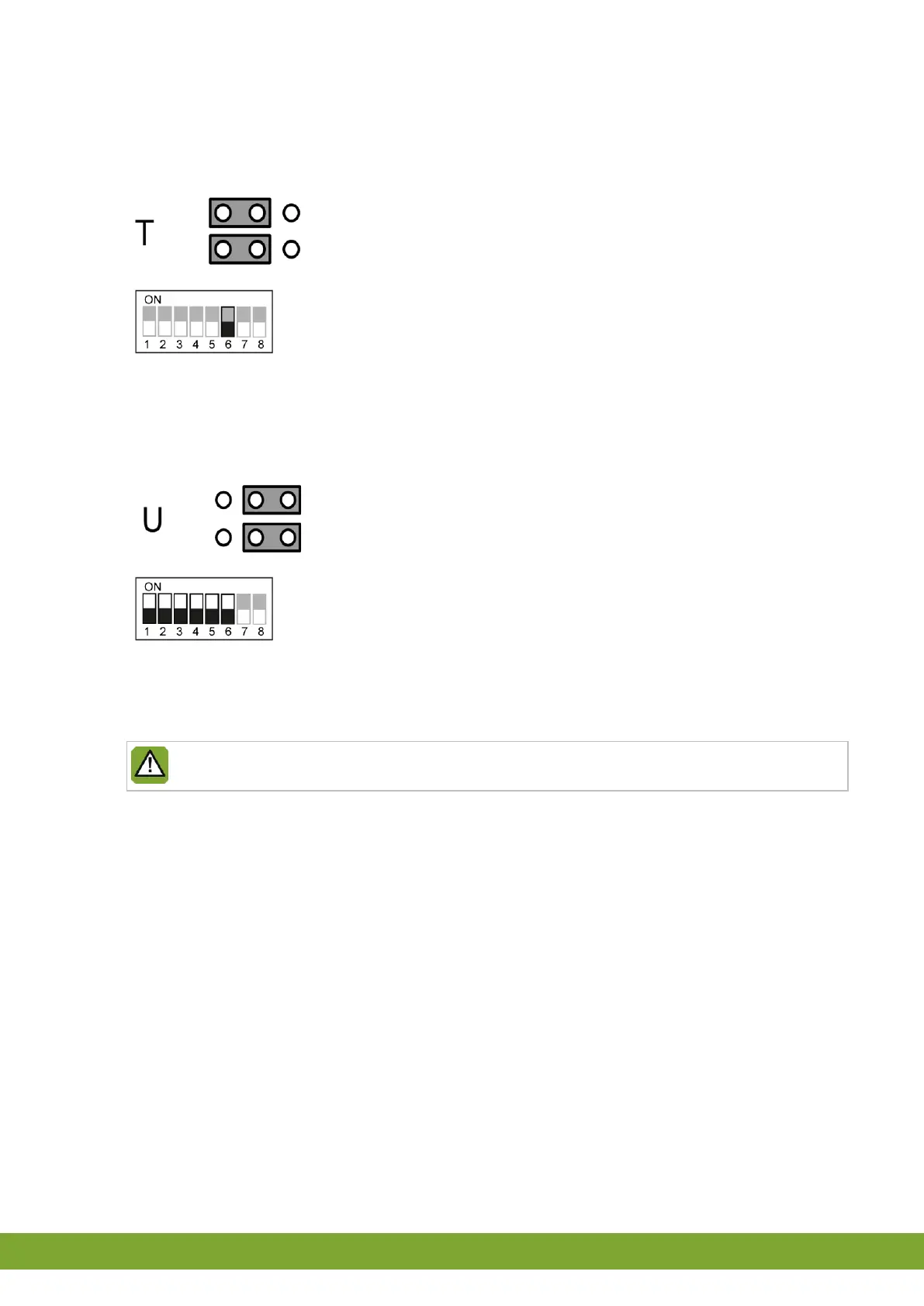
Set JP1 to T.
Set Dip 6 to OFF.
Connection as a traditional terminal
When used as a traditional terminal, the iM.60 is controlled by a signal voltage of 0/10V or 10/0V. No temperature
measurement is possible in this application.
Set JP1 to U.
Set Dips 1 through 6 to ON.
Electrical connection
Turn on the electricity after you have connected the iM.60.
Switch on the power only after all cables have been connected correctly.
2.8 Testing the iM.60
1. Check whether the iM.60 has been connected correctly.
2. Check whether the iM.60 works optimally.


 To Next Page