g
4.2 Adjusting the CLOSED position
For 0-10V or 10-
0V control, you should ensure that the control computer's analogue output sends out 1%
(for an I/O network control system this is not important).
1. Set the manual switch to the CLOSED position () and allow the air intake valve to close.
2. Turn the potentiometer completely to the left.
3. Press the pushbutton until the number 1 appears in the display and then release the pushbutton. The propulsion
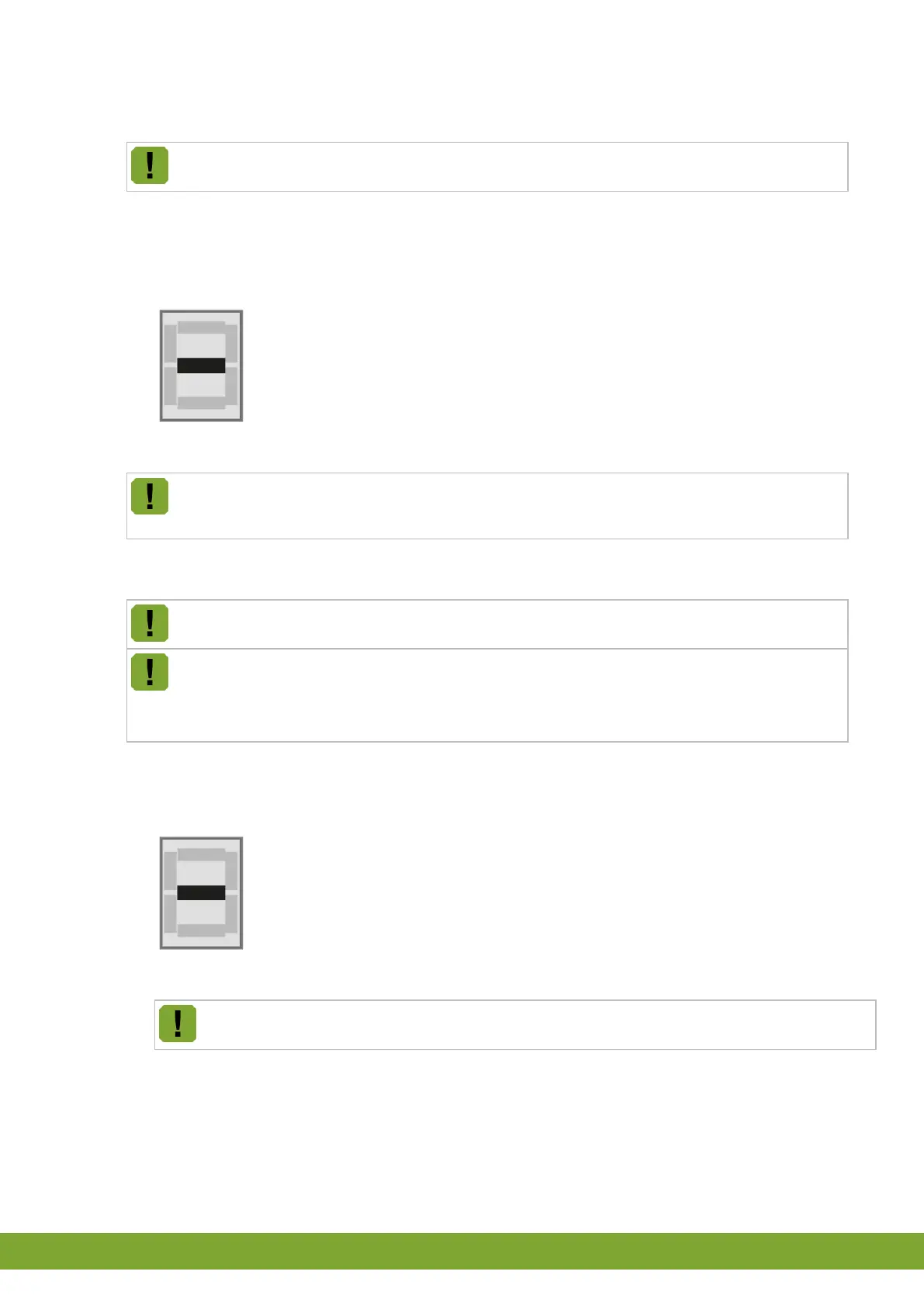
module is now in the 1% adjustment mode. After releasing the pushbutton, a dash will appear in the display.
4. Adjust the potentiometer with a screwdriver such that the dash is in the middle position of the display.
5. Press the pushbutton to confirm the setting. The letter C now appears in the display. This means that the
adjustment was successful.
Is there something other than C in the display? Then the adjustment was not successful. If no
improvement occurs, continue with the adjustment of the OPEN position. If the OPEN position is now
correctly adjusted, then the adjustment will have been successful.
4.3 Adjusting the OPEN position
For 0-10V or 10-0V control, you should ensure that the control computer's analogue output sends out
99% (for an I/O network control system this is not important).
Factory setting 99% = 0.1V, 4000Ω
• The limiting switch may be adjusted between 95% en 100%. If the desired position is not achieved
during the adjustment (because the limiting switch is being operated), no alarm will be issued. When
activating the limiting switch below 95%, the iM.60 will stop and generates alarm A2.
1. Set the manual switch to the OPEN position () and allow the air intake fell to go to the desired position.
2. Press the pushbutton until the number 2 appears in the display and then release the pushbutton. The propulsion
module is now in the 99% adjustment mode. After releasing the pushbutton, a dash will appear in the display.
3. Adjust the length (for example, by cinching) such that the dash is in the middle position of the display.
4. Press the pushbutton to confirm the setting. The letter O now appears in the display. This means that the
adjustment was successful.
Is there something other than O in the display? Then the adjustment was not successful. If no
improvement occurs, then repeat the entire procedure.


 To Next Page