g
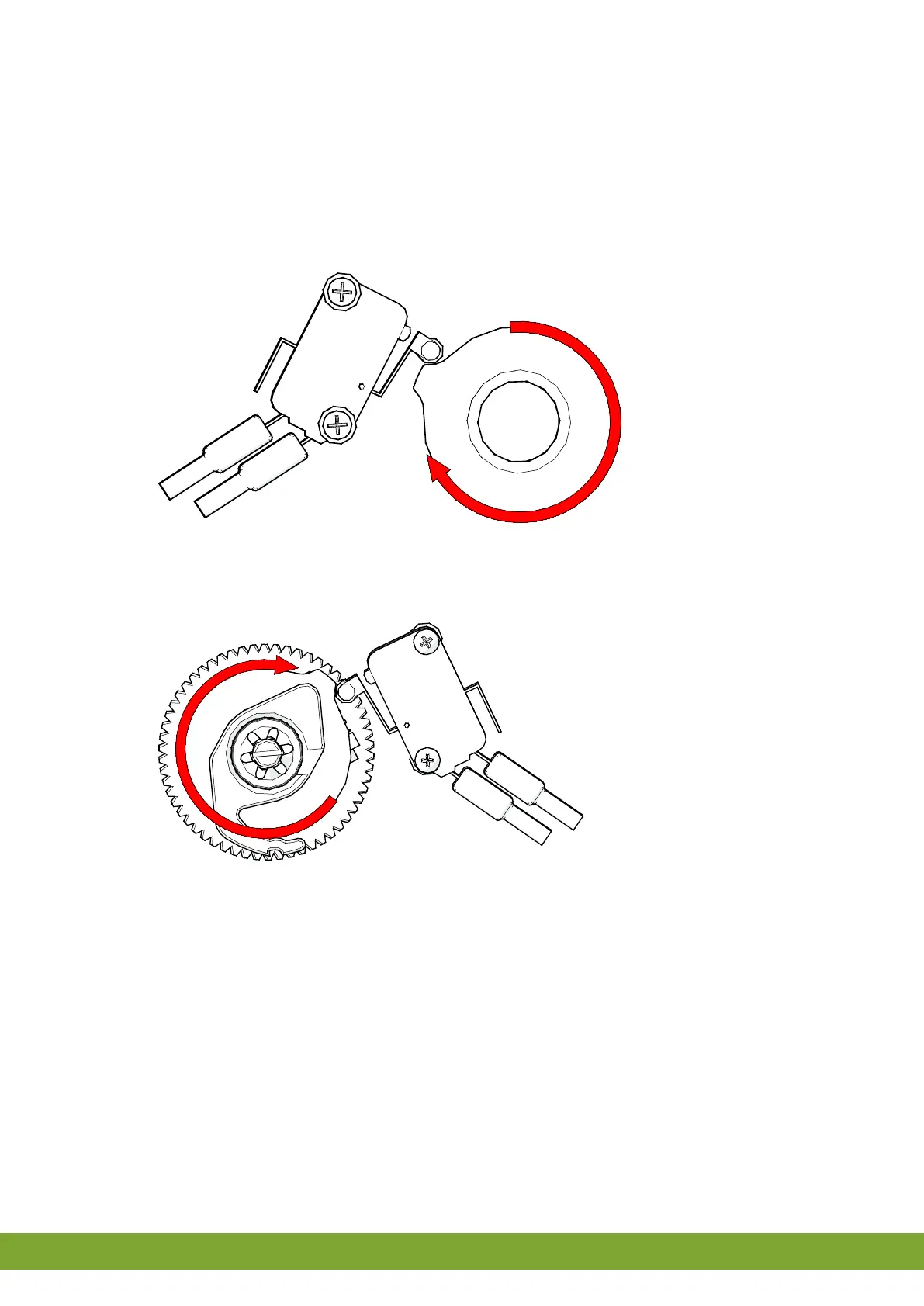
To adjust the limiting switches, proceed as follows:
1. Open the iM.60 housing.
2. Position the cam discs (1 and 4) such that these are positioned freely on the shaft (so the you can twist the cam
discs).
3. Place the hand switch in the CLOSED position ().
4. Close the intake valve completely in order to adjust the CLOSED position.
5. Turn the cam disc (1) so that the cam is against the underside of the limiting switch's (9) switch arm roller (8).
6. Tighten the screw (2) on the cam disc. Fine adjustment can be done by turning the worm gear (3).
7. Place the hand switch in the OPEN position ().
8. Close the intake valve completely in order to adjust the OPEN position.
9. Turn the cam disc (4) so that the cam is against the upper side of the limiting switch's (10) switch arm roller (11).
10. Tighten the screw (5) on the cam disc. Fine adjustment can be done by turning the worm gear (6).


 To Next Page