g
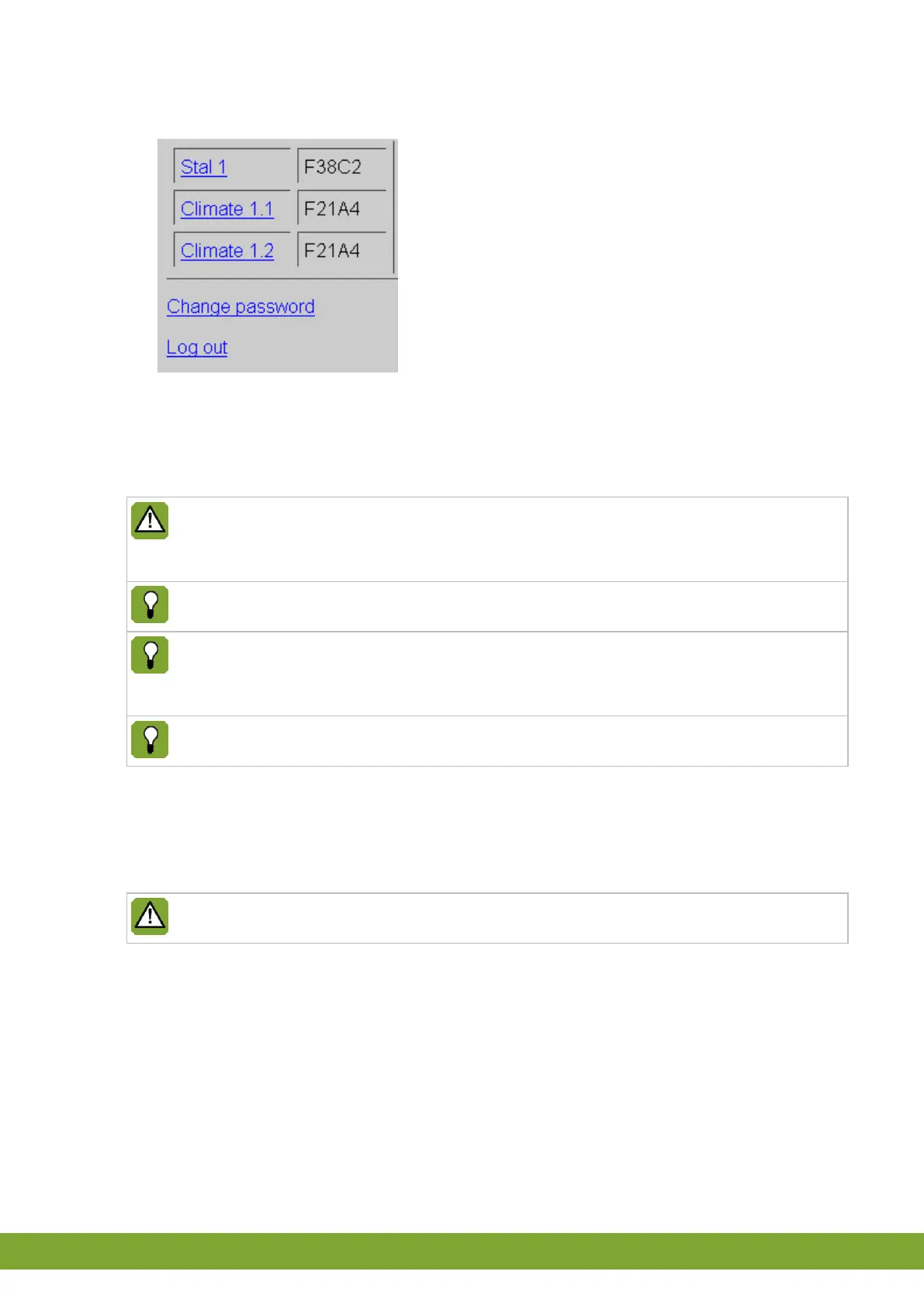
3. Login with your password. The main menu appears:
• Click a control computer name to go to the control panel of that control computer
(see page 5).
• Click Change password to change your password (see page 4).
• Click Log out to logout (see page 4).
If a password is entered incorrectly three times the WebLinkBox will be blocked
temporarily (5 minutes). The following message will appear on the screen:
System temporarily blocked.
The standard user’s password is 0000.
If someone has already logged in the following message will appear on the
screen: Another session is currently active. It is not possible to login with
more than one person.
Please contact Fancom if you have lost your password.
4.2 Changing your password
After logging in click Change password to enter a new password. Enter the new
password twice and click Send to confirm the password.
The password has a maximum of 5 characters.



 To Next Page