EasyManua.ls Logo

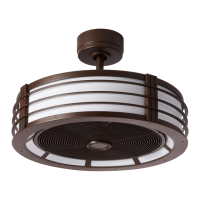
Fanimation The Beckwith FP7964 Series - User Manual

Fanimation The Beckwith FP7964 Series
36 pages
Print Icon
To Next Page IconTo Next Page
Loading...
Model No. FP7964**
OWNER'S MANUAL
READ AND SAVE THESE INSTRUCTIONS
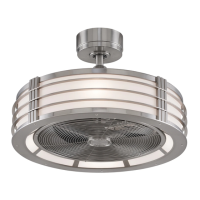
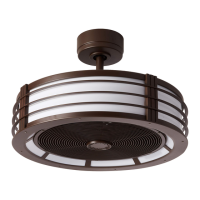
The Beckwith
Ceiling Fan
Net Weight 27.16 lbs (12.32 kg)

Questions and Answers

  • A
    Alyssa LopezAug 11, 2025
    Why is my Fanimation Fan wobbling excessively?
    • J
      Jennifer PrestonAug 11, 2025
      Excessive wobbling in your Fanimation Fan can stem from several issues: * Loose setscrews in the downrod support. Solution: Tighten both setscrews securely. * Loose setscrew in the downrod/hanger ball assembly. Solution: Tighten it. * Loose screws securing fan blade holders to blades. Solution: Ensure these screws are tight. * Improperly seated blade holders. Solution: Make sure the fan blade holders are firmly and uniformly seated to the motor housing. Loosen and retighten if needed. * Insecure hanger bracket and/or ceiling outlet box. Solution: Tighten the hanger bracket screws and secure the outlet box. * Unbalanced fan blades. Solution: Use the balance kit provided.
  • M
    Monica MartinAug 22, 2025
    What to do if my Fanimation The Beckwith FP7964 Fan sounds noisy?
    • R
      Robert Chen PhDAug 22, 2025
      A noisy Fanimation Fan can be due to several reasons: * Blades not attached. Solution: Attach blades to the fan before operating. * Loose screws in the motor housing. Solution: Check and snug all screws (do not overtighten). * Loose screws securing fan blade holders to the motor flywheel. Solution: Tighten these screws. * Rattling wire connectors inside the housing. Solution: Ensure wire connectors are not rattling against each other or the housing interior. Remember to turn off the main power before checking! * Motor noise from a solid-state variable speed control. Solution: Avoid solid-state controls; choose an alternative control method. * Loose screws holding blades to blade holders. Solution: Tighten the screws securely.
  • S
    Stephen SpencerSep 1, 2025
    How to fix a Fanimation The Beckwith FP7964 that will not start?
    • J
      jessecummingsSep 1, 2025
      If your Fanimation Fan won't start, consider these potential causes: 1. Blown fuse or circuit breaker. Solution: Check the main and branch circuit fuses or circuit breakers. 2. Loose power line connections or switch wire connections. Solution: Check the line wire connections to the fan and switch wire connections in the switch housings. Be sure to turn off the main power first! 3. Reversing switch in neutral position. Solution: Ensure the reversing switch is fully to one side. 4. Dead battery in the remote control. Solution: Replace the battery with a new one.

Fanimation The Beckwith FP7964 Series Specifications

General IconGeneral
BrandFanimation
ModelThe Beckwith FP7964 Series
CategoryFan
LanguageEnglish

Related product manuals