EasyManua.ls Logo

Fanimation HUGH 44 - User Manual

Fanimation HUGH 44
38 pages
Print Icon
To Next Page IconTo Next Page
Loading...
Serial Number
Purchase Date
ATTACH YOUR RECEIPT HERE AND REGISTER YOUR FAN AT FANIMATION.COM
READ AND SAVE THESE INSTRUCTIONS
Español p. 19
MODEL #FPS8332B**
MODEL #FPS8355B**
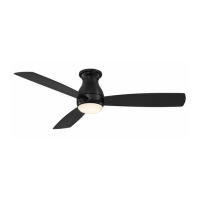
HUGH 52
CEILING FAN
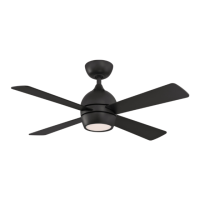
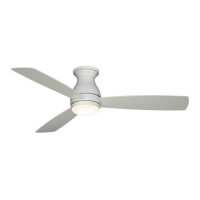
HUGH 44
CEILING FAN
Questions, problems, missing parts? Before returning to your retailer, call our customer
service department at 1-888-567-2055, 8 a.m.-5 p.m., EST, Monday-Friday.
FPS8332B** Net Weight 13.89 lbs (6.30 kg)
FPS8355B** Net Weight 16.53 lbs (7.50 kg)

Other manuals for Fanimation HUGH 44

Questions and Answers

  • R
    Ray CrawfordJul 28, 2025
    What to do if my Fanimation HUGH 44 won't start?
    • K
      Kylie HerreraJul 28, 2025
      If your Fanimation Fan won't start, there are several things you can check: 1. Examine the main and branch circuit fuses or circuit breakers. 2. Inspect the line wire connections to the fan and switch wire connections in the switch housings, ensuring the main power is off. 3. Confirm the reversing switch position is fully to one side.
  • S
    sabrinabrownAug 7, 2025
    Why is my Fanimation HUGH 44 Fan so noisy?
    • T
      Thomas HobbsAug 7, 2025
      If your Fanimation Fan is making excessive noise, consider the following potential causes: * Ensure blades are properly attached to the fan. * Check that all screws in the motor housing are snug, but not over-tightened. * Verify wire connectors inside the housing are not rattling against each other or the housing's interior wall, remembering to turn off the main power first. * Be aware that some fan motors are sensitive to solid-state variable speed controls, so using an alternative control method is recommended.
  • J
    Justin ParkerAug 16, 2025
    What to do if my Fanimation Fan wobbles excessively?
    • C
      Christine MuellerAug 17, 2025
      If your Fanimation Fan wobbles excessively, here's what you can do: 1. Check and tighten the screws that attach the fan blade to the flywheel. 2. Ensure the ceiling bracket screws are tightened to the outlet box, and that the outlet box itself is securely fastened.

Summary

Important Safety Instructions

Additional Safety Instructions

Provides crucial safety guidelines for installation and operation to prevent injury or shock.

Limited Lifetime Warranty

Outlines the terms, conditions, and coverage period for the product's warranty.

Unpacking Instructions

Tools Needed for Assembly

Lists the essential tools required for the proper assembly of the ceiling fan.

Materials

Details all the components and hardware included in the packaging for the fan.

Energy Efficient Use of Ceiling Fans

Choosing the Appropriate Mounting Location

Offers guidance on selecting the optimal placement for the ceiling fan for maximum efficiency.

Turn Off When Not in the Room

Provides a tip for energy saving by turning off the fan when the room is unoccupied.

Using the Ceiling Fan Year Round

Explains how to operate the fan efficiently during summer and winter seasons.

Electrical and Structural Requirements

How to Hang and Wire Your Ceiling Fan

How to Assemble Your Ceiling Fan

How to Assemble Your Ceiling Fan Blades

Provides a step-by-step guide for securely attaching the fan blades to the motor housing.

How to Assemble Your Light Kit

How to Operate Your Ceiling Fan

Remote Functions

Explains the operation of various functions and buttons on the handheld remote control.

How to Install Your Remote Control

Maintenance

How to Clean Your Ceiling Fan Blades

Offers instructions for cleaning fan blades to maintain their finish and optimal operation.

Trouble Shooting

Parts List

How To Order Parts

Provides essential information for obtaining replacement parts for the ceiling fan.

FPS8332 B Exploded-View Illustration

FPS8355 B Exploded-View Illustration

Fanimation HUGH 44 Specifications

General IconGeneral
BrandFanimation
ModelHUGH 44
CategoryFan
LanguageEnglish

Related product manuals