EasyManua.ls Logo

Fanimation Beckwith FP7964B Series - User Manual

Fanimation Beckwith FP7964B Series
40 pages
Print Icon
To Next Page IconTo Next Page
Loading...
Net Weight 27.16 lbs (12.32 kg)
ATTACH YOUR RECEIPT HERE AND REGISTER YOUR FAN AT FANIMATION.COM
READ AND SAVE THESE INSTRUCTIONS
Date Code
Purchase Date
Español p. 20
MODEL #FP7964B**
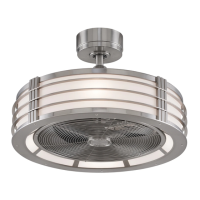
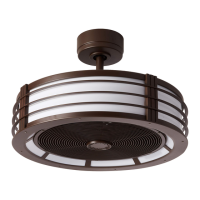
CEILING FAN
Questions, problems, missing parts? Before returning to your retailer, call our customer
service department at 1-888-567-2055, 8 a.m.-5 p.m., EST, Monday-Friday.
BECKWITH
For best and quickest service please provide date code. You can find the date code on the carton,
hand-held remote (inside of the battery compartment), receiver or top of fan housing.

Questions and Answers

  • N
    nhinesJul 28, 2025
    What to do if my Fanimation Fan won't start?
    • A
      Arthur KeithJul 28, 2025
      If your Fanimation Fan won't start, here are several things to check: 1. Examine the main and branch circuit fuses or circuit breakers to see if they have blown. 2. Ensure the line wire connections to the fan and switch wire connections in the switch housings are secure. Remember to turn off the main power before checking! 3. Confirm that the reversing switch is completely to one side and not in neutral. 4. Try replacing the remote control battery with a new one.
  • E
    Edward HallAug 7, 2025
    Why is my Fanimation Beckwith FP7964B Fan so noisy?
    • D
      David StewartAug 7, 2025
      If your Fanimation Fan is making excessive noise, consider the following: 1. Check and tighten all screws in the motor housing, but do not overtighten. 2. Ensure that the wire connectors inside the switch housing are not rattling against each other or the housing's interior wall. Remember to turn off the main power before checking! 3. The noise might be due to a solid-state variable speed control. These controls are not recommended, so consider an alternative control method.
  • N
    Nicholas JonesAug 17, 2025
    What to do if my Fanimation Beckwith FP7964B Fan wobbles excessively?
    • C
      crystalmaddenAug 18, 2025
      If your Fanimation Fan wobbles excessively, try the following: 1. Make sure both setscrews in the downrod support are tightened securely. 2. Tighten the setscrew in the downrod/hanger ball assembly. 3. Ensure the groove hanger ball is correctly lined up with the tab; re-hang the hanger ball to secure the tab into the groove. 4. Check that the hanger bracket screws are tightened to the outlet box and that the outlet box itself is secure.

Summary

Product Information and Instructions

Register Fan and Save Manual

Register your fan and keep the manual for future reference.

Safety Instructions

Important Safety Precautions

Essential warnings for installation, servicing, and operation.

Additional Safety Guidelines

Covers electrical codes, mounting, and usage safety rules.

Limited Lifetime Warranty

Motor Warranty Coverage

Details motor warranty for parts and labor.

General Warranty Terms and Conditions

Covers finish, exclusions, limitations, and owner responsibilities.

Assembly Preparation

Tools and Materials for Assembly

Lists required tools and materials for fan installation.

Unpacking and Parts Check

Instructions for unpacking and verifying all fan components.

Energy Efficiency and Electrical Requirements

Maximizing Energy Efficiency

Tips for optimal fan use and energy savings.

Electrical and Structural Needs

Specifies power supply, outlet box, and mounting requirements.

Mounting and Wiring Safety Guidelines

Outlet Box Mounting and Support

Ensures secure mounting to a fan-rated outlet box.

Wiring and Control System Precautions

Warnings for safe wiring and compatible control systems.

Ceiling Fan Assembly Steps

Preparing Downrod and Hanger Ball

Detaching and preparing the downrod and hanger ball.

Attaching Downrod to Motor Assembly

Securing the downrod to the motor with pins and screws.

Completing Fan Assembly

Routing Wires and Installing Canopy

Passing wires through covers and reattaching hanger ball.

Preparing Wires and Hanger Bracket

Trimming wires and adjusting the hanger bracket for installation.

Hanging the Ceiling Fan

Pre-Hanging Safety Checks

Ensure power is off and clearance is met.

Attaching Hanger Bracket and Safety Cable

Securing the bracket and safety cable to the ceiling structure.

Seating Hanger Ball and Securing Cable

Aligning the hanger ball and securing the safety cable.

Wiring the Ceiling Fan

Setting Remote Control Codes

Synchronizing remote and receiver dip switch settings.

Receiver Installation and Wiring Safety

Installing receiver and critical wiring safety warnings.

Completing Fan Wiring

Connecting Fan Wires to Receiver

Detailed wire connections between fan, receiver, and supply.

Organizing Wires in Outlet Box

Proper placement of wires within the outlet box.

Canopy and Light Installation

Installing Ceiling Canopy Housing

Attaching the canopy and cover securely.

Installing Light Bulbs

Procedures for bulb installation and type restrictions.

Operating the Ceiling Fan

Important Operation Warnings

Warnings against dimmer switches and power restoration.

Remote Control Setup and Functions

Battery installation, code setting, and remote function guide.

Fan Operation and Remote Control

Adjusting Airflow Direction

Using the reverse switch for summer/winter modes.

Installing Remote Control Wall Holder

Mounting the remote control holder on the wall.

Fan Maintenance

General Cleaning Precautions

Safety and methods for cleaning the fan.

Cleaning Fan Blades

Step-by-step guide for cleaning fan blades.

Troubleshooting Common Issues

Fan Fails to Start

Diagnosing and fixing issues with fan power.

Fan Noisy or Wobbling

Solutions for noise and excessive fan wobble.

Insufficient Air Movement

Addressing problems with low airflow.

Parts List and Ordering

Component Identification

Reference list of all fan parts and their numbers.

How to Order Repair Parts

Information required for ordering replacement parts.

Exploded-View Illustration

Fanimation Beckwith FP7964B Series Specifications

General IconGeneral
BrandFanimation
ModelBeckwith FP7964B Series
CategoryFan
LanguageEnglish

Related product manuals