EasyManua.ls Logo

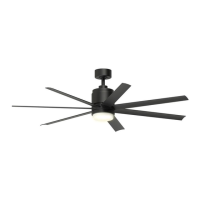
Fanimation BLITZ LP8377LBL - User Manual

Fanimation BLITZ LP8377LBL
40 pages
Print Icon
To Next Page IconTo Next Page
Loading...
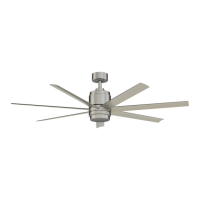
BLITZ CEILING FAN
MODEL #
LP8377LBL
ITEM #0883778
Español p. 21
Questions, problems, missing parts? Before returning to your retailer, call our customer
service department at 1-888-567-2055, 8 a.m.-5 p.m., EST, Monday-Friday.
Date Code
Purchase Date
ATTACH YOUR RECEIPT HERE AND REGISTER YOUR FAN AT FANIMATION.COM
READ AND SAVE THESE INSTRUCTIONS
Net Weight 16.12 lbs (7.31 kgs)
For best and quickest service please provide date code. You can find the date code on the carton,
hand-held remote (inside of the battery compartment), receiver or top of fan housing.

Questions and Answers

  • D
    Dana WilliamsAug 7, 2025
    Why won't my Fanimation Fan start?
    • J
      jamesmejiaAug 7, 2025
      If your Fanimation Fan won't start, there are several potential causes: * A fuse or circuit breaker may have blown. Check both the main and branch circuit fuses or circuit breakers. * There might be loose power line connections to the fan, or loose switch wire connections in the switch housing. Inspect the line wire connections to the fan and the switch wire connections in the switch housings, ensuring the main power is turned off as a precaution. * The remote control battery could be dead. Try replacing it with a new battery. * The reverse switch might be in a neutral position. Ensure the reverse switch is fully to one side.
  • B
    Brandy KramerAug 12, 2025
    What to do if Fanimation remote control does not work and the control indicator LED is constantly flashing?
    • D
      David WiseAug 12, 2025
      If the remote control for your Fanimation fan isn't working and the LED is constantly flashing, the battery/batteries are likely running low. Replace the battery/batteries.
  • A
    adriana56Aug 18, 2025
    What to do if Fanimation BLITZ LP8377LBL wobbles excessively?
    • L
      Laura JohnsonAug 19, 2025
      If your Fanimation Fan wobbles excessively, consider these possible causes: 1. The setscrew and nut in the downrod support might be loose. Tighten both setscrews and nuts securely. 2. The setscrew in the downrod/hanger ball assembly could be loose. Tighten this setscrew. 3. The screws securing the fan blade to the motor hub may be loose. Check and tighten the screws that attach the fan blade to the flywheel. 4. The hanger bracket and/or ceiling outlet box might not be securely fastened. Tighten the hanger bracket screws to the outlet box and ensure the outlet box is secure.
  • M
    Mrs. Amanda WoodAug 25, 2025
    Why is my Fanimation BLITZ LP8377LBL so noisy?
    • A
      Allison HardyAug 25, 2025
      If your Fanimation Fan sounds noisy, here are a few things to check: * Ensure the blades are properly attached to the fan. * Check for loose screws in the motor housing and tighten them (but don't over-tighten). * Make sure wire connectors inside the housing aren't rattling against each other or the housing wall. Turn off the main power before inspecting. * Motor noise can be caused by a solid-state variable speed control. If this is the case, consider an alternative control method, as solid-state controls are not recommended.
  • V
    Veronica ButlerAug 31, 2025
    How to increase air movement from Fanimation BLITZ LP8377LBL Fan?
    • P
      palmerjimAug 31, 2025
      If you are not getting enough air movement from your Fanimation Fan, consider using a longer downrod. Note that downrods are sold separately.

Summary

Ceiling Fan Safety Instructions

General Safety Precautions

Follow crucial safety guidelines to prevent fire, shock, and personal injury during fan operation and maintenance.

Specific Safety Advice

Specific safety precautions for wiring, grounding, battery handling, and environmental considerations.

Fan Unpacking and Preparation

Required Tools for Assembly

List of essential tools required for the proper assembly and installation of the ceiling fan.

Materials and Wiring Specifications

Specifications for electrical wiring and outlet box requirements for safe installation.

Component Checklist

Step-by-step guide to verify all fan components are present and undamaged after unpacking.

Installation Requirements and Energy Efficiency

Optimizing Energy Efficiency

Tips for optimizing fan performance and energy savings through proper mounting and operation.

Electrical and Structural Support

Guidelines for electrical supply, outlet box type, and structural support needed for fan installation.

Electrical Installation Safety

Outlet Box Mounting Safety

Ensuring the outlet box is rated for fan support and properly secured to prevent hazards.

Wiring and Grounding Best Practices

Adhering to codes for wiring, grounding, and using licensed electricians for safety.

Ceiling Fan Assembly Guide

Downrod and Hanger Ball Attachment

Steps for assembling the downrod, hanger ball, and securing them to the motor assembly.

Downrod Wiring and Securing

Routing wires through the downrod and securely attaching it to the motor assembly.

Ceiling Fan Assembly Steps Continued

Hanger Ball and Wire Routing

Guide for routing wires through the canopy and re-securing the hanger ball on the downrod.

Wire Preparation and Bracket Adjustment

Instructions for trimming wires and adjusting the hanger bracket for mounting.

Hanging Your Ceiling Fan

Hanger Bracket Installation

Securely attaching the hanger bracket to the outlet box for safe fan support.

Seating the Hanger Ball Assembly

Properly seating the fan's hanger ball assembly onto the hanger bracket, ensuring alignment.

Wiring Your Ceiling Fan

Remote Code Configuration

Configuring DIP switches on the receiver and remote for proper communication.

Receiver Installation

Sliding the receiver unit into the hanger bracket before proceeding with wiring.

Ceiling Fan Wiring Connections

Connecting Receiver to Fan Components

Detailed instructions for connecting wires between the receiver, motor, and light kit.

Outlet Box Wire Management

Properly arranging wires within the outlet box for safe and organized connection.

Canopy Housing Installation

Ceiling Fan Blade Assembly

Light Kit and Cap Assembly

Attaching Light Kit to Motor

Securing the light kit assembly to the motor support bracket using screws.

Connecting LED or Steel Cap

Connecting the LED assembly or installing the steel cap to the light kit.

Light Kit and Fan Operation Setup

Final Light Kit Assembly

Final steps for assembling the LED assembly and attaching the glass cover.

Critical Operation Warnings

Critical warnings against using dimmer switches and ensuring proper wiring before operation.

Remote Operated Fan Functions

Remote Setup and Battery Install

Installing batteries and setting up the remote control for fan operation.

Understanding Remote Controls

Explanation of fan speed, light control, sleep timer, and special features via remote.

Advanced Fan Operations

Special Fan Modes and Reversing

Details on 'Fresh Air' and 'Safe Exit' modes, and how to reverse fan direction.

Remote Control Wall Mount

Fan Maintenance and Cleaning

Routine Fan Maintenance

Guidelines for routine cleaning using soft brushes or lint-free cloths.

Cleaning Fan Blades Safely

Recommended methods for dusting fan blades to prevent damage or warping.

Ceiling Fan Troubleshooting Guide

Troubleshooting Fan Startup

Common causes and solutions for a fan that fails to start or operate.

Troubleshooting Fan Noise

Diagnosing and fixing common causes of noise during fan operation.

Troubleshooting Fan Wobble

Troubleshooting excessive fan wobble caused by loose connections or improper mounting.

Troubleshooting Remote Control

Resolving problems where the remote control is not working or the indicator LED flashes.

Troubleshooting Airflow

Addressing insufficient airflow, possibly due to downrod length or other factors.

Parts List and Ordering Information

How to Order Replacement Parts

Information required and contact details for ordering replacement parts for the ceiling fan.

Exploded View of Fan Components

Fanimation BLITZ LP8377LBL Specifications

General IconGeneral
Model NumberLP8377LBL
CategoryFan
TypeCeiling Fan
Blade Span52 inches
MotorAC motor
Number of Blades5
Control MethodPull Chain
FinishBrushed Nickel
Motor Speed3 speeds
MaterialMetal
Light Kit IncludedNo
Reversible MotorYes
WarrantyLimited Lifetime

Related product manuals