EasyManua.ls Logo

Fanimation Upright LP8577 Series - User Manual

Fanimation Upright LP8577 Series
39 pages
Print Icon
To Next Page IconTo Next Page
Loading...
Español p.
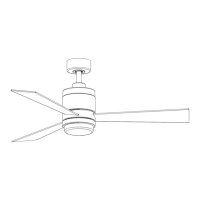
MODEL #LP8577**
UPRIGHT
CEILING FAN
Questions, problems, missing parts? Before returning to your retailer, call our customer
service department at 1-888-567-2055, 8 a.m.-5 p.m., EST, Monday-Friday.
ATTACH YOUR RECEIPT HERE AND REGISTER YOUR FAN AT FANIMATION.COM
READ AND SAVE THESE INSTRUCTIONS
Serial Number
Purchase Date Net Weight 16.71 lbs (7.58 kg)
20

Questions and Answers

  • H
    Heather ChaseJul 29, 2025
    What to do if my Fanimation Upright LP8577 Fan won't start?
    • L
      Lisa BarrJul 29, 2025
      If your Fanimation Fan won't start, consider the following: * Check the main and branch circuit fuses or circuit breakers. A blown fuse or tripped breaker could be the issue. * Inspect the power line connections to the fan and the switch wire connections in the switch housings. Loose connections can prevent the fan from starting. Make sure main power is turned off before checking! * Replace the battery in the remote control with a new one. * Ensure the reversing switch is fully engaged to one side and not in a neutral position.
  • C
    Christopher Russo MDAug 8, 2025
    Why is my Fanimation Upright LP8577 Fan so noisy?
    • J
      Janice MirandaAug 8, 2025
      Your Fanimation Fan might be noisy due to several reasons: * The blades might not be properly attached. * Screws in the motor housing could be loose. * Wire connectors inside the housing might be rattling. Ensure wire connectors in the switch housing are not rattling against each other or the interior wall of the switch housing. Make sure main power is turned off before checking! * The motor noise could be caused by a solid-state variable speed control. If so, consider an alternative control method, as solid-state controls are not recommended.
  • D
    Douglas BentonAug 17, 2025
    How to fix a Fanimation Fan that wobbles excessively?
    • W
      whiteheadnatalieAug 18, 2025
      Excessive wobbling in your Fanimation Fan can be caused by: * A loose setscrew in the downrod support. Tighten both setscrews securely. * A loose setscrew in the downrod/hanger ball assembly. Tighten these setscrews as well. * The hanger bracket and/or ceiling outlet box not being securely fastened. Tighten the hanger bracket screws to the outlet box and ensure the outlet box is secure. * Fan blades being out of balance. Use the balance kit provided to balance the blades.

Summary

Important Safety Instructions

Additional Safety Instructions

Essential safety guidelines to prevent hazards during fan installation and use.

LIMITED LIFETIME WARRANTY

Unpacking Instructions

Energy Efficient Use of Ceiling Fans

Electrical and Structural Requirements

How to Assemble Your Ceiling Fan

How to Hang Your Ceiling Fan

How to Wire Your Ceiling Fan

How to Install Your Canopy Housing

How to Assemble Your Ceiling Fan Blades

How to Assemble Your Light Kit or Cap

How to Operate Your Ceiling Fan

How to Install Your Remote Control

Maintenance

How to Clean Your Ceiling Fan Blades

Trouble Shooting

Parts List

Exploded-View Illustration

Fanimation Upright LP8577 Series Specifications

General IconGeneral
BrandFanimation
ModelUpright LP8577 Series
CategoryFan
LanguageEnglish

Related product manuals