EasyManua.ls Logo

Fanimation STAFFORD FP8274 Series - User Manual

Fanimation STAFFORD FP8274 Series
43 pages
Print Icon
To Next Page IconTo Next Page
Loading...
Español p.
MODEL #FP8274**
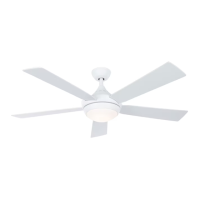
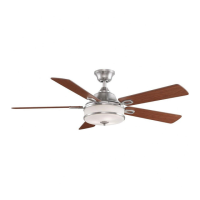
STAFFORD CEILING FAN
21
ATTACH YOUR RECEIPT HERE AND REGISTER YOUR FAN AT FANIMATION.COM
READ AND SAVE THESE INSTRUCTIONS
Net Weight 23.21 lbs (10.53 kgs)
Date Code
Purchase Date
For best and quickest service please provide date code. You can find the date code on the carton,
hand-held remote (inside of the battery compartment), receiver or top of fan housing.
Questions, problems, missing parts? Before returning to your retailer, call our customer
service department at 1-888-567-2055, 8 a.m.-5 p.m., EST, Monday-Friday.

Questions and Answers

  • T
    Tina BeckerJul 28, 2025
    Why is my Fanimation Fan not starting?
    • L
      lperezJul 29, 2025
      Your Fanimation Fan might not start due to several reasons: 1. A blown fuse or circuit breaker. Check both the main and branch circuit fuses or circuit breakers. 2. Loose power line connections to the fan or loose switch wire connections. Inspect the line wire connections to the fan and switch wire connections in the switch housings, remembering to turn off the main power first! 3. The reversing switch is in the neutral position. Ensure the reversing switch is fully to one side. 4. A dead battery in the remote control. Try replacing it with a fresh battery.
  • J
    Jasmin DicksonAug 4, 2025
    What to do if Fanimation remote control is not working and the LED is constantly flashing?
    • F
      flowersvictoriaAug 4, 2025
      If the remote control for your Fanimation Fan isn't working and the control indicator LED is constantly flashing, the battery/batteries are likely running low. Replace them.
  • K
    Kimberly HatfieldAug 9, 2025
    What to do if my Fanimation STAFFORD FP8274 wobbles excessively?
    • J
      Jonathan SchroederAug 9, 2025
      If your Fanimation Fan wobbles a lot, here's what you can check: 1. The setscrew in the downrod support may be loose. Tighten both setscrews securely. 2. The setscrew in the downrod/hanger ball assembly might be loose. Ensure it's tightened. 3. Screws securing the fan blade holders to the motor hub could be loose. Check and tighten them. 4. Blade holders may not be seated correctly. Make sure they seat firmly and uniformly to the motor housing, and retighten the screws. 5. The hanger bracket or ceiling outlet box might not be securely fastened. Tighten the hanger bracket screws to the outlet box and secure the outlet box itself.
  • L
    Laura HillAug 15, 2025
    Why is my Fanimation STAFFORD FP8274 Fan so noisy?
    • B
      boltongregoryAug 16, 2025
      If your Fanimation Fan is making unusual noises, consider these potential causes: 1. Blades are not attached to the fan. Attach blades to fan before operating. 2. Loose screws in the motor housing. Check and tighten all screws, but don't overtighten. 3. Loose screws securing fan blade holders to the motor flywheel. Ensure these screws are tight. 4. Rattling wire connectors inside the housing. Check wire connectors in the switch housing to ensure they aren't rattling against each other or the housing's interior wall. Remember to turn off the main power first! 5. Loose screws holding blades to blade holders. Tighten these screws securely.
  • J
    Jeffrey JohnsonAug 21, 2025
    How to improve air movement with Fanimation Fan?
    • B
      Brandon ThompsonAug 21, 2025
      If you're not getting enough air movement from your Fanimation Fan, consider using a longer downrod. You can purchase a longer downrod from fanimation.com.

Summary

Important Safety Instructions

Tools Needed for Assembly

Electrical and Structural Requirements

How to Assemble Your Ceiling Fan

How to Hang Your Ceiling Fan

How to Wire Your Ceiling Fan

How to Install Your Canopy Housing

How to Assemble the Blades and Light Kit

How to Operate Your Ceiling Fan

How to Install Your Remote Control

Troubleshooting

FAN WILL NOT START

Troubleshooting steps for when the ceiling fan fails to start, covering fuses, connections, and battery issues.

FAN SOUNDS NOISY

Steps to diagnose and fix noise issues with the ceiling fan, checking screws, connections, and blade seating.

FAN WOBBLES EXCESSIVELY

Guidance on resolving excessive fan wobble by checking setscrews, blade holder seating, and mounting security.

Parts List

Fanimation STAFFORD FP8274 Series Specifications

General IconGeneral
BrandFanimation
ModelSTAFFORD FP8274 Series
CategoryFan
LanguageEnglish

Related product manuals