EasyManua.ls Logo

Fanimation FPD8159 Series - User Manual

Fanimation FPD8159 Series
52 pages
Print Icon
To Next Page IconTo Next Page
Loading...
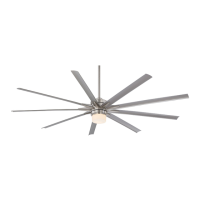
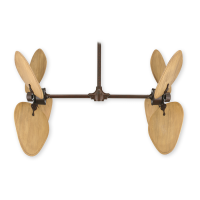
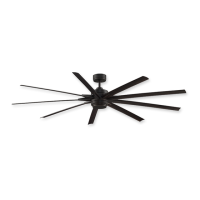
ODYN 84 CEILING FAN
MODEL #FPD8159**
Español p. 25
Questions, problems, missing parts? Before returning to your retailer, call our customer
service department at 1-888-567-2055, 8 a.m.-5 p.m., EST, Monday-Friday.
Date Code
Purchase Date
ATTACH YOUR RECEIPT HERE AND REGISTER YOUR FAN AT FANIMATION.COM
READ AND SAVE THESE INSTRUCTIONS
Net Weight 33.74 lbs (15.30 kgs)
For best and quickest service please provide date code. You can find the date code on the carton,
hand-held remote (inside of the battery compartment), receiver or top of fan housing.

Questions and Answers

  • A
    Ann CastilloJul 28, 2025
    What to do if my Fanimation Fan won't start?
    • A
      Ashley KentJul 29, 2025
      If your Fanimation Fan isn't starting, there are several potential causes: * A blown fuse or circuit breaker: Check both the main and branch circuit fuses or circuit breakers. * Loose power line connections: Inspect the line wire connections to the fan and switch wire connections in the switch housings, remembering to turn off the main power first. * A dead remote control battery: Replace the battery with a fresh one.
  • E
    Emily GordonAug 5, 2025
    What to do if Fanimation Fan remote control is not working and the LED is flashing?
    • K
      Kelly HollowayAug 6, 2025
      If your Fanimation Fan remote control isn't working and the LED is constantly flashing, it likely means the battery/batteries are running low. Replace them to resolve this issue.
  • L
    Linda RichardsAug 13, 2025
    Why is my Fanimation FPD8159 Fan so noisy?
    • A
      amanda35Aug 13, 2025
      A noisy Fanimation Fan could be due to several reasons: * Blades not attached: Ensure blades are properly attached to the fan. * Loose screws: Check and tighten any loose screws in the motor housing or those securing fan blade holders to the motor flywheel. Be careful not to overtighten. * Rattling wire connectors: Make sure wire connectors in the switch housing are not rattling against each other or the housing's interior wall. Remember to turn off the main power before checking. * Incompatible speed control: Some fan motors react to solid-state variable speed controls. Consider using an alternative control method instead. * Loose blade screws: Tighten the screws holding the blades to the blade holders.
  • E
    Erica LuceroAug 19, 2025
    How to fix a Fanimation Fan that wobbles?
    • M
      Michelle HigginsAug 20, 2025
      Excessive wobbling in your Fanimation Fan can be caused by: * Loose setscrews in downrod support: Tighten both setscrews securely. * Loose setscrew in downrod/hanger ball assembly: Tighten this setscrew. * Loose screws securing blade holders: Ensure the screws attaching the fan blade holders to the blades are tight. * Improperly seated blade holders: Check that the fan blade holders seat firmly and uniformly against the motor housing. If misaligned, loosen and retighten the screws. * Insecure mounting: Tighten the hanger bracket screws to the outlet box and ensure the outlet box is securely fastened.

Summary

Safety Information

General Safety Instructions

Essential safety guidelines to prevent fire, shock, and injury during fan installation and use.

Electrical and Mounting Safety Requirements

Details on electrical supply, grounding, outlet boxes, and safe installation practices.

Warranty Details

Limited Lifetime Warranty Terms

Covers motor and other parts for specific durations, outlining terms and exclusions for claims.

Installation and Assembly Guide

Unpacking and Parts Verification

Steps to unpack the fan, verify all parts, and identify components for assembly.

Hanging and Wiring the Fan

Instructions for securely mounting the fan and connecting electrical components.

Assembling Blades and Light Kit

Guide for attaching fan blades and installing the light kit or cap.

Fan Operation and Smart Features

Remote Control Operation

Steps to restore power, install batteries, and operate the fan using the remote.

Advanced Remote Functions

Explanation of remote buttons for fan speed, light control, timers, and special modes.

fanSync WiFi App Configuration

Guide to download, connect, and configure the fan using the fanSync WiFi mobile app.

Maintenance and Troubleshooting

Routine Fan Maintenance and Cleaning

Recommendations for periodic cleaning and care to maintain fan finish and performance.

Troubleshooting Common Fan Issues

Solutions for common problems like fan not starting, noise, or wobble.

Parts and Diagrams

Parts List and Identification

A detailed list of all components with part numbers for ordering replacements.

Exploded-View Component Illustration

A visual illustration showing the assembly of all fan parts with corresponding reference numbers.

Fanimation FPD8159 Series Specifications

General IconGeneral
BrandFanimation
ModelFPD8159 Series
CategoryFan
LanguageEnglish

Related product manuals