EasyManua.ls Logo

Fanimation FP6729 series - User Manual

Fanimation FP6729 series
31 pages
Print Icon
To Next Page IconTo Next Page
Loading...
Español p.
MODEL #FP6729**
Questions, problems, missing parts? Before returning to your retailer, call our customer
service department at 1-888-567-2055, 8 a.m.-5 p.m., EST, Monday-Friday.
ATTACH YOUR RECEIPT HERE
READ AND SAVE THESE INSTRUCTIONS
Purchase Date Net Weight 23.81 lbs (10.8 kgs).
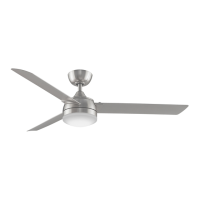
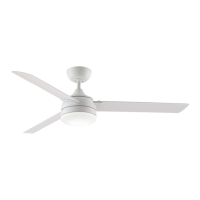
XENO WET CEILING FAN
16

Questions and Answers

  • J
    John MurphyJul 27, 2025
    What to do if my Fanimation FP6729 Fan will not start?
    • D
      Douglas ReyesJul 27, 2025
      If your Fanimation Fan isn't starting, there are several things you can check: 1. Make sure that the fuse or circuit breaker hasn't blown. Check both the main and branch circuit fuses or circuit breakers. 2. Inspect the power line connections to the fan and the switch wire connections in the switch housings to ensure they are not loose. Remember to turn off the main power before checking! 3. Confirm that the reversing switch is fully engaged to one side and not in a neutral position.
  • G
    Geoffrey GarciaAug 3, 2025
    How to fix a Fanimation FP6729 Fan that wobbles a lot?
    • L
      Lance WilliamsonAug 3, 2025
      Excessive wobbling in your Fanimation Fan can often be corrected by checking the following: 1. Tighten both setscrews securely in the downrod support. 2. Tighten the setscrew in the downrod/hanger ball assembly. 3. Ensure the screws securing the fan blade to the motor assembly are tight. 4. Tighten the hanger bracket screws to the timber batten, and secure the outlet box. 5. If the blades are out of balance, use the balancing kit supplied with the fan.
  • W
    waynewallsAug 11, 2025
    Why is my Fanimation FP6729 so noisy?
    • P
      pcalhounAug 11, 2025
      A noisy Fanimation Fan could be due to several reasons: 1. Ensure the blades are properly attached to the fan. 2. Check all screws in the motor housing to make sure they are snug (but not over-tight). 3. Verify that the screws securing the fan blade to the motor assembly are tight. Make sure the main power is turned off before checking! 4. Tighten the lower housing support set screw securely.
  • G
    Gary WrightAug 18, 2025
    How to improve air movement from my Fanimation Fan?
    • S
      Sara LeeAug 18, 2025
      If you want to improve the air movement of your Fanimation Fan, consider using a longer downrod. Note that longer downrods are not included.

Summary

Important Safety Instructions

Additional Safety Instructions

Provides additional safety guidelines for installation and operation of the ceiling fan.

Limited Lifetime Warranty

Energy Efficient Use of Ceiling Fans

Choosing the Appropriate Mounting Location

Guidance on selecting the optimal placement for ceiling fan installation.

Turn Off When Not in the Room

Recommendation to conserve energy by turning off the fan when the room is unoccupied.

Using the Ceiling Fan Year Round

Instructions for optimizing fan use during summer and winter seasons.

Electrical and Structural Requirements

How to Assemble Your Ceiling Fan

How to Hang Your Ceiling Fan

Instructions for securely mounting the fan assembly to the ceiling electrical box.

How to Wire Your Ceiling Fan - Wall Control

How to Wire Your Ceiling Fan

How to Install Your Canopy Housing

Steps for attaching the canopy cover to conceal wiring and mounting hardware.

How to Assemble Your Ceiling Fan Blades

How to Assemble Your Light Kit

How to Operate Your Ceiling Fan

Maintenance

How to Clean Your Ceiling Fan Blades

Instructions for safely cleaning the fan blades without causing damage.

Parts List

How To Order Parts

Information and requirements for ordering replacement parts for the fan.

Exploded-View Illustration

Troubleshooting

Fanimation FP6729 series Specifications

General IconGeneral
Model NumberFP6729 series
CategoryFan
TypeCeiling Fan
Reversible MotorYes
Number of Blades5
Blade MaterialWood
Light Kit IncludedNo
Motor Speed3 speed

Related product manuals