EasyManua.ls Logo

Fanimation HUGH FPS8332B Series - User Manual

Fanimation HUGH FPS8332B Series
38 pages
Print Icon
To Next Page IconTo Next Page
Loading...
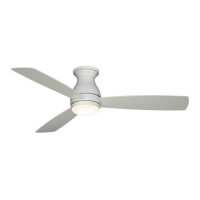
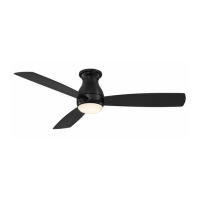
HUGH 52 CEILING FAN
HUGH 44 CEILING FAN
Questions, problems, missing parts? Before returning to your retailer, call our customer
service department at 1-888-567-2055, 8 a.m.-5 p.m., EST, Monday-Friday.
ATTACH YOUR RECEIPT HERE AND REGISTER YOUR FAN AT FANIMATION.COM
READ AND SAVE THESE INSTRUCTIONS
For best and quick service please provide date code. You can find the date code on the Carton,
Handheld Remote (inside of the battery compartment), Receiver or Ceiling Bracket.
MODEL #FPS8332B**
MODEL #FPS8355B**
Español p. 19
Date Code
Purchase Date
FPS8332B** Net Weight 13.89 lbs (6.30 kgs)
FPS8355B** Net Weight 16.53 lbs (7.50 kgs)

Questions and Answers

  • A
    adamgarciaJul 28, 2025
    What to do if my Fanimation HUGH FPS8332B will not start?
    • M
      moorejacobJul 28, 2025
      If your Fanimation fan won't start, begin by checking the main and branch circuit fuses or circuit breakers. Also, ensure that the line wire connections to the fan and switch wire connections in the switch housings are secure, remembering to turn off the main power before checking. Replacing the remote control battery with a new one may also solve the problem. Finally, ensure the reverse switch is fully to one side.
  • I
    isabel59Aug 6, 2025
    Why is my Fanimation Fan so noisy?
    • B
      Brianna Whitehead PhDAug 7, 2025
      If your Fanimation fan sounds noisy, make sure the blades are properly attached to the fan. Check and tighten (but don't overtighten) all screws in the motor housing. Also, check the wire connectors inside the switch housing to ensure they are not rattling against each other or the housing's interior wall, remembering to turn off the main power first. If you're using a solid-state variable speed control, it may be causing motor noise, so consider an alternative control method.
  • E
    Erin MartinezAug 17, 2025
    What to do if my Fanimation Fan wobbles too much?
    • N
      Nichole SimpsonAug 17, 2025
      If your Fanimation fan wobbles excessively, check to ensure the screws attaching the fan blade to the motor hub are tight. Also, make sure the ceiling bracket screws are securely fastened to the outlet box, and that the outlet box itself is securely attached.

Summary

Safety and Warranty Information

Important Safety Instructions

General warnings and precautions for safe fan operation and installation.

Additional Safety Instructions

Specific safety guidelines for wiring, grounding, mounting, and electrical connections.

Limited Lifetime Warranty

Details the limited lifetime motor warranty and one-year parts and labor warranty terms.

Preparation for Installation

Tools and Materials Required

Lists required tools and essential materials for fan assembly and installation.

Unpacking and Parts Verification

Instructions for checking all parts against the list and handling missing or damaged components.

Installation Guide

Energy Efficient Use and Mounting Location

Tips for optimizing fan performance and energy savings, including mounting and seasonal use.

Electrical and Structural Requirements

Details electrical supply needs and structural support requirements for safe fan mounting.

Hanging and Wiring the Fan

Step-by-step instructions for securely hanging the fan and making electrical connections.

Assembling the Ceiling Fan Body

Instructions for attaching the motor assembly to the ceiling bracket and canopy.

Assembling the Fan Blades

Steps for securely attaching the fan blades to the motor hub.

Assembling the Light Kit

Detailed steps for installing the light kit assembly, including wiring and plate attachments.

Operation and Maintenance

Operating Your Ceiling Fan with Remote

Guide to using the remote control, fan speed, light functions, and sleep timer.

Installing the Remote Control Holder

Instructions for mounting the wall holder for the handheld remote transmitter.

Fan Maintenance and Cleaning

Guidance on periodic cleaning of the fan and blades to maintain finish and performance.

Troubleshooting Common Issues

Addresses common fan problems like starting, noise, and wobbling with suggested remedies.

Parts and Visual Information

Fan Parts List

An itemized list of all fan components with reference numbers and part numbers.

Ordering Replacement Parts

Information on what details to provide when ordering repair parts.

HUGH 44 Exploded-View Illustration

Visual breakdown of the Model FPS8332B** fan components.

HUGH 52 Exploded-View Illustration

Visual breakdown of the Model FPS8355B** fan components.

Fanimation HUGH FPS8332B Series Specifications

General IconGeneral
CategoryFan
ModelHUGH FPS8332B Series
TypeCeiling Fan
StyleModern
Blade Span52 inches
Number of Blades3
Control TypeRemote Control
ReversibleYes
Light Kit IncludedNo
Indoor/OutdoorIndoor
FinishBlack
Energy EfficiencyEnergy Star Rated

Related product manuals