EasyManua.ls Logo

Fanimation Escalade FP2320 Series - User Manual

Fanimation Escalade FP2320 Series
14 pages
Print Icon
To Next Page IconTo Next Page
Loading...
OWNER’S MANUAL
READ AND SAVE THESE INSTRUCTIONS
Model No. FP2320**
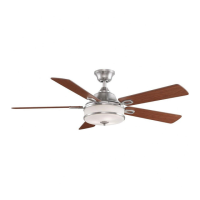
The Escalade
®
Ceiling Fan
Suitable for use with Solid State Speed Controls
WARNING: Support Directly From Building Structure
Net Weight 38 lbs. or 17.3 kg.

Questions and Answers

  • D
    Dalton RodriguezJul 31, 2025
    What to do if my Fanimation Escalade FP2320 won't start?
    • A
      Alex JohnsonJul 31, 2025
      If your Fanimation Fan isn't starting, here are a few things to check: * First, examine the main and branch circuit fuses or circuit breakers to see if one has blown. * Next, check the power line connections to the fan and the switch wire connections in the switch housings, ensuring the main power is off before you do so. * Lastly, if you're using a remote control, try replacing the battery with a fresh one.
  • K
    Kevin TuckerAug 8, 2025
    Why is my Fanimation Escalade FP2320 so noisy?
    • G
      Glenn MillerAug 8, 2025
      A noisy Fanimation Fan can stem from several issues: 1. The blades may not be properly attached; ensure they are securely fastened. 2. Loose screws in the motor housing can cause noise; tighten them, but avoid over-tightening. 3. Check the screws securing the fan blades; if loose, tighten them, remembering to turn off the main power first. 4. Some Fanimation fan motors are sensitive to solid-state variable speed controls, which are not recommended. Consider an alternative control method. 5. Rattling light bulbs inside the light housing can also be a source of noise. Check that the retaining ring washer is in place and the screws are snug.
  • P
    pturnerAug 18, 2025
    How to fix a Fanimation Escalade FP2320 that wobbles excessively?
    • S
      Suzanne SerranoAug 18, 2025
      Excessive wobbling in your Fanimation Fan can be due to: * A loose setscrew in the downrod support. Tighten both setscrews securely. * A loose setscrew in the downrod/hanger ball assembly. Ensure this setscrew is tightened. * The hanger bracket or ceiling outlet box not being securely fastened. Tighten the hanger bracket screws to the outlet box and ensure the outlet box itself is secure.

Summary

Important Safety Instructions

Additional Safety Instructions

Crucial safety guidelines for installation and operation, covering shock, grounding, and support.

Limited Lifetime Warranty

Details the terms and conditions of the fan's limited lifetime warranty for motors and parts.

Unpacking Instructions

Electrical and Structural Requirements

Wiring and Control Options

How to Assemble Your Ceiling Fan

How to Hang Your Ceiling Fan

How to Wire Your Ceiling Fan - C8 Remote Control

Setting the Code

Instructions for setting the 16 code combinations for remote transmitter and receiver units.

Installing Receiver in Hanger Bracket

Step-by-step guide for physically installing the remote receiver unit into the hanger bracket.

Operating Instructions - C8 Remote Control

How to Wire and Operate Your C9 Wall Control

Setting the Code

Instructions for setting the 16 code combinations for wall transmitter and receiver units.

Installing Receiver in Hanger Bracket

Step-by-step guide for physically installing the remote receiver unit into the hanger bracket.

Installing Wall Transmitter

Instructions for wiring and mounting the C9 wall control unit to replace existing switches.

Operating & Using Wall Transmitter

Details how to use the wall control buttons for fan speed and light functions.

Installing the Canopy Housing

How to Install Your Light Kit - LK23 (Optional)

How to Change Your Light Bulbs

Maintenance

Trouble Shooting

Exploded-View

Fanimation Escalade FP2320 Series Specifications

General IconGeneral
BrandFanimation
ModelEscalade FP2320 Series
CategoryFan
LanguageEnglish

Related product manuals