ENGLISH
19 / 48
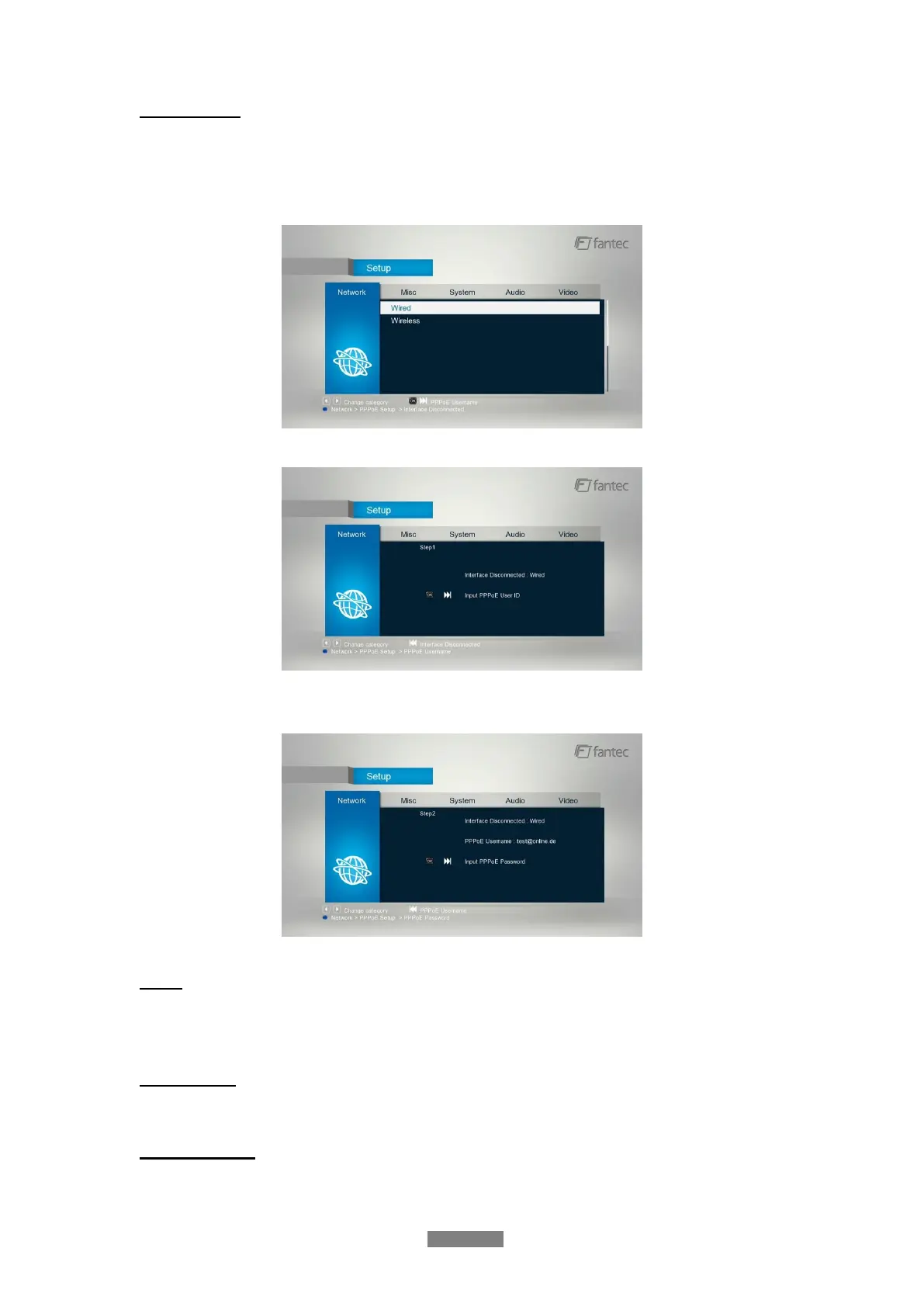
PPPOE Setup
- Input the ADSL accountant and password in this menu, system will obtain IP address
automatically from the server based on PPPOE protocol.
Step 1: Select the connection interface, wired or wireless
Step 2: Press Right button to input your ADSL accountant
Step 3: Press Right button to input your password and start to test the connection.
DLNA
- Digital Media Renderer, can play content received from a digital media controller (DMR),
which will find content from a digital media server (DMS).
Device Name
- Select to key in your desired device name to be seen in your network.
Samba Process
- Select to turn NAS function On/Off. Please refer to ’4.SAMBA Server ’ for more details on
NAS function of this product.



 To Next Page