ENGLISH
33 / 55
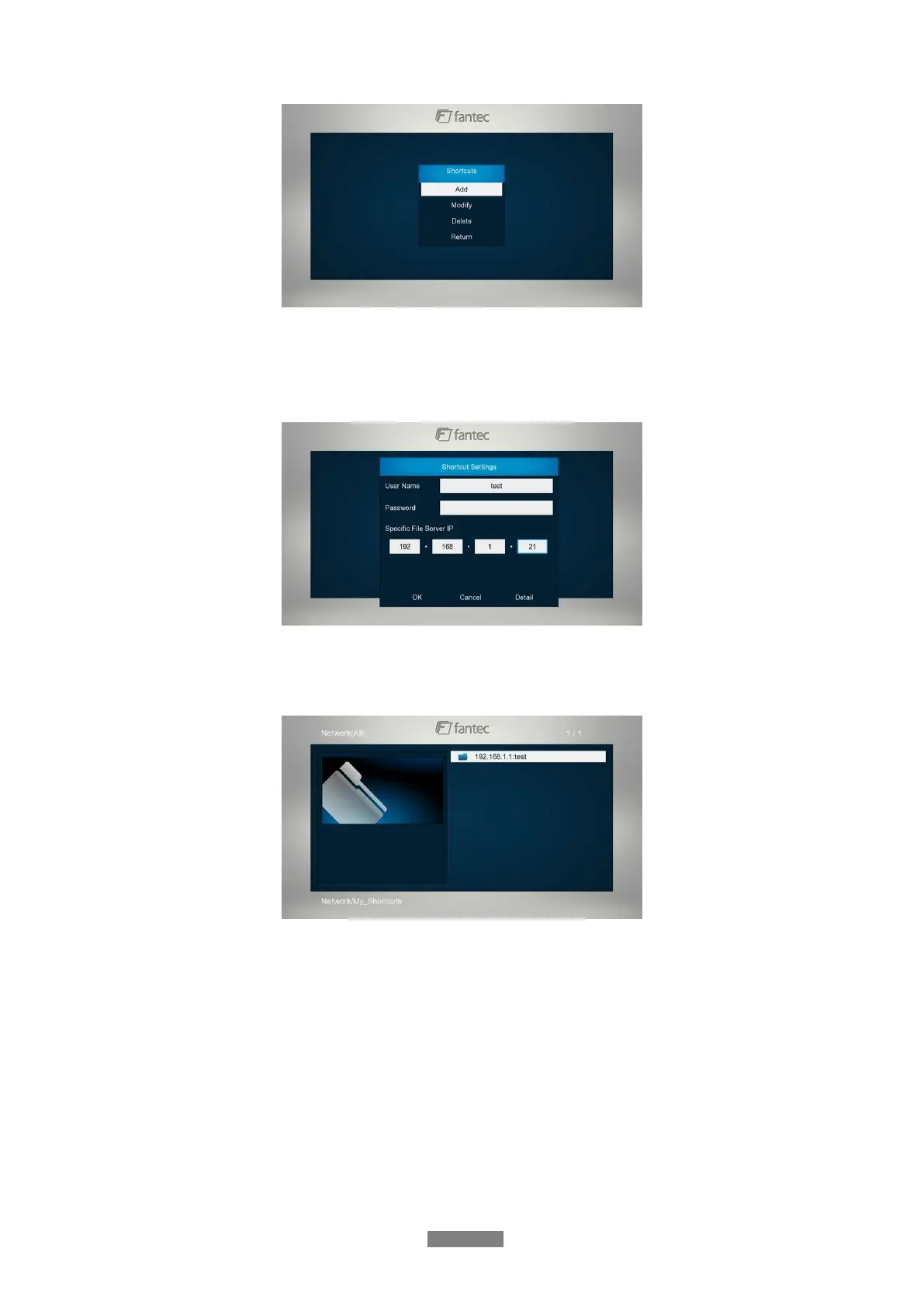
- Select Add to open a popup menu where you can input Label, Net User ID, Net
Password, Domain, Host Name, and Specific File Server IP. Select OK to confirm,
Cancel to cancel, and Simple / Detail to switch between simple and advanced options.
- Select the shortcut you added and press the OK button to confirm. Then you can select
and play the shared media files on the destination computer.
3.6.3 A/V Streaming via UPnP-server
A built-in UPnP (Universal Plug and Play) client has been integrated on the system, which
enables the player to auto-detect UPnP Media Servers on the network to browse and stream
media files from them.
3.6.3.1 Installing UPnP Media Server on your PC
There’re a lot of free and commercial UPnP Media Server software, such as Windows Media
Connect, Windows Media Player 11, XBMC Media Center (Linux/Mac/Windows), MediaTomb
(Linux), etc. Please install one of them on your computer. In the following chapters, we will
take Windows Media Player 11 on Microsoft Windows XP SP2 for an example.



 To Next Page