ENGLISH
34 / 55
3.6.3.2 Sharing Media on your PC
The Media Sharing feature of Windows Media Player 11 lets you enjoy the contents of your
Windows Media Player library from anywhere in your home.
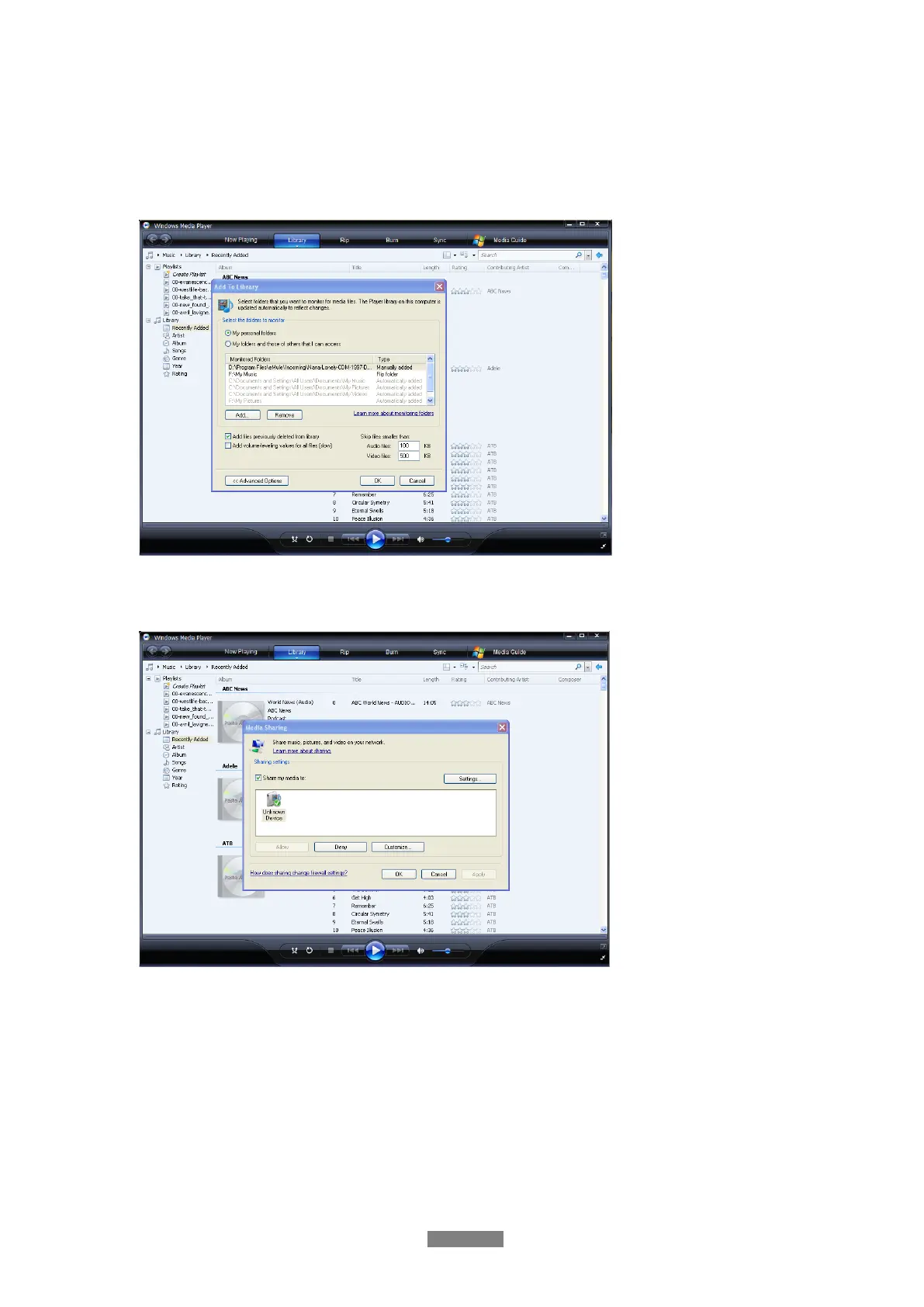
Open Windows Media Player 11, click Library -> Add Library -> Advanced Options to add or
remove media files from the library.
- Click Library -> Media Sharing, then you can allow or deny devices to access the media
library. Click Allow to authorize your player.



 To Next Page