9
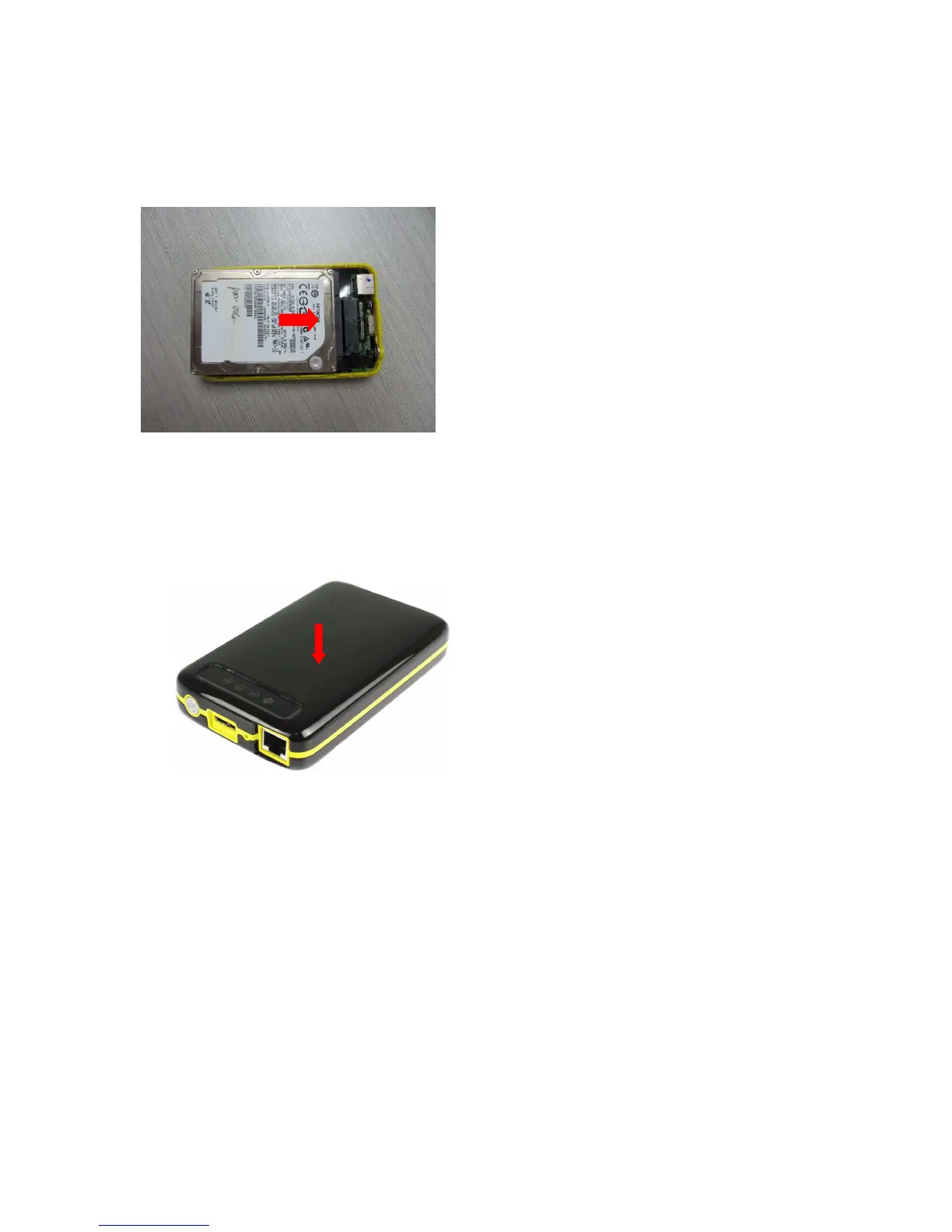
3. After installing the screws together with the rubber shock mounts, carefully push
the hard drive into the SATA connector as shown on the image below.
4. Once the internal hard drive is adjusted and secured correctly, put the top cover
into the grooves of the bottom enclosure and then snap it in to close it.
Important Note:
Once you have closed the enclosure, it’s not possible to open it again without
damaging the cover. Please make sure to install the HDD properly!!!
5. Congratulations. Now you can use the device as an external USB3.0 hard drive
when connected directly to the computer’s USB Port or as a WiFi disk if not
connected to an USB interface. A simultaneous usage as external USB3.0 hard drive
and WiFi hard drive is not possible
Note: If you installed a brand new HDD or want to format the HDD, please follow
Point 5. HDD Format.



 To Next Page