3
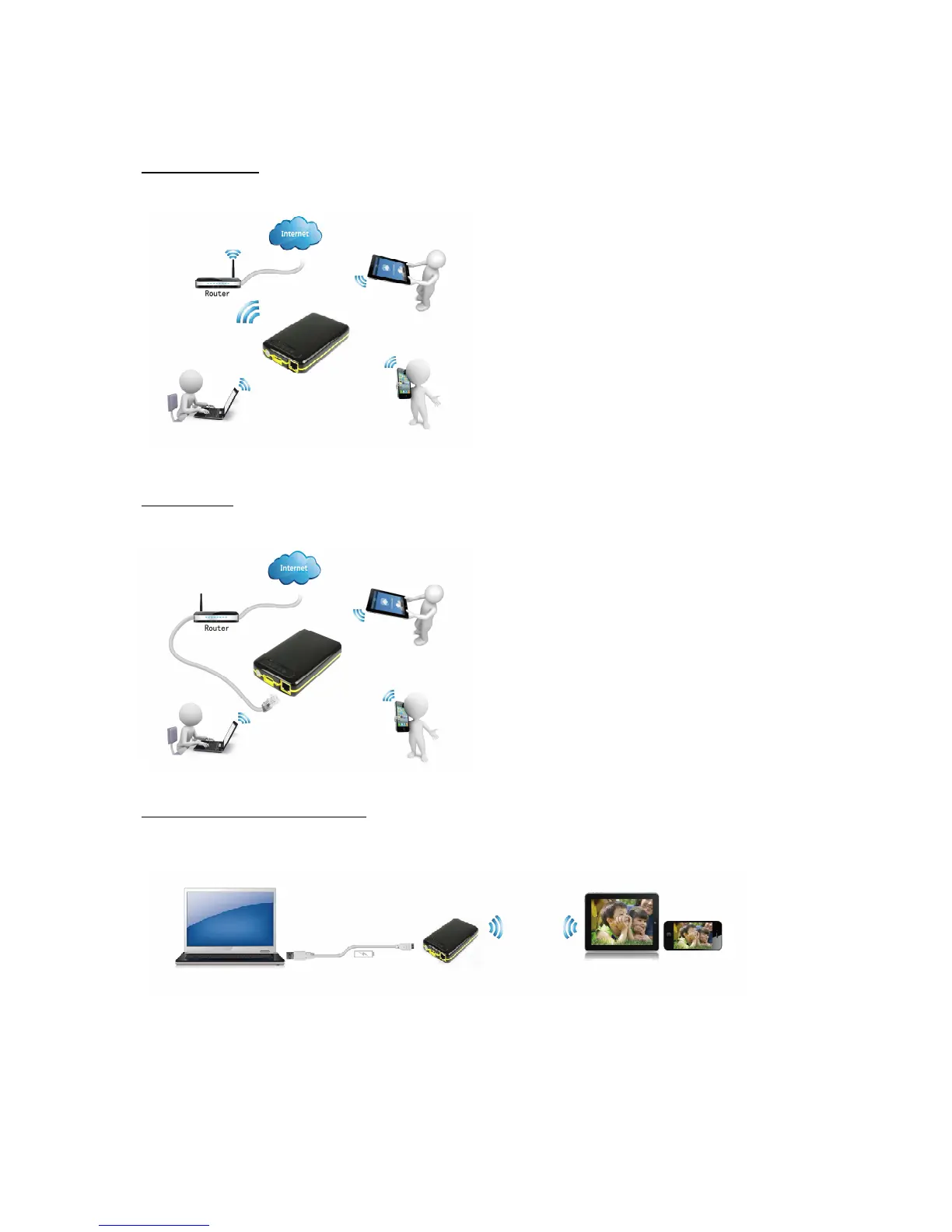
Wireless mode: Wirelessly connect the WiFi HDD to your existing wireless router to have
internet access as illustrated below.
Wired mode: Connect the RJ45 cable to an available RJ45 port of your router, then
enable the DHCP feature of the WiFi HDD to automatically assign an IP address.
External USB 3.0 HDD mode: Simply connect the WiFi HDD to the computer’s USB
2.0/3.0 port. The WiFi HDD will automatically mount on your desktop or under “My
Computer”.
The WiFi HDD now works as an external USB 3.0 hard drive and the internal battery will
be charged at the same time. During charging the battery LED is blinking in green color.
Once the battery is fully charged, the battery LED is not blinking anymore and will stay in
green color.



 To Next Page