IT
EN
DE
FR
ES
GENERAL CONTENT AND CONSULTATION
39
TC Calibration
In this menu screen the user can start the traction control
calibration procedure when required via warning popup on
the display.
Device Pairing
In this menu screen the user can pairing your mobile to the
motorbike.
After selected the type of your mobile (iOS or Android) on
the menu follow the instruction on both display (mobile and
motorbike) to finish tne pairing.
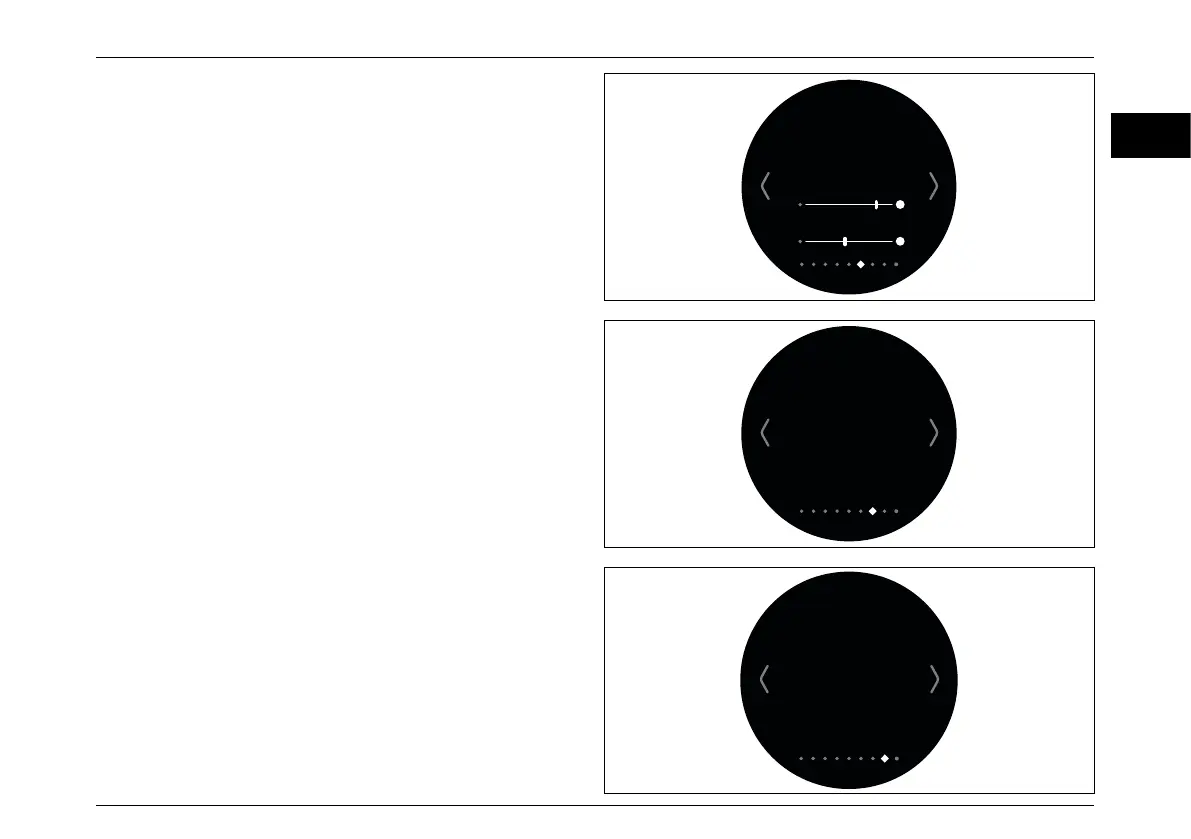
Display & Brightness
In this menu screen the user can set:
– The appearance of the display; Automatic (day version or
night version) - Light (day version) - Dark (night version).
ww
– The brightness of the display in the “Day version”
(Brightness light).
– The brightness of the display in the “Night version”
(Brightness dark).
TC Calibration
Start
Calibration procedure?
No Yes
Device Pairing
BLUETOOTH MODE
Android
PASSKEY:
OFF iOS
Display & Brightness
Appearance
Automatic Light Dark
Brightness Light
Brightness Dark



 To Next Page