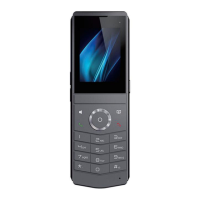
DECT W710P (W710D+W610D) User Manual
Directory
Directory ...........................................................................................................................................2
1 Safety Instructions .....................................................................................................................8
1.1 Safety Instructions.......................................................................................................... 8
1.2 Battery Warning...............................................................................................................9
2 Overview ..................................................................................................................................... 10
2.1 Summary ........................................................................................................................ 10
2.2 Specification Introduction ............................................................................................ 10
2.2.1 W710D Specification Introduction .....................................................................10
2.2.2 W610D Specification Introduction .....................................................................11
3 Installation ..................................................................................................................................13
3.1 Packing Contents ..........................................................................................................13
3.1.1 W710D Packing Contents.................................................................................. 13
3.1.2 W610D Packing Contents.................................................................................. 13
3.2 Install W710D................................................................................................................ 14
3.3 Install W610D................................................................................................................ 15
3.3.1 Installing the battery ............................................................................................ 15
3.3.2 Battery Replacement ...........................................................................................16
3.3.3 Connect the charging base ................................................................................ 18
3.3.4 Installing belt clip..................................................................................................18
4 Introduction to the User ......................................................................................................... 19
4.1 Instruction of Keypad ....................................................................................................19
4.1.1 Instruction of Keypad for W710D......................................................................19
4.1.2 Instruction of Keypad for W610D......................................................................20
4.2 W610D power on/off.....................................................................................................22
4.3 Language settings........................................................................................................ 22
4.4 Country/Region Settings ..............................................................................................23
4.5 W610D Standby Interface........................................................................................... 24
4.6 W610D Menu.................................................................................................................25
4.7 Device status................................................................................................................. 26



 To Next Page